What matters when buying?
Start with what the laptop and employer permit, then decide which equipment needs to travel and which can stay at a desk.
| Concern |
What to check |
Who this matters to |
| Laptop and display compatibility |
Check the exact laptop model, video-capable port and supported external-display arrangement. Match dock charging output to the laptop’s requirements. |
If I switch between desks, I need the monitor and accessories to connect to my work laptop without relying on a feature its port cannot provide. About 33% of consumers put compatibility first. |
| Screen space and workstation fit |
Match monitor inputs to the laptop or dock, and consider screen placement, stand adjustment and available desk space. |
When I spend long periods working across documents, I want more usable screen space at the desk without overlooking the rest of the workstation. For about 27% of consumers, screen space and fit are the primary concern. |
| Calls and camera placement |
Check employer and meeting-platform requirements, headset comfort or webcam mounting, according to the device you need. |
Calls from changing or shared locations make me think about where the camera and microphone will sit and whether I can use them on my work laptop. Call-related needs come first for about 20% of consumers. |
| Portability between desks |
Decide what stays at each desk and what travels; check the cables, power arrangements and any software the portable setup requires. |
I want a manageable bag and a connection routine I can repeat at either location, even if that means leaving some equipment on a desk. About 20% of consumers prioritise portability. |
Joybuy product selections
These products cover extra screen space, desk connections and video-call accessories for a laptop used across home and workplace desks. Choose the type of equipment that addresses your own setup need, then check compatibility with your work laptop.
 Image unavailable
ASUS ZENSCREEN MB166CR FHD
Consider this extra display when screen space needs to move with your laptop. Its USB-C video connection requires a laptop port that supports DisplayPort Alternate Mode; check the exact model and port before buying.
View on Joybuy
 Image unavailable
Targus USB-C Universal Dual HDMI 4K Docking Station, 100W Power Delivery Pass-Thru
For a desk where you want to connect displays and other equipment through a dock. The product name specifies dual HDMI 4K and 100W power-delivery pass-through; check the laptop’s USB-C video support, display limits and charging needs. Confirm the required power adapter and whether it is included.
View on Joybuy
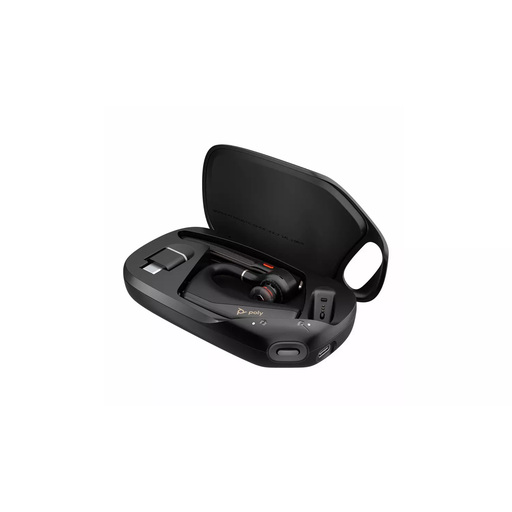 Image unavailable
HP Poly Voyager Legend 50-M UC Bluetooth Headset, Black
A call accessory to consider when you move between work locations. Check whether your employer permits Bluetooth peripherals and whether this variant meets the requirements of your meeting platform.
View on Joybuy
 Image unavailable
ASUS PROART PA278CV IPS WQHD
Consider this desk display if you regularly need more screen space at one location. Its name specifies an IPS WQHD display; check your laptop’s video output, the intended connection and any USB-C charging requirement before buying.
View on Joybuy
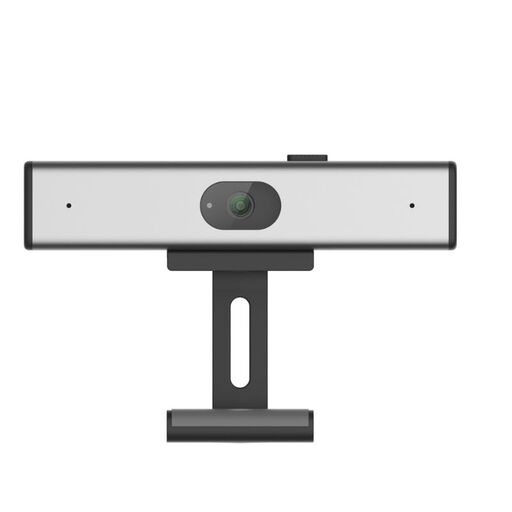 Image unavailable
Philips SPL6308S/00 2K QHD Webcam, EU Version, Silver
A separate camera to consider when laptop-camera placement does not suit your meetings. The product name specifies 2K QHD video, a microphone described as having noise reduction and clip-on mounting. Check its connection, mounting fit and employer device rules.
View on Joybuy
Frequently asked questions
Will any USB-C hub connect my work laptop to a monitor?
No: check the exact laptop model, its port’s video capability and the adapter’s display support. Apple Support says Mac external-display support varies by model and specifies compatible display-adapter standards for its Thunderbolt or USB-C connections.
Will a multi-monitor dock give me multiple working screens?
Only if both the dock and laptop support the intended arrangement. CalDigit specifies different TS4 display configurations by host platform, and Apple Support says Mac external-display limits vary by model.
Can I use my own accessories with an employer-managed laptop?
Check your employer’s device rules before buying, particularly if an accessory needs drivers, software, Bluetooth pairing or access to work information. The National Cyber Security Centre advises organisations to define which personal devices and work tasks their policies permit.
Do I have to buy my own monitor or dock for hybrid work?
The Health and Safety Executive’s display screen equipment guidance addresses workstation assessment, not a general instruction for workers to purchase a particular accessory. It says the regulations can apply when workers routinely split their time between home and workplace, and that employers must assess workstations for workers who use display screen equipment daily for continuous periods of an hour or more. Ask your employer what equipment arrangements apply to your role.
What belongs in a home-and-office workstation check?
Consider the screen together with the keyboard, other computer accessories, desk, chair and immediate environment. The Health and Safety Executive also identifies posture, desk space, screen and lighting adjustment, and glare in its display screen equipment guidance.


