Who needs this setup?
The Office for National Statistics reported that 28% of working adults in Great Britain hybrid worked between January and March 2025. For anyone taking the same laptop between locations, the home desk must work with that particular device—not just with accessories that look compatible.
People with employer-managed laptops
If your organisation controls peripherals or software installation, ask which personal docks, displays, network adapters and input devices you may connect. The National Cyber Security Centre advises organisations to assess and control access through external interfaces.
Workers setting up a one-cable desk
If you want to leave desk accessories connected and carry only the laptop, check the host port before choosing a dock. Lenovo and HP both make dock functions conditional on the laptop’s supported USB-C video or Thunderbolt protocols.
Workers using several windows or screens
If your tasks call for more than one external display, check the intended screen count, resolution and refresh rate against the exact laptop and dock configuration. Kensington’s stated multi-display options, for example, have host and operating-system conditions.
What should you check first?
For a work laptop that moves between home and the workplace, confirm employer permission and laptop compatibility before choosing how to connect the home desk.
| Concern |
What to check |
Who this matters to |
| Employer approval |
Ask whether personal docks and peripherals are allowed, and whether the setup needs approved drivers, firmware updates or wired-network access. |
If my laptop is managed, I need to know that I can connect and maintain the equipment before I build my home desk around it. About 31% of consumers put employer approval first. |
| Ports, displays and charging |
Check the exact laptop’s video protocol and display limits, then compare its charging requirements with the dock’s host-specific output. |
I want one connection to run my desk, but it must support the screens and charging my laptop needs. For about 31% of consumers, host compatibility is the primary concern. |
| Portable work computer |
Confirm that required work applications and security tools run on the proposed laptop, and that its ports and charger arrangement suit travel between locations. |
When I move between home and work, I need to continue my tasks on the same practical-to-carry computer. Portability comes first for about 23% of consumers. |
| Home-desk peripherals |
Match the monitor input to the laptop or approved dock output, and choose keyboard and mouse connections your employer permits. |
Once the laptop connection is settled, I want my screen and input devices ready to use without unnecessary cables or adapters. About 15% of consumers prioritise desk simplicity. |
Brands to consider
These brands provide examples of dock specifications and compatibility conditions worth checking; a brand name alone does not establish that a dock will work with your laptop.
Dell
Dell’s Pro Thunderbolt 4 Dock WD25TB4 is a reference point for a fixed desk where host-specific charging and display support matter.
- Dell UK specifies up to 130W power delivery for Dell systems.
- Dell UK specifies 96W for non-Dell systems; check the figure and display modes applicable to your laptop.
Lenovo
The ThinkPad Universal Thunderbolt 4 Dock is relevant to workers considering a desk dock with business-oriented features.
- Lenovo documents host requirements and management features for this dock.
- The laptop needs a supported USB-C Alt Mode or Thunderbolt protocol; Lenovo says some management features may be unavailable on certain systems.
Kensington
The SD5920T is a DisplayLink-equipped docking option for buyers assessing connections across different laptops.
- Kensington publishes multi-display configurations for the SD5920T.
- Applicable display modes depend on the host and operating system; confirm that any required DisplayLink software is approved.
HP
HP’s USB-C G5 Essential Dock illustrates why host-side video support belongs on the buying checklist.
- HP specifies the host protocols needed for its USB-C Alt Mode functions.
- Higher multi-display configurations can require DisplayPort 1.4 with Display Stream Compression; supported features vary by laptop and operating system.
Joybuy desk accessories
These selections cover a USB-C expansion dock and keyboards and mice for a home desk used with a portable work laptop. Check each connection against the exact laptop and your employer’s peripheral rules.
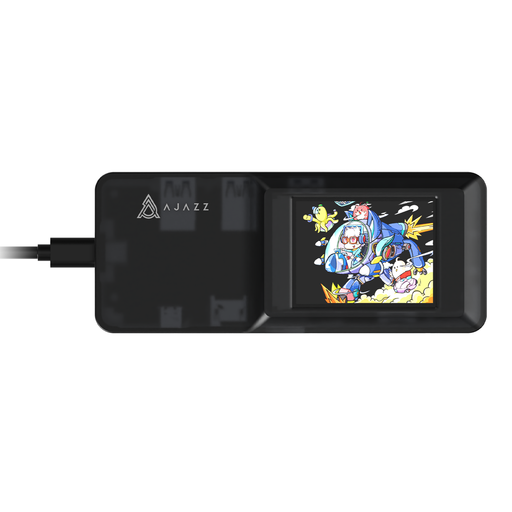 Image unavailable
AJAZZ AKP01E 8-in-1 USB-C Expansion Dock
Consider this for a home desk where you want to connect accessories through a USB-C dock.
- The product name identifies an 8-in-1 dock with TF and SD card slots.
- Before choosing it for a monitor or charging, check your laptop’s USB-C video and charging capabilities and the intended display mode.
- Confirm that your employer permits a personal dock and its connected peripherals.
View on Joybuy
 Image unavailable
Lofree OE907 65% Mechanical Keyboard, US Layout
This compact keyboard is an option for a home desk if its key arrangement suits your work.
- The product name specifies 68 keys, Bluetooth 5.1 and a USB-C wired mode.
- Check that the US layout works for your typing and that your employer permits the chosen connection.
View on Joybuy
 Image unavailable
Philips 3000 Series SPT6318B/05 Keyboard and Mouse
This wireless set covers both typing and pointer input at a home desk.
- The product name identifies a UK English keyboard version.
- Confirm the connection and operating-system requirements for your laptop, including whether your employer permits a personal wireless input device.
View on Joybuy
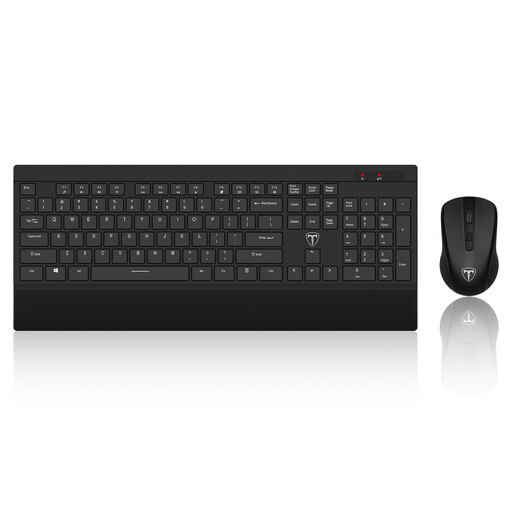 Image unavailable
ET 2.4GHz Wireless Keyboard and Mouse, US Layout
Consider this set if you want separate keyboard and mouse input for the home desk.
- The product name specifies a full-size keyboard with a US layout.
- Check that the layout suits your work and that your laptop and employer permit the set’s receiver connection.
View on Joybuy
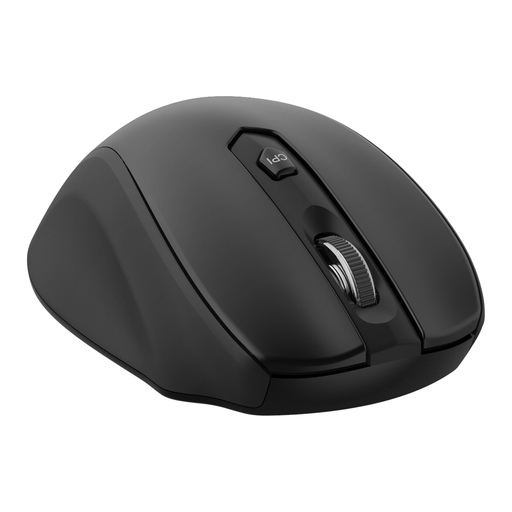 Image unavailable
ET 2.4G Wireless Mouse with USB Receiver, Black
This standalone mouse is for a desk that needs a separate pointing device rather than a keyboard-and-mouse set.
- The product name specifies five adjustable DPI levels and six buttons.
- Check for a compatible, employer-permitted receiver connection on the work laptop.
View on Joybuy
Common questions
Should I ask my employer before buying a dock or monitor for a work laptop?
Ask before buying equipment that connects to an employer-managed laptop, particularly a personal dock or anything needing software installation, network access or firmware updates. The National Cyber Security Centre advises organisations to assess external-interface risks and apply controls, so your employer’s permissions determine which connections you can use.
Does USB-C mean my laptop can run a monitor and charge through one cable?
No: check the exact laptop model’s supported video protocol, display limits and USB-C charging capability. HP states that its dock’s USB-C Alt Mode functions require host DisplayPort Alt Mode support, and Lenovo likewise specifies host-protocol requirements for its dock.
Can I use a DisplayLink dock with an employer-managed laptop?
Use one only if your employer permits the required DisplayLink software and its maintenance on your laptop, and the dock supports your intended host and displays. DisplayLink publishes corporate-deployment guidance, reflecting the software consideration involved in this route.
What should I check before ordering a home-desk monitor?
Check the monitor input, cable or approved dock output, and your exact laptop’s external-display capability as one connection chain. Microsoft’s Surface guidance, for example, notes that external-display support depends on the device model and the cables or adapters used.


