
24/7 Customer Support

Free returns

Same-day & Next-day Delivery

Quality Guaranteed

Unlock Your Welcome Offers: FREE Delivery | Up to 80% OFF | Free 30-day JoyPlus trial
Download the APP
A reliable USB C fast charging cable is no longer a luxury; it's an essential tool for keeping our phones, laptops and tablets powered throughout the day. Yet, buying a new one can feel like a gamble. With so many options promising incredible speeds and durability, it's easy to end up with a cable that either underperforms or frays within months.
As the Joybuy Product Recommendation Officer, my role is to help you navigate the market. We'll look past the marketing noise and focus on what truly matters. This guide will highlight the common pitfalls to avoid and the key features to check, ensuring your next purchase is a lasting and effective one.
Many of us have a drawer full of disappointing cables. They were either a false economy or failed to live up to their promises. Here are the three most common traps to watch out for:
To make an informed choice, you only need to focus on a few core parameters. Understanding these will help you find a cable that perfectly matches your needs.
Wattage (W) measures the speed at which power is delivered to your device. A higher wattage means faster charging, but only if your device and power adapter can handle it.
The cable's outer jacket is your first line of defence against wear and tear.
Consider where you'll be using the cable most.
Instead of a generic list, we've matched some standout options to specific user needs.
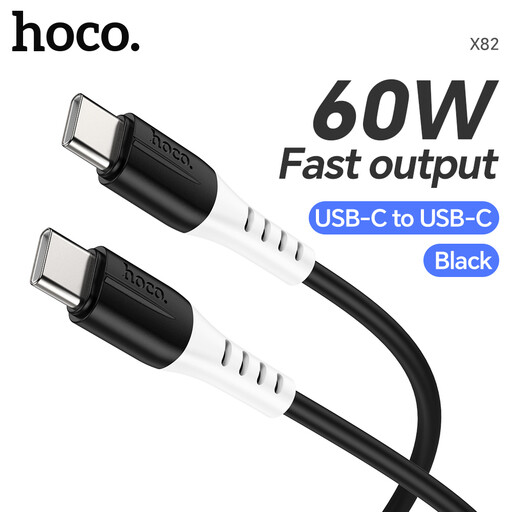
Why This Fits Their Persona: This is a practical and reliable choice for charging the majority of modern devices, from Android phones to tablets and ultrabooks. The 60W output is the sweet spot for fast, efficient charging without paying for excess power you don't need.
The food-grade silicone jacket is soft, flexible and highly resistant to tangling and fraying, directly addressing the durability pitfall of cheaper plastic cables.
60W Power Delivery: Sufficient for fast-charging phones, tablets and many laptops.
Tangle-Resistant Silicone: Easy to coil and store without permanent kinks.
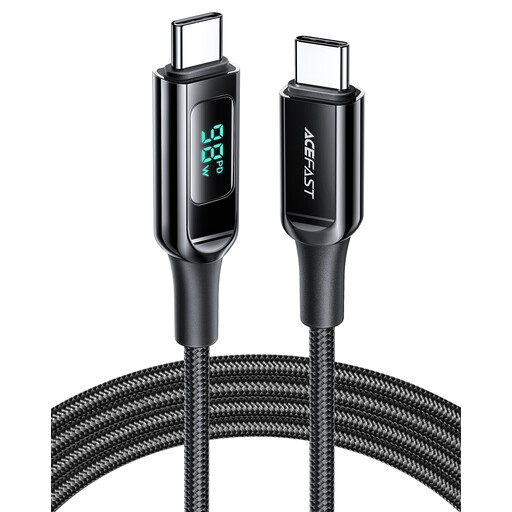
Why This Fits Their Persona: For professionals using a MacBook Pro or high-performance laptop, 100W is the benchmark for effective charging. This cable delivers that power and adds a useful digital display to confirm the charging speed, appealing to the tech-savvy user.
It solves the mismatched power problem by providing a real-time wattage display, so you know instantly if your charger and device are delivering the full 100W speed.
100W High-Power Output: Capable of charging demanding laptops at full speed.
Digital Power Display: Confirms charging performance at a glance.
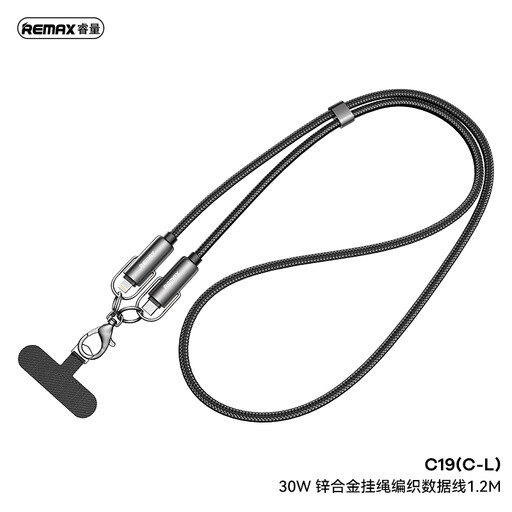
Why This Fits Their Persona: This cable is specifically for those invested in Apple's ecosystem. It provides the correct USB-C to Lightning connection needed for fast-charging modern iPhones and iPads with a USB-C power adapter.
It prevents the "wrong connector" pitfall by being designed for Lightning devices. The braided nylon exterior and zinc alloy connectors also provide superior durability over standard-issue cables.
30W Fast Charging: Optimised for fast-charging iPhones and iPads.
Durable Build: Braided nylon and zinc alloy offer long-term resilience.
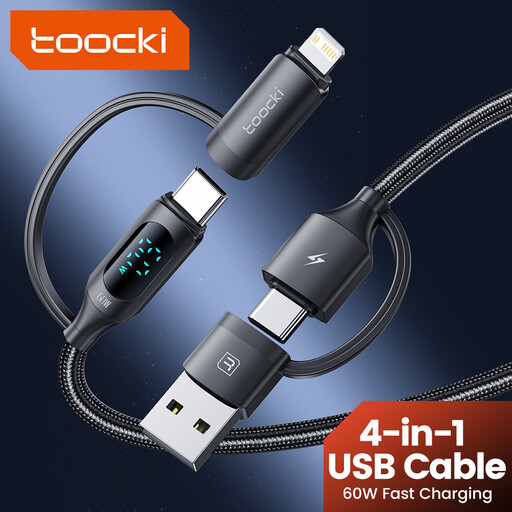
Why This Fits Their Persona: Ideal for travellers, families or anyone with a mix of devices. This single braided cable features interchangeable heads, allowing it to function as USB-A to C, USB-A to Lightning, USB-C to C and USB-C to Lightning. It's the one cable to pack.
It completely eliminates the "wrong connector" problem by including all common modern connectors in one package, saving you from buying and carrying multiple cables.
4-in-1 Versatility: One cable covers USB-C, Lightning and USB-A connections.
Travel-Friendly: Reduces clutter by replacing multiple cables with a single, durable solution.
We have compiled a complete, real-time list of products that fully satisfy these strict selection criteria and UK safety regulations.
Not necessarily. Most smartphones, even those with fast-charging capabilities, will not draw more than 30-45W. A 100W cable will work perfectly fine, but it won't charge your phone any faster than a quality 60W cable. A 100W or higher cable is primarily beneficial for laptops and other high-power devices.
Aside from physical damage, the most common cause is a failure in the small electronic "chip" inside the USB-C connector head. This chip communicates with the charger and device to regulate power. In cheaply made cables, this component can fail from heat or poor manufacturing, causing the cable to stop fast charging or stop working altogether. Investing in a cable from a reputable brand with a durable build helps minimise this risk.
While any USB-C cable will physically connect, only a cable rated for 65W or higher will charge a MacBook Pro effectively. Using a lower-wattage cable (like one designed for a phone) will result in extremely slow charging or the battery may even continue to drain while plugged in under heavy use. Always match the cable's wattage to your laptop's requirements.