What to check before buying
Start with your laptop’s charging requirements, then check the cable and any shared-port output before choosing a setup for its packed size or other practical needs.
| Concern |
What to check when buying |
Who this matters to |
| Laptop and charger compatibility |
Confirm that the intended laptop port supports charging, then compare the charger’s published USB Power Delivery output with the maker’s guidance for your exact model. |
If I want to avoid a slow-charge warning, I need a setup matched to my laptop rather than a wattage figure alone; around 28% of consumers put compatibility first. |
| Packed size |
Compare the dimensions of the actual plug and the cable you plan to carry with the usable space in your bag or case, after checking compatibility. |
If my bag has little spare room, I want the complete compatible setup to fit without making packing harder; around 28% of consumers prioritise packing size. |
| Power while sharing ports |
Check the manufacturer’s output table for the exact charger and the combination of ports you will use at the same time. |
If I need one plug for my laptop and other devices, I care about the power left for the laptop when those devices are connected; around 17% of consumers prioritise simultaneous charging. |
| Cable capability |
Check the cable’s connectors and stated power capability, and confirm whether a cable is included with the charger. |
If my charger is already suitable, I want a replacement cable that fits the charging setup rather than an unnecessary extra adapter; around 11% of consumers prioritise replacing the cable. |
| Safety and seller information |
Check the marking that applies where the mains charger is supplied, its manufacturer information and instructions, and who the seller is. |
If I am choosing between otherwise suitable setups, I want to identify the item and seller and understand the after-sales terms; around 16% of consumers put purchase assurance first. |
For mains-powered electrical equipment placed on the Great Britain market, the UK Department for Business & Trade lists UKCA or CE marking; for Northern Ireland, it lists CE or CE together with UKNI. The UK Office for Product Safety and Standards also advises checking product markings, instructions, manufacturer details and the seller. A marking alone does not verify a particular item.
Joybuy product choices
These Joybuy product choices cover USB-C-to-USB-C replacement cables and portable USB-C laptop chargers. Check each cable’s capability or charger’s output against your particular laptop and intended charging setup.
 No image available
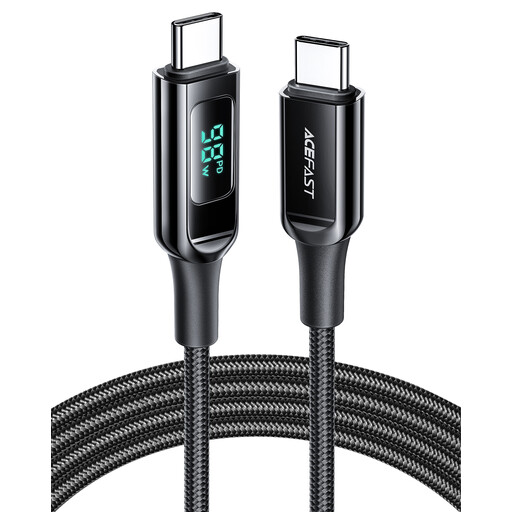
ACEFAST 100W USB-C to USB-C Charging Cable, 1.2 m, Black
For replacing a USB-C-to-USB-C cable when its length and capability suit your charging setup.
The product information states a 1.2 m length, up to 100W and a digital power display. It says a certified adapter is needed to reach the full 100W charging potential.
View on Joybuy
 No image available
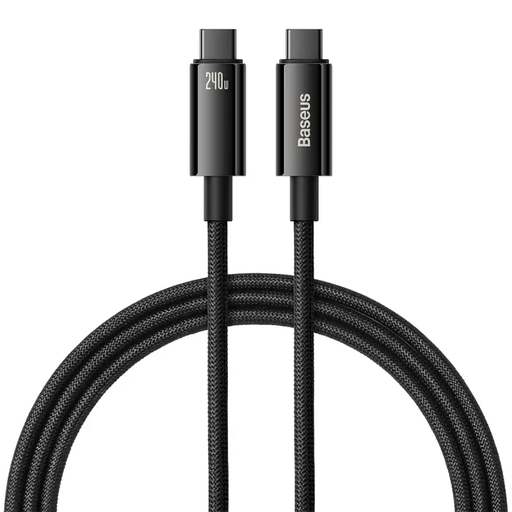
Baseus Tungsten Gold USB-C to USB-C Cable, 240W, 1 m, Black
For a shorter replacement cable if its connectors and stated capability match your laptop charging setup.
The product information states a 1 m length, up to 240W and a 480Mbps transmission rate. The stated cable capacity does not determine how much power the charger supplies or the laptop accepts.
View on Joybuy
 No image available
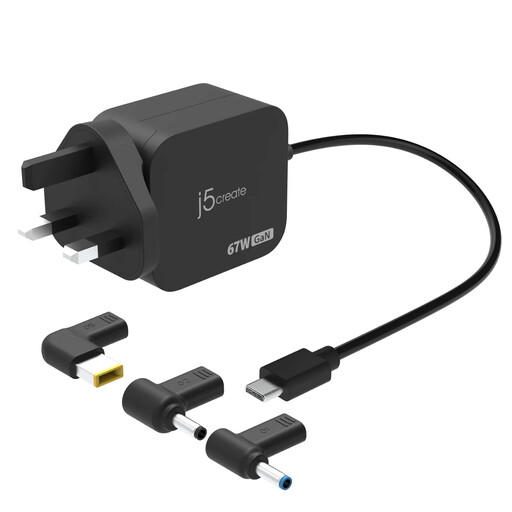
j5create JUP1565DCF3A 67W GaN PD USB-C Mini Charger, UK plug, Black
For a USB-C Power Delivery laptop setup if the charger’s output suits your specific model.
The product information states up to 67W, a UK plug and three USB-C-to-DC connectors in the box. Check that your laptop accepts the output and connector arrangement before choosing it.
View on Joybuy
 No image available
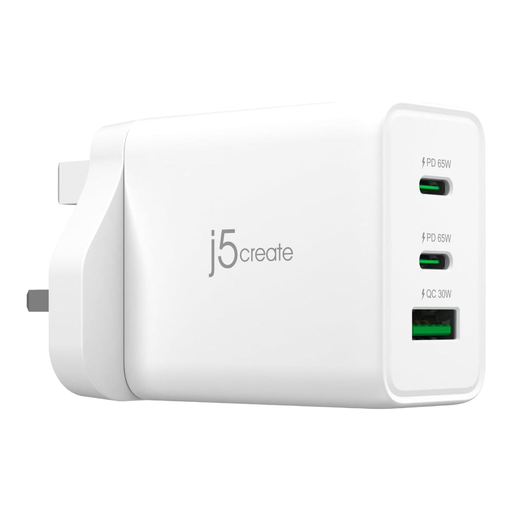
j5create JUP3365F 65W GaN USB-C 3-Port Charger
For charging a laptop and other devices from one plug if the available laptop output meets your model’s requirements.
The product information specifies two USB-C ports and one USB-A port, with up to 65W from one USB-C port. It states that USB-C output is up to 45W while other devices are being powered.
View on Joybuy
 No image available
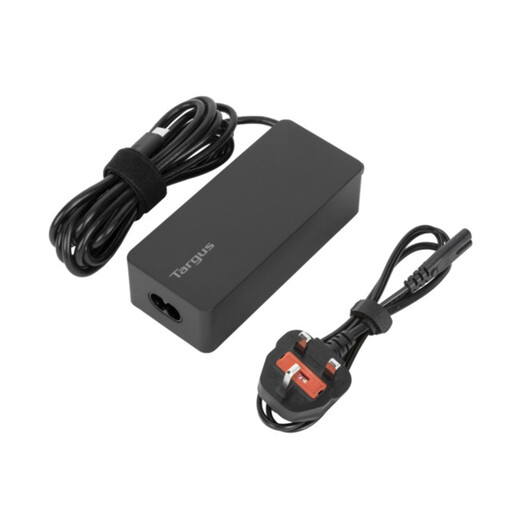
Targus 65W USB Type-C Charger
For a USB-C laptop travel setup if the output and stated compatibility fit your specific device.
The product information describes USB-C Power Delivery and up to 65W for most USB-C laptops up to 14 inches. It also mentions a UK power cord and cable tie; confirm the exact listing details and your laptop’s requirements.
View on Joybuy
Frequently asked questions
Does a USB-C socket mean any USB-C charger will give my laptop full-speed charging?
No. Check that the particular port supports charging, then follow the maker’s recommended power and any stated adapter-and-cable combination for your exact laptop. Apple’s guidance shows why one wattage rule cannot be applied to every Mac; an individual user’s charging experience is not a compatibility specification for other models.
How should I set up and look after a travel charging kit?
Use a charger and cable suited to your laptop, and check the charger’s port-output table if you will connect other devices at the same time. Follow the supplied instructions and check the item for damage or missing safety information; UK government guidance advises checking manufacturer details and who is selling the product.
Will I need to buy a cable separately?
Check the exact charger listing and bundle: Anker states that its 715 A2663 does not include a cable, and Apple says the cable for its 70W USB-C Power Adapter is sold separately. Match any separate cable’s connectors and stated capability to your charging setup.
What if an online charger arrives faulty or not as described?
A manufacturer warranty is separate from your statutory rights. UK Government guidance says a seller must offer a refund if goods are faulty, not as described or do not do what they are supposed to; it also sets out time-limited cancellation rights for eligible distance purchases. Keep your order details and check who the actual seller is.
Must a third-party mains charger have a UKCA mark everywhere in the UK?
No. Current UK government guidance lists UKCA or CE for electrical equipment placed on the Great Britain market, and CE or CE together with UKNI for Northern Ireland. Check the marking that applies where the item is supplied, as well as its manufacturer information and seller; a printed mark alone does not verify a particular unit.


