Home-office users who take their laptop elsewhere
If you work on documents, email and browser tabs at a desk but carry the same computer away, compare its carrying weight and operating-system support alongside its route to an external display.


Choose a laptop you can carry comfortably that has a supported operating system and documented video output; then choose the desk connection around your monitor and peripherals. A compatible USB-C monitor or hub can simplify a single-monitor setup, while a dock is worth considering when you need more connections. Check the exact laptop configuration before relying on one-cable display and charging.
The common requirement is one computer that works away from home and reconnects to a useful desk setup.
If you work on documents, email and browser tabs at a desk but carry the same computer away, compare its carrying weight and operating-system support alongside its route to an external display.
If your home setup is one larger screen, keyboard and mouse, a USB-C display connection may reduce the cables you reconnect. Confirm video output and charging support on both the exact laptop and the monitor or hub.
If you also need wired Ethernet, several USB devices or multiple displays, compare docks against the laptop maker’s and dock maker’s compatibility information. Display output and charging still depend on the particular laptop.
Start with the laptop you will carry, then work out how its documented ports will connect to the desk equipment you actually use.
Consider it: For one external monitor and routine desk peripherals, if the exact laptop and connected equipment support the required video and charging functions.
Check: A USB-C connector alone does not establish display output, sufficient charging or the number of screens it can drive.
Consider it: When your desk needs several peripherals or displays and the dock maker documents compatibility with your laptop.
Check: A dock’s stated capabilities do not override the laptop’s display-output or charging limits. Dell Support warns that laptops outside a dock’s compatibility list may have limited functionality or errors.
Consider it: If one monitor is enough and you do not need display, charging and peripherals combined in one cable.
Trade-off: You will connect charging and other desk devices separately.
| Priority | What to check | Your needs |
|---|---|---|
| Carrying and daily work | Compare the weight of the exact laptop configuration with how often you will carry it. Check its memory and other specifications against the applications and number of browser tabs you expect to use. | I want the same computer for documents and email at home and away, without choosing a machine that is awkward for my usual journey. |
| Monitor connection | Confirm the laptop’s stated display output and the monitor’s input. For USB-C video, check for documented DisplayPort Alt Mode, USB4 or Thunderbolt support rather than relying on the connector shape. | A larger screen at home matters to me, but I still need to unplug the laptop and take it away. |
| Charging and peripherals | Check whether the laptop accepts USB-C charging and whether the monitor, hub or dock supplies enough power. Compare the required USB connections, Ethernet and display count with the exact device specifications. | I would like fewer connections to manage at my desk; if I use several devices, the available ports matter more than a one-cable promise. |
| Windows support | For a new or refurbished Windows laptop, confirm Windows 11 is installed or verify the exact machine’s upgrade eligibility. Microsoft Support states that Windows 10 support ended on 14 October 2025. | If I buy a refurbished Windows laptop, I want to know its operating-system update path before committing to it. |
USB-C describes the connector, not every function available through it. A laptop port may not provide the video output or charging support needed for the desk connection you have in mind.
Check the selected laptop’s port specifications for video output and charging input, then compare them with the monitor or hub.
A dock’s display and power specifications do not establish what a particular laptop can use. Dell Support warns that laptops outside a dock’s compatibility list may have limited functionality or errors.
Check the exact laptop against the dock’s compatibility guidance, including the intended displays and charging requirement.
Microsoft Support states that Windows 10 support ended on 14 October 2025. That makes the operating system and upgrade eligibility important parts of a refurbished laptop decision.
Confirm Windows 11 is installed or check the exact configuration’s eligibility before buying; a general claim that the laptop is Windows-capable is not enough.
These product families provide useful specifications to compare, but a brand name alone cannot confirm that a particular laptop and dock will work together.
ThinkPad laptops and Lenovo docks are worth examining if you want a laptop-and-dock setup with documented connection requirements.
Dell Latitude laptops and commercial docks are relevant when planning a desk with several connections.
HP presents its ProBook family as work-focused laptops with options for home and office use.
These options include a portable laptop, external screens and USB-C desk connections. Choose the laptop’s required connections first, then check each accessory against them.
 No image available
A portable computer for the desk-and-away setup, listed with Windows 11 Home, 64GB RAM and a 2TB SSD. Check the exact configuration’s external-display connections and compatibility with your intended monitor or dock before choosing desk accessories.
 No image available
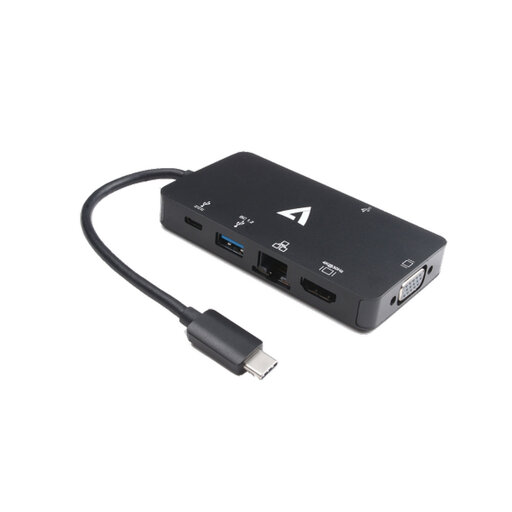
For connecting desk equipment through a compatible laptop, this adapter is listed with 4K HDMI, VGA, Gigabit Ethernet, dual USB 3.0 ports and 100W Power Delivery. Check the laptop’s USB-C video output and charging requirements before relying on the adapter for your setup.
 No image available
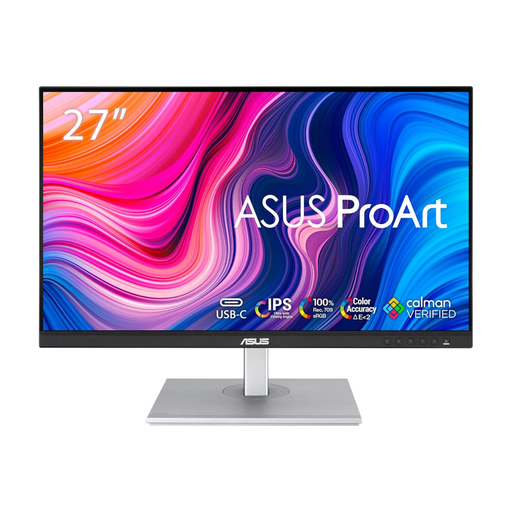
An external screen for a home desk while the laptop remains your portable computer. Check the monitor’s connections against the laptop’s video output; if you want it to charge the laptop too, confirm the supported USB-C power specifications for both devices.
 No image available
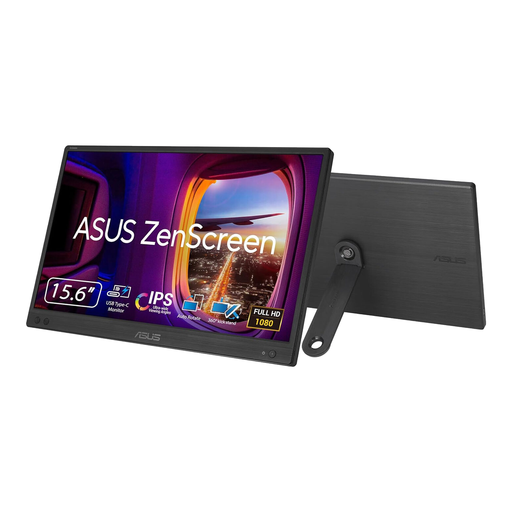
A portable external-screen option if you want a second display away from your main desk. Confirm that the intended laptop provides the USB-C video output this screen requires; do not assume an HDMI-only laptop connection will work.
 No image available
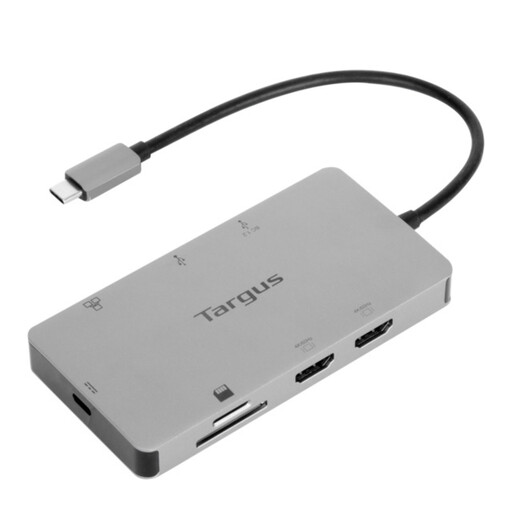
For a desk that calls for two HDMI display connections, this dock is listed with 100W Power Delivery pass-through. Check the laptop’s USB-C video capability, supported display arrangement and charging needs, as well as the external power-adapter requirement, before planning the setup around it.
No. Confirm that the laptop’s port supports the required video output and charging input, and that the monitor or dock supplies compatible video and sufficient USB Power Delivery. The Video Electronics Standards Association describes how DisplayPort over USB-C can carry video, data and power, but the devices at both ends must support the functions you need.
Confirm that Windows 11 is installed or verify eligibility for the exact machine before buying. Microsoft Support states that Windows 10 support ended on 14 October 2025; Microsoft’s Windows 11 requirements include TPM 2.0, so an unspecified claim of upgradeability needs checking.
Compare the exact laptop model and configuration with the dock maker’s compatibility guidance, then check the intended displays, ports and charging requirement. Dell Support warns that laptops outside a dock’s compatibility list may have limited functionality or errors.
For a UK purchase, GOV.UK says a seller must offer a full refund if an item is faulty, not as described or does not do what it is supposed to do. Keep a record of the advertised configuration and contact the seller about the discrepancy; a problem with the goods is distinct from simply changing your mind.