
24/7 Customer Support

Free returns

Same-day & Next-day Delivery

Quality Guaranteed

Unlock Your Welcome Offers: FREE Delivery | Up to 80% OFF | Free 30-day JoyPlus trial
Download the APP
Replacing an old iPhone charging cable can seem straightforward until the connector loosens, charging becomes intermittent or the outer coating starts splitting. For UK households with several Apple devices, choosing the right USB-C to Lightning cable means checking more than length and price.
The main traps are often hidden in familiar marketing phrases:
For fast charging, the complete setup matters: the wall charger, cable and Apple device must be compatible. A cable described as supporting 30W fast charging can carry power from a suitable USB-C PD adapter, but it cannot make an older adapter deliver USB-C Power Delivery.
For everyday iPhone and compatible iPad use, check that the cable has:
A higher cable rating is not automatically useful if your phone and charger operate below it. Matching the components avoids paying for specifications that your setup cannot use.
If you need to move photographs, documents or backups between an Apple device and a computer, select a cable that clearly lists data transfer. The REMAX cable, for example, specifies 480 Mbps data transfer, which is a practical USB 2.0-level rate for routine syncing.
A Lightning data cable should be inserted firmly without excessive movement. If the connection repeatedly drops while transferring files, the issue may be a worn connector, damaged cable or debris in the device port. Do not assume a cable described only as a charging cable will provide reliable syncing.
A braided Lightning cable can be more resistant to surface abrasion than a plain plastic jacket, but the connector joints remain important wear points. Reinforced moulding, a substantial connector housing and careful handling can all help reduce premature damage.
Length also affects convenience:
Materials such as nylon braid and zinc alloy connector housings may appeal to users who regularly carry a cable between home, work and transport. However, no cable is cut-proof or immune to damage. Avoid sharp bends, pulling the wire itself and use near liquids.
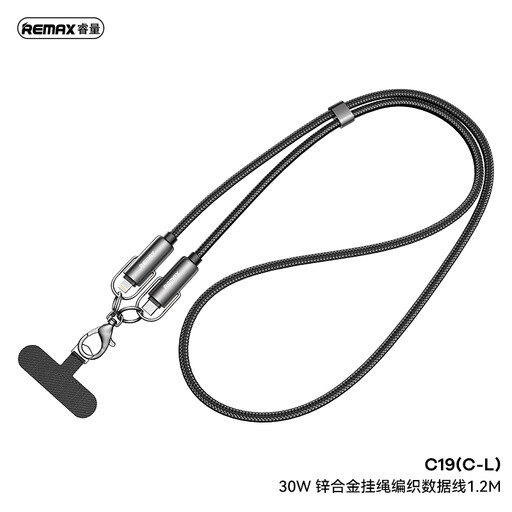
Why This Fits Their Persona: A practical replacement for iPhone and iPad users who want one cable for charging, syncing and everyday travel between home and work.
It states both its 30W power support and 480 Mbps data rate, helping distinguish it from charging-only cables.
1.2m length, braided nylon exterior, zinc alloy connectors, adjustable collar and built-in phone clip function.
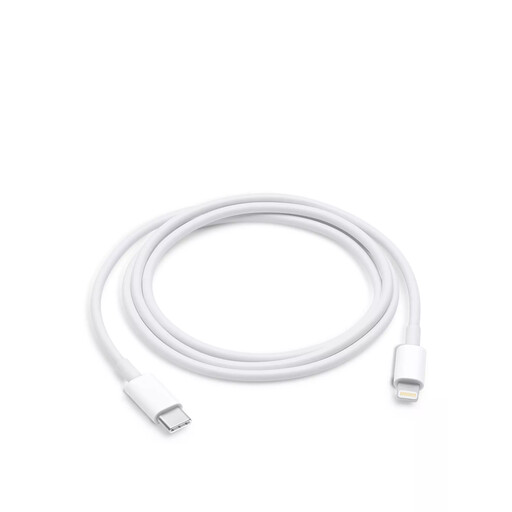
Why This Fits Their Persona: Suitable for users who prefer an Apple-designed cable for a desk, bedside table or regular connection to a USB-C charger.
The product description identifies fast charging, data syncing and MFi-certified compatibility rather than focusing on wattage alone.
1m format for reduced desk clutter and support for charging and data transfer with compatible Lightning devices.
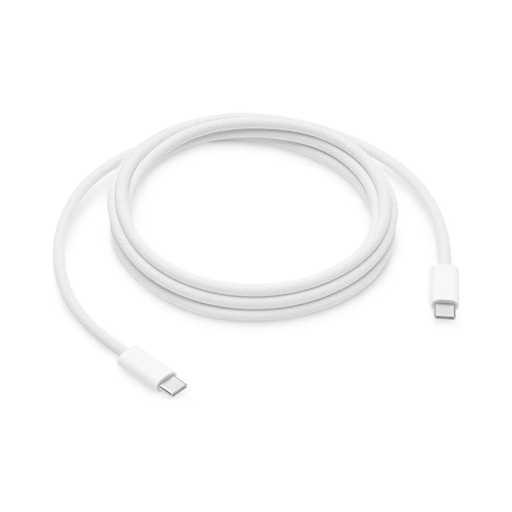
Why This Fits Their Persona: The longer reach works well when charging from a socket behind furniture, beside a sofa or across a larger office desk.
Its 2m length addresses reach problems without requiring an extension lead, while the description specifies 480 Mbps data transfer.
2m reach, USB-C to Lightning connection, fast-charging support with a compatible adapter and MFi-certified specification.
We have compiled a complete, real-time list of products that fully satisfy these strict selection criteria and UK safety regulations.
It can support faster charging when paired with a suitable USB-C PD adapter and compatible Apple device. The cable alone does not determine the final charging speed. A USB-A to Lightning cable, such as the 0.9m Anker PowerLine option, may remain useful if your existing charger has a USB-A port, but it is not the same connection type as a USB-C to Lightning cable.
Lifespan depends on bending, transport, connector strain, storage and exposure to moisture. A braided exterior, reinforced connector joints and careful handling may help with everyday wear, but inspect the cable regularly. Replace it when the insulation splits, charging becomes unreliable or the connector feels loose.
The cable itself does not add a separate running cost. Electricity use is primarily determined by the charger, device and charging behaviour. A USB-C PD cable can make a compatible fast-charging setup more convenient, but the adapter and device control how much power is actually delivered.