Laptop-based home-office workers
If you move a laptop between desks, a larger work area with fewer cable changes may appeal. Check the laptop’s video output, supported display count and charging needs before relying on a USB-C monitor.


Choose a conventional monitor if your computer already has a suitable display connection and you do not need the screen to charge or dock a laptop. A USB-C hub monitor is worth considering when your laptop supports video through the intended port and the monitor’s charging output meets its needs; an existing display with a compatible cable or adaptor may also do the job. Whichever route you take, check the desk space, supported display count and connection before ordering.
If you move a laptop between desks, a larger work area with fewer cable changes may appeal. Check the laptop’s video output, supported display count and charging needs before relying on a USB-C monitor.
If your computer already has the connections you need, focus on a screen and stand that fit your desk. Monitor-based laptop charging need not drive the choice.
Screen position and the surrounding workstation matter alongside display size. The UK Health and Safety Executive says display-screen-equipment duties apply to workers who use it daily for continuous periods of an hour or more, including home workers; an employer’s workstation assessment should address the individual setup.
Consider it: Your computer has a suitable display output and you do not need the monitor to charge a laptop.
Trade-off: A separate connection or charger may still be needed for a laptop.
Consider it: A compatible laptop can use the monitor’s video connection, charging output and hub functions.
Trade-off: The connector alone does not establish video or charging compatibility.
Consider it: Your current screen meets your workspace needs and the computer supports a suitable connection to it.
Trade-off: You may need a compatible cable or adaptor, and laptop charging remains a separate consideration.
| Priority | What to check | Your needs |
|---|---|---|
| Screen and desk fit | Measure usable desk width and depth, including the stand footprint and cable clearance. Compare the screen format with the documents and windows you want visible. | I want room for work applications without a screen or stand crowding my desk. Which? distinguishes smaller monitors for limited spaces from larger home-office options. |
| Video and charging | Check the computer’s video-capable ports and supported number of external displays. Match the monitor input and cable or adaptor; for USB-C charging, compare the monitor’s stated power delivery with the laptop’s requirements. | Fewer cable changes would help when I move my laptop, but I need to know the planned connection will carry video and meet its charging needs. |
| Positioning | Check height, tilt, swivel or pivot adjustment against your seating position and desk layout. Consider the screen’s placement in the room, including glare. | For regular desk sessions, I need to position the display comfortably rather than choosing by size alone. The UK Health and Safety Executive’s workstation guidance is relevant to employees who use screen equipment daily for continuous periods of an hour or more. |
| Order and cover | Confirm the exact model, seller, current availability, included cables and stated warranty terms before ordering. Keep the order record. | I want to know what comes with this particular monitor and whom to contact if there is a problem. A voluntary warranty is separate from rights under the UK Consumer Rights Act 2015. |
A USB-C connector does not establish the computer’s video capability, supported display count or charging requirements. Apple Support, for example, advises checking a Mac’s ports, display support and cables before connecting an external screen.
Check your exact computer model and the proposed monitor connection, including the cable or adaptor and stated power delivery.
The setup may require a separate cable, adaptor, dock or laptop charger.
A larger panel still needs room for its stand, cables and a workable screen position. Which? identifies workspace size and ergonomic adjustment as monitor-selection considerations.
Measure the available width and depth, then check the stand footprint and the positioning adjustments you need.
Hub monitors can offer extra connections, but those functions may not help a desktop that already connects its display and peripherals as required.
List what must connect through the monitor. If laptop charging and hub connections are unnecessary, compare a conventional adjustable screen against your actual setup.
Technical specifications do not tell you whether a particular seller can supply the monitor when you order. Voluntary warranty terms are model- and seller-specific and remain separate from statutory rights.
Check the seller, current availability, included cables, warranty terms and claim route for the exact model at checkout.
Dell’s UK-listed office monitors include conventional connection options and models with USB-C or Thunderbolt hub features.
LG offers high-resolution home-office display options, including its UK-listed 27U730A-B.
Samsung’s ViewFinity range provides standard and ultrawide formats to consider for different desk layouts.
These options include screens for a conventional display connection and monitors to consider for a compatible USB-C laptop setup. Check each model against your desk and computer before choosing.
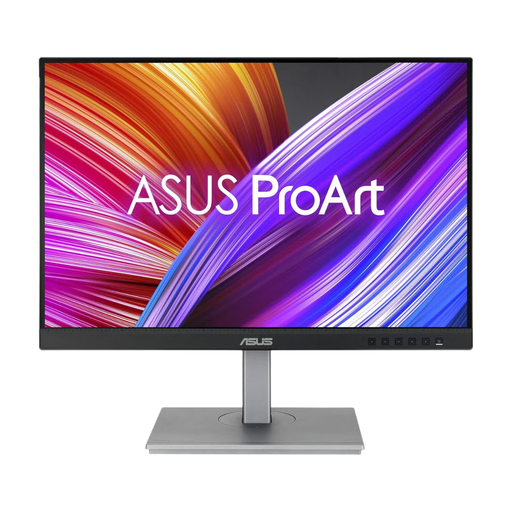 No image available
Consider this screen for a laptop desk where a 16:10 work area appeals. Its name identifies an IPS WUXGA display; check your laptop’s video and charging support, and measure the space available for the monitor and stand.
 No image available
This QHD IPS option is relevant if you want a laptop-based desk display. Confirm the computer’s USB-C video and charging compatibility before planning a one-cable connection, and check which cable comes with this variant.
 No image available
The 27-inch 4K display and height-adjustable stand make desk fit and positioning worth checking. Its product name identifies a Mac-focused monitor; confirm that the functions you need work with your computer, including USB-C video and charging.
 No image available
Consider the 27-inch 4K format if it fits your desk and work layout. The product name specifies USB-C 65W and Google TV; check whether your laptop supports the intended video connection and whether 65W meets its charging requirement.
 No image available
For a computer using a conventional display connection, this model’s name specifies HDMI and DisplayPort alongside a 27-inch 4K IPS screen. Check the computer’s output, any cable or adaptor you need, and the space available on your desk.
No. A conventional screen may meet your needs if your laptop has a suitable video connection; consider a USB-C hub monitor when its video, charging and hub functions work with your laptop. Check the supported external-display count, charging requirement and cable before relying on a single connection.
You can use an existing monitor if the laptop supports the intended external display and you have a suitable cable or adaptor. Apple Support advises checking the computer’s ports, supported display count and connectors before making that choice.
No. An ultrawide screen is an option if your desk accommodates it and your work benefits from several visible windows, but a conventional monitor or an existing two-screen setup may also meet that need. Check the physical fit and computer connection before choosing a format.
They can. The UK Health and Safety Executive says the rules apply to workers who use display screen equipment daily for continuous periods of an hour or more and that the law also applies to home workers. Employers must assess applicable workstations and reduce identified risks.
No. For a consumer goods contract, the UK Consumer Rights Act 2015 includes a requirement that goods be of satisfactory quality; a manufacturer’s or retailer’s voluntary warranty is separate. Check the warranty terms for the exact model and seller without treating them as a substitute for statutory rights.