What to check when buying
Start with the laptop connection: a screen’s detail matters little to a one-cable plan if its USB-C charging output or video compatibility does not meet your needs. Then compare the display and how the complete setup will fit safely on the desk.
| Concern |
What to check |
Who this matters to |
| Fewer laptop connections |
Compare the laptop’s charging requirement with the monitor’s USB Power Delivery output. Confirm USB-C video support and a cable capable of the required functions. |
I have few free sockets and want one cable to handle the laptop’s display and charging, without assuming the monitor itself needs no plug. Roughly 46% of consumers put removing those separate laptop connections first. |
| Icon detail and colour |
Check native resolution, panel type and colour-space coverage relevant to your artwork; confirm what your calibration workflow requires. |
When I inspect small icon edges and fills, I want enough screen detail and colour information for the assets I make. Around 36% of consumers place that visual-work need first. |
| Desk fit and electrical safety |
Check stand adjustment or mounting options, and plan the monitor’s mains connection without overloading outlets or chaining extension leads. |
My workspace is tight, so positioning the screen and powering the desk safely matter more to me than removing every visible cable. Approximately 18% of consumers make that their primary concern. |
Joybuy monitor choices
These monitors offer different screen and connection configurations for icon work at a desk with limited sockets. Check each model’s video and charging functions before counting on it to replace a separate laptop charger.
 Image unavailable
BenQ MA270UP Nano Glossy 27-inch 4K USB-C monitor
Consider this model if you want a 4K screen for inspecting icon detail and are assessing a USB-C desk connection.
The product name specifies a 27-inch IPS display, Nano Glossy finish, 4K UHD resolution, USB-C, HDR, P3 and a height-adjustable stand. Before relying on one cable, confirm USB-C video support, charging output and compatibility with your laptop and cable.
View on Joybuy
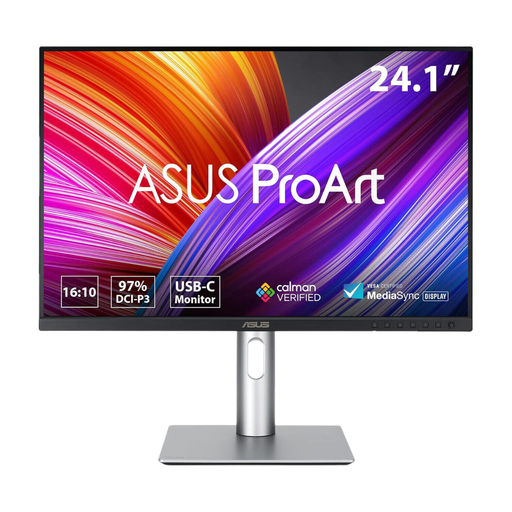 Image unavailable
ASUS ProArt PA248CRV IPS WUXGA monitor
This is a WUXGA option to assess if you do not require a 4K screen for examining small icon details.
Its product name identifies an IPS panel and WUXGA resolution. Check the complete USB-C video and charging specifications, as well as the colour-space figures relevant to your artwork, before planning a one-cable setup.
View on Joybuy
 Image unavailable
MSI MD272UPSW Smart 27-inch 4K monitor
The 4K IPS screen is relevant if you want room to inspect icon artwork, while the stated USB-C charging output needs comparing with your laptop’s requirements.
The product name specifies a 27-inch 4K UHD IPS display, Google TV, Dolby Audio and USB-C 65W. Confirm USB-C video support and cable compatibility before relying on a single connection for display and charging; check colour-space coverage if your workflow requires a particular gamut.
View on Joybuy
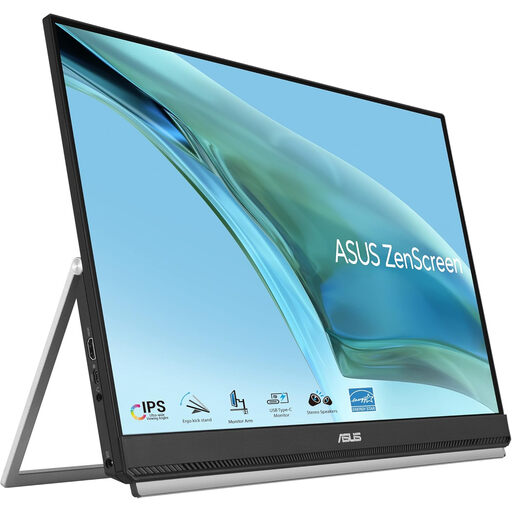 Image unavailable
ASUS ZenScreen MB249C IPS USB-C monitor
Consider this USB-C model if placing a screen in a constrained workspace is a priority, while checking that its display detail suits your icons.
The product name identifies an IPS display and USB-C connection. Confirm its resolution, video and charging capabilities, the mounting arrangement you intend to use, and compatibility with your laptop and cable.
View on Joybuy
 Image unavailable
LG 27UP650K 27-inch 4K IPS monitor
This model is worth considering when screen detail is the priority, but do not treat it as a way to remove your laptop charger without confirming the required connection.
Its product name specifies a 27-inch 4K IPS display, 60Hz refresh rate, 95% DCI-P3 coverage, DisplayHDR 400, built-in speakers, HDMI and DisplayPort. Check whether the model offers the USB-C video and laptop charging functions your socket-saving plan requires.
View on Joybuy
Common questions
Will a USB-C monitor free up a wall socket?
It can let you leave the laptop’s separate charger unplugged if the monitor supplies enough power and the laptop supports video and charging through the intended USB-C connection. The monitor still needs mains power; LG states that its 27UP850K-W carries display, data and up to 90W charging through USB-C, while the cited Dell and BenQ models state up to 65W.
How can I check whether one USB-C cable will carry video and charging?
Check the laptop’s technical documentation, the monitor specification and the cable rating for the functions you need. StarTech.com says the USB-C host, cable and connected device must support the required Power Delivery and Alternate Mode functions; the presence of USB-C connectors alone is not enough.
Can I add more extension leads if sockets are limited?
Do not daisy-chain extension leads or overload sockets to accommodate the monitor. Electrical Safety First warns that these practices can cause overheating and fire; reducing a separate laptop charger does not change an outlet’s electrical capacity.
What should I do with a monitor I replace?
Check your council’s or retailer’s electrical-equipment recycling arrangements rather than assuming every area uses the same collection method. UK government guidance identifies the Waste Electrical and Electronic Equipment Regulations 2013, as amended, as the underlying UK legislation for electrical and electronic equipment waste.


