What to check before buying
Start with the laptop connection and charging requirement: that determines whether a monitor can free the charger’s socket. Then choose the screen layout and any second-display connection your documentation workflow actually needs.
| Concern |
What to check |
Who this matters to |
| One laptop cable |
Confirm video, data and Power Delivery on the monitor connection; compare its charging wattage with the laptop’s requirement and check the laptop port’s display support. |
If my desk has few sockets, I want the monitor connection to replace the separate laptop charger and display lead. Around 36% of consumers would put that single-cable need first. |
| Readable reference space |
Compare screen size, native resolution, aspect ratio and the text size you get with your usual operating-system scaling. |
Long schemas and code examples are easier for me to manage when I can keep the material I need visible at a readable size. Roughly 29% of consumers would make that workspace their primary concern. |
| Second-display support |
Check the exact monitor’s DisplayPort-out, USB-C MST or Thunderbolt output and the laptop maker’s supported external-display arrangement. |
I want documentation on one screen while I work in an editor or terminal on another, without assuming a USB-C socket can daisy-chain them. Around 21% of consumers would prioritise that expansion. |
| Long-session setup |
Check the supplied stand’s adjustment options and whether the screen surface suits reflections at your desk. |
When I read and write for long stretches, I need to position the screen and manage glare in my workspace. Approximately 14% of consumers would put those setup needs first. |
A single-cable arrangement saves the laptop charger’s socket only when the laptop accepts the monitor’s charging output. Dell UK specifies up to 90W Power Delivery for the U2724DE, LG UK specifies 90W for the 27U730A-B, and ViewSonic United Kingdom specifies up to 100W for the VG2709U-2K. Those ratings are points to compare with your laptop’s requirement, not guarantees of compatibility.
Display shape changes the reading experience too. LG UK lists the 27U730A-B as a 27-inch 4K monitor, while BenQ UK specifies a 3840 × 2560, 3:2 panel for the RD280U. The latter has more vertical pixels than a 3840 × 2160 display, but check how large text appears at a comfortable scaling setting before treating extra pixels as extra usable space.
Relevant brands and models
These specific monitor lines illustrate different ways to build a documentation workspace; a brand’s inclusion does not establish that every model has the same connections.
Dell
Dell UK positions the UltraSharp U2724DE as a 27-inch QHD Thunderbolt 4 hub monitor for a laptop desk setup.
- Its USB hub and up to 90W Power Delivery make it relevant to a compatible single-cable arrangement.
- Compare the charging rating with your laptop’s needs; QHD also has fewer pixels than 4K for dense reference material.
LG
LG UK lists the UltraFine 27U730A-B as a 27-inch 4K IPS monitor with USB-C video, data and 90W charging through one connection.
- Its 4K screen and anti-glare treatment are relevant when reading detailed references in a bright workspace.
- Test a comfortable text-scaling setting; its 16:9 shape offers less vertical space than a taller 3:2 layout.
BenQ
BenQ UK specifies a 3840 × 2560, 3:2 screen, 90W USB-C Power Delivery and USB-C MST output for the RD280U.
- The taller layout is worth considering if long endpoint descriptions and code blocks dominate your work.
- Do not assume its USB-C MST output will daisy-chain from every laptop: BenQ states a Thunderbolt-only condition for Mac and MacBook devices.
ViewSonic
ViewSonic United Kingdom specifies the 27-inch QHD VG2709U-2K as a docking monitor with Ethernet, USB-C charging up to 100W and daisy-chain capability.
- Its docking connections make it relevant if a second display and wired desk peripherals are part of your plan.
- It is QHD rather than 4K, and the intended multi-display arrangement still depends on laptop support.
Monitor options on Joybuy
These options span an ultrawide screen, larger 4K displays and QHD models for a documentation desk. If your aim is to use fewer plugs, check the exact monitor’s USB-C functions and your laptop’s charging and display requirements before choosing by screen size alone.
 No image available
Acer X Predator X49X 49-inch curved ultrawide QD-OLED monitor
Consider the wide format if you want several documentation panes across one screen, but measure your available desk space first.
49-inch display; 32:9 aspect ratio; 1800R curve; HDMI, DisplayPort and USB-C connections. Check the laptop’s USB-C display and charging compatibility before planning around one cable.
View on Joybuy
 No image available
BenQ MA320UP 32-inch Nano Glossy IPS 4K USB-C monitor
Consider this larger 4K screen if you want room to arrange reference material and working windows; confirm how its Mac-focused features fit your laptop and operating system.
32-inch IPS display; 4K UHD resolution; USB-C; height-adjustable stand. Compare the monitor’s charging capability with your laptop’s requirement.
View on Joybuy
 No image available
ASUS ProArt PA24ACRV IPS QHD monitor
This QHD model is an option if you want a documentation screen without moving to a large ultrawide format.
IPS and QHD are specified in the model name. If desk peripherals need to connect through the monitor, confirm the supplied variant’s hub functions; check your laptop’s display mode and charging requirement as well.
View on Joybuy
 No image available
ASUS ProArt PA278CV IPS WQHD monitor
Consider this WQHD model if that screen format suits your mix of API references and writing panes.
IPS and WQHD are specified in the model name. Before relying on it to replace laptop connections, confirm the exact USB-C video, data and charging functions, including the charging wattage.
View on Joybuy
 No image available
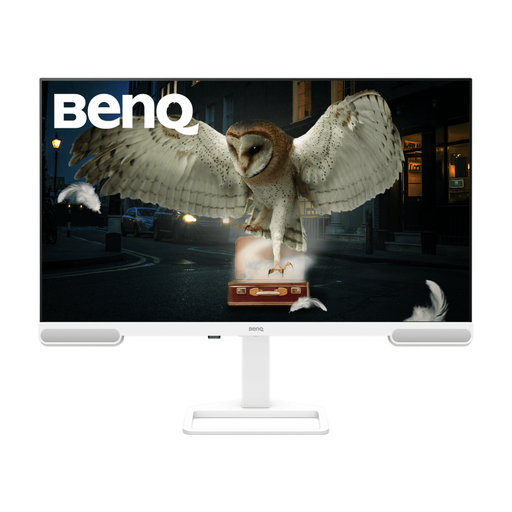
BenQ EW3290U 31.2-inch 4K UHD monitor
Consider the larger 4K display if screen size is important for reading reference material alongside your work.
31.2-inch display; 3840 × 2160 resolution. Check the exact USB-C video, data and laptop-charging functions before expecting it to simplify your desk connections.
View on Joybuy
Frequently asked questions
Will a USB-C monitor free up a plug socket?
It can free the socket used by your laptop charger if the monitor delivers enough power and your laptop accepts charging through the same port it uses for video. The monitor itself still needs mains power, so compare both devices’ connection and charging specifications before counting on that saving.
Can any USB-C monitor daisy-chain a second screen?
No. The monitor needs a suitable display output and the laptop must support the intended arrangement. ViewSonic United Kingdom specifies daisy-chain capability for the VG2709U-2K, while BenQ UK specifies USB-C MST output for the RD280U and states that Mac and MacBook devices support daisy chaining only through Thunderbolt.
Should I choose QHD, 4K or a taller 3:2 screen for API documentation?
Choose by the amount of readable material you need on screen, not resolution alone. A 27-inch QHD hub monitor suits a single-cable desk where maximum pixel count is not the priority; consider 4K for detailed reference panes or a 3:2 display when vertical document space matters more. Check comfortable text scaling for either higher-resolution option.
What if a monitor bought in the UK is faulty?
For goods sold directly to consumers, the Consumer Rights Act 2015 provides remedies for faults; the official explanatory notes from legislation.gov.uk describe repair or replacement at the trader’s cost under section 23. Keep your order details and contact the seller about the fault. This is separate from a retailer’s change-of-mind return policy.


