
24/7 Customer Support

Free returns

Same-day & Next-day Delivery

Quality Guaranteed
Download the APP
Categories
By Joybuy Product Recommendation Officer Published: 07 June 2026
The USB-C port is now the standard for everything from the latest iPhone 15 and Android smartphones to powerful MacBook Pro and Windows laptops. Yet, not all cables are created equal. A low-quality cable can mean frustratingly slow charging, data transfer issues or a frayed connector after just a few months. Finding a reliable USB-C to USB-C cable that meets your needs shouldn't be a complicated task.
This guide is designed to help you understand the key features to look for and to present some solid options available today. We will focus on practical aspects like charging speed, durability and overall value to help you make an informed choice.
Before we look at specific products, here are a few key points to consider when selecting your next cable.
The most significant feature for charging is Power Delivery, or PD. A PD charging cable communicates with your device and power adapter to deliver the fastest possible charging speed safely.
A cable is only as good as its construction. Constant plugging, unplugging and coiling can take a toll.
While most of us use these cables primarily for charging, data transfer speed can be important. Most standard USB-C charging cables transfer data at USB 2.0 speeds (around 480 Mbps), which is perfectly adequate for syncing photos and music. If you frequently transfer large files, such as 4K video, you may want to look for a dedicated USB C data cable that supports higher speeds like USB 3.1 or Thunderbolt, though these are often more specialised.
Here are a few USB-C to USB-C cables that stand out for their features, build quality and suitability for different user needs.
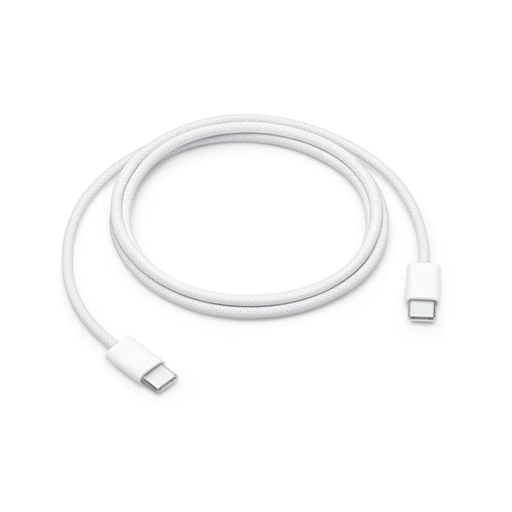
Why It Stands Out: For those integrated into the Apple ecosystem, this official cable offers reliability and seamless compatibility. The woven design is a significant improvement over Apple's previous standard cables, offering enhanced durability and a tangle-resistant finish.
Pros:
Who is it for? This is an ideal choice for Apple users looking for a dependable, official replacement or a secondary cable for charging and syncing their iPhone 15, iPad or MacBook.
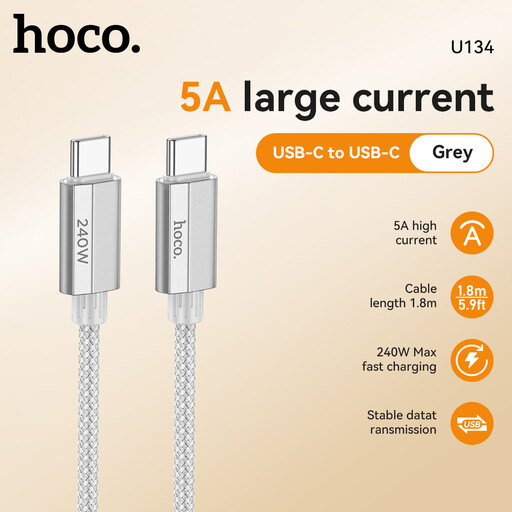
Why It Stands Out: The HOCO U134 cable combines a generous 1.8-metre length with high power potential. While it supports the advanced PD 3.1 protocol for up to 240W, it is perfectly suited for charging standard 60W and 100W devices, making it a versatile and somewhat future-proof option.
Pros:
Who is it for? Users who need a longer cable for convenience and those who want a single, powerful cable that can handle everything from their phone to a power-hungry laptop.
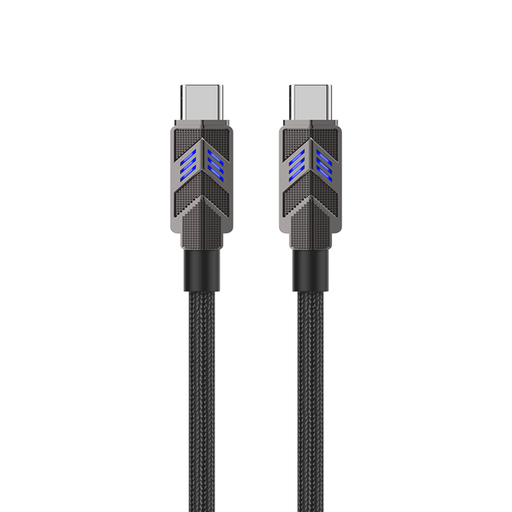
Why It Stands Out: This PAVAREAL cable brings smart technology to charging. Its standout feature is an intelligent chip that changes the LED indicator's colour from red to blue when the device is fully charged and then switches to a trickle charge. This can help in managing the long-term health of your device's battery.
Pros:
Who is it for? Tech-savvy users who appreciate smart features that protect their devices and anyone needing a high-power, durable cable for charging laptops and other demanding electronics.
If these recommendations don't quite match what you're looking for, there are many other cables with different lengths, colours and specifications available.
️ Explore our full range of charging cables to find the perfect one for your needs. (https://www.joybuy.co.uk/explore/cable/ZOss3o8Z)
1. Do all USB-C to USB-C cables support fast charging? No, they do not. Fast charging capability depends on the cable's Power Delivery (PD) rating. For the best results, you need a cable that is explicitly rated as a PD charging cable and supports the wattage required by your device (e.g., 60W or 100W). You must also use a compatible fast-charging power adapter.
2. Can I use any USB-C cable for my iPhone 15 or MacBook Pro? While any standard USB-C cable will connect, performance will vary. A USB C cable for iPhone 15 will fast charge with a cable rated for at least 20W. For a MacBook Pro charging cable, you will need a higher-rated option, typically a 100W USB C cable, to charge the battery effectively, particularly while the laptop is in use.
3. What is the difference between a charging cable and a data cable? Most USB-C cables can both charge and transfer data. However, a cable's primary design focus can differ. Many standard charging cables transfer data at slower USB 2.0 speeds. A specialised USB C data cable is built to support much faster transfer speeds (like USB 3.1 or Thunderbolt), which is ideal for moving large files quickly between devices. For everyday use like charging and syncing, a standard cable is usually sufficient.