
24/7 Customer Support

Free returns

Same-day & Next-day Delivery

Quality Guaranteed

Unlock Your Welcome Offers: FREE Delivery | Up to 80% OFF | Free 30-day JoyPlus trial
Download the APP
A USB-C to USB-C charging cable can look simple, but choosing the wrong one may leave you with slow charging, limited data transfer or a cable that becomes awkward to use within months. UK shoppers often focus on the wattage printed on the packaging while overlooking the charger, device requirements, cable length and data standard.
As the Joybuy Product Recommendation Officer, I filter the important specifications from the marketing language so you can compare cables more practically.
A 240W USB-C cable does not automatically make every phone or laptop charge at 240W. The actual speed depends on the complete setup:
For example, a phone that accepts 25W will not charge at 100W simply because it is connected to a 100W USB-C cable. Likewise, a 100W cable connected to a lower-rated charger will be limited by that charger.
Some cables support high-power charging but only offer USB 2.0 data transfer at up to 480 Mbps. That is suitable for syncing contacts, documents, photos and everyday backups, but it is considerably slower than USB 3.x standards for large video files.
If you need a USB-C charging and data transfer cable, check whether its data speed is clearly stated. A cable advertised mainly as “fast charging” may not be designed for high-speed file transfers.
A 1m USB-C cable is convenient at a desk, in a car or inside a travel pouch. However, it may be too short for bedside charging, sofa use or a gaming setup. A 2m USB-C cable provides more flexibility but can create extra cable clutter and may be less convenient to carry.
Material also affects handling. A braided USB-C cable can offer a more structured outer layer, while a silicone USB-C cable is generally softer and easier to coil. Neither material removes the need for sensible handling: avoid sharp bends, tight wrapping and pulling the cable by its cord.
Look for a clearly stated USB-C Power Delivery cable rating, such as 60W, 65W, 100W or 240W. As a practical guide:
The cable, charger and device must all support the required power level. A higher-rated cable can provide future flexibility, but it may not improve charging speed with current equipment.
Both ends of a USB-C to USB-C cable use the same connector shape, but USB-C features vary between devices. Before ordering, check compatibility with your specific equipment, including a USB-C cable for iPhone, USB-C cable for MacBook, USB-C cable for Samsung Galaxy, Google Pixel, iPad, Nintendo Switch or a USB-C power bank.
Also confirm that your charger has a USB-C output. A USB-C cable cannot connect directly to a traditional USB-A charging port without a suitable adapter.
Inspect the product description for:
Stop using any cable with exposed wiring, cracked connectors, corrosion or severe fraying. Keep it away from moisture, heat and sharp edges, and disconnect it by holding the plug rather than pulling the cord.
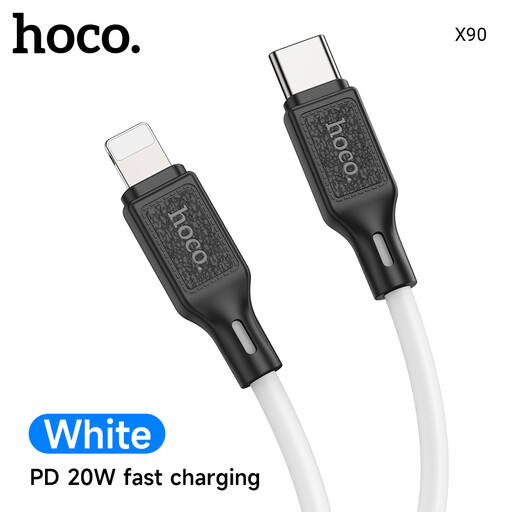
Why This Fits Their Persona: Its 1-metre length and 60W rating cover everyday phone, tablet and selected laptop charging without adding unnecessary bulk to a travel bag.
The stated 20V/3A limit makes the power capability clearer than vague “fast charge” wording. Use it with a compatible PD charger for the intended output.
60W charging support; flexible silicone outer layer; lightweight 24g construction.
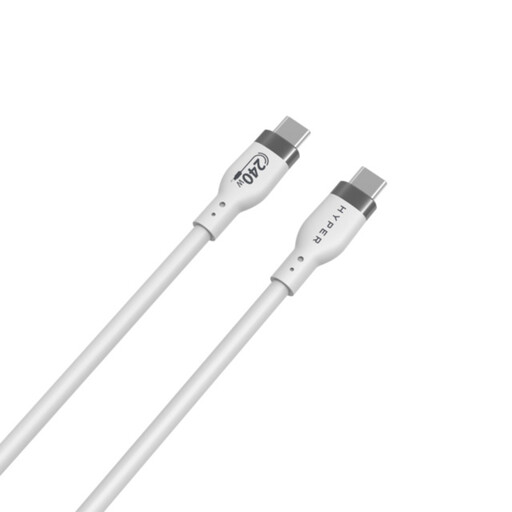
Why This Fits Their Persona: A suitable option for users planning around high-demand laptops or future USB-C PD 3.1 equipment who prefer a soft, tangle-resistant finish.
Its listing separates 240W charging from 480 Mbps USB 2.0 data, so buyers can judge whether it suits file-transfer needs as well as power delivery.
Supports up to 240W PD 3.1 EPR; silicone jacket; listed over-temperature protection feature.
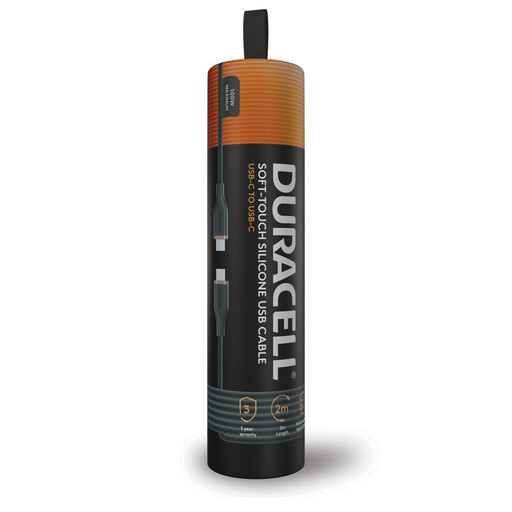
Why This Fits Their Persona: The 2-metre reach suits UK bedside sockets, office desks, hotel rooms and gaming setups where a 1-metre cable may be restrictive.
The listing states both its 100W PD charging limit and 480 Mbps USB 2.0 data speed, preventing assumptions that high wattage also means high-speed file transfer.
100W USB-C Power Delivery support; 2-metre length; silicone finish and double-braided nylon construction.
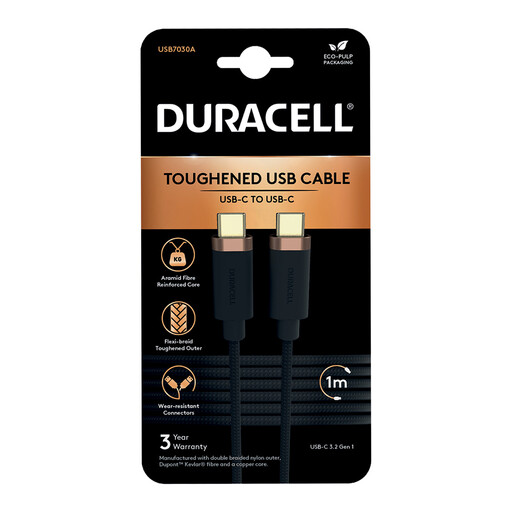
Why This Fits Their Persona: This compact option is aimed at users who regularly move photos, music or documents between USB-C devices and a computer.
Its stated USB 3.2 Gen 1 data capability is more suitable for larger transfers than cables limited to USB 2.0, while its 65W rating covers compatible PD charging.
Up to 5Gbps data transfer; 65W charging; double-braided nylon and Kevlar fibre construction; 1-metre length.
We have compiled a complete, real-time list of products that fully satisfy these strict selection criteria and UK safety regulations.
It can be, provided the iPhone has a USB-C port and the cable is connected to a compatible USB-C PD charger. The phone will draw only the power it is designed to accept. Check the device model and charger specifications rather than relying on the cable rating alone.
The materials provide different handling characteristics. Braided nylon can resist everyday abrasion and provide a firmer feel, while silicone is soft, flexible and often easier to coil without tangling. Connector strain relief and careful storage are also important factors in cable lifespan.
Length alone does not determine charging speed. However, cable design, power rating and current capability matter, particularly at higher wattages. Choose a cable with a stated rating that matches your charger and device, and avoid damaged or excessively thin cables for high-power use.