What matters when choosing?
Start with the radio’s instructions and cable, then decide whether the same charging point needs to serve other devices.
| Concern |
What to check |
Who this matters to |
| Connector and input match |
Check the radio’s stated input and both ends of its charging cable against the charger’s port and output. |
If I am replacing a lost plug, I want to avoid choosing one that cannot charge my radio; roughly 34% of consumers would put compatibility first. |
| Mains safety and traceability |
Look for an identifiable maker and model from a reputable retailer, and inspect the plug and cable for damage. Electrical Safety First cautions against relying on a UKCA or CE mark alone. |
At a mains socket I use regularly, I want confidence in the charger’s provenance and condition; around 33% of consumers would prioritise safety and traceability. |
| A simple single-radio setup |
Check that one port fits the radio’s cable and that the charger can sit uncovered in a suitable spot. |
I only charge my radio at this socket and would rather not add unused ports to the desk; roughly 20% of consumers would put a simple one-device setup first. |
| Shared-desk charging |
Compare port types and the maker’s per-port and simultaneous-use output information. |
My radio needs to share a charging point with other desk devices, so I care about how the ports work together; around 13% of consumers would make multi-device charging their primary concern. |
Joybuy charger options
These options cover a single USB-C port for charging one compatible radio and a multi-port charger for a shared desk. For either one, check the radio’s input and cable arrangement before choosing.
 No image available
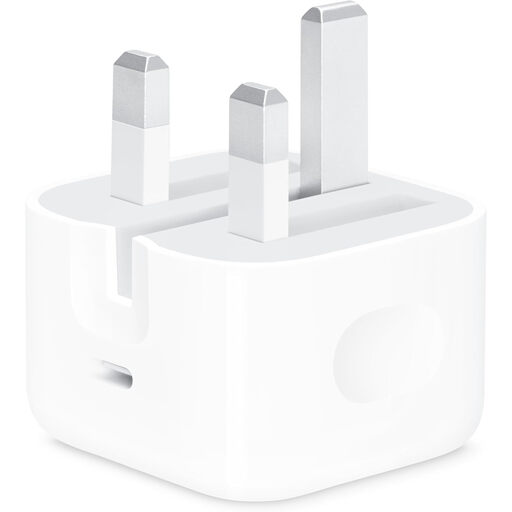
Apple 20W USB-C Power Adapter
Consider this for a radio charged on its own if its instructions and cable arrangement suit a USB-C charger. It has one USB-C port and a stated maximum output of 20W.
A charging cable is not included; check which cable the radio requires.
View on Joybuy
 No image available
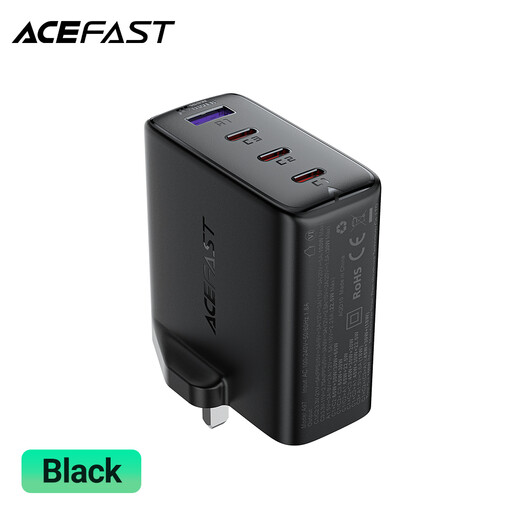
ACEFAST A97 PD100W GaN Charger (UK), 3 USB-C + USB-A
Consider this when the radio will share a charging point with other desk devices. The product title specifies three USB-C ports, one USB-A port and a 100W rating.
Check the radio’s input, the output available from the intended port when other devices are connected, and whether the required cable is included. Keep the charger uncovered during use.
View on Joybuy
Common questions
Do I need a high-wattage charger for a USB radio?
Not necessarily: choose around the radio’s documented input and required cable. A higher total rating can be useful when several devices share a charger, but it does not by itself establish a match for one radio.
Should I choose a USB-A or USB-C charger port?
Choose the port that fits the cable arrangement required by the radio. Electrical Safety First describes USB-A as the older rectangular connector and USB-C as the smaller reversible one; check the cable end that plugs into the charger rather than assuming the radio needs USB-C.
Can I use any USB-C cable?
Use a cable with the connectors and capabilities required by the radio and charger. The USB Implementers Forum states that USB cables do not all have the same capabilities, so check the radio’s instructions and the cable specification.
What should I check when buying a mains USB charger?
Look for an identifiable manufacturer and model, use a reputable retailer, and inspect the charger and cable for damage. Electrical Safety First advises that a UKCA or CE mark should not be your only check because markings can be faked.
How should I use the charger at my desk?
Follow the manufacturer’s instructions and keep the charger dry, uncovered and ventilated while it is in use. Check for damage or scorch marks; Electrical Safety First also advises against leaving a USB charger charging overnight or while nobody is at home.


