One-socket multi-device users
If your tablet charges alongside a phone, earbuds or another USB device, several outputs on one mains plug can reduce the number of sockets you occupy.


Choose a charger with at least two outputs if your tablet must share one wall socket with another device. Match its USB-C and USB-A ports to your cables, then check the power available to the tablet when both devices are connected; a high headline wattage alone does not settle that question.
If your tablet charges alongside a phone, earbuds or another USB device, several outputs on one mains plug can reduce the number of sockets you occupy.
If charging speed matters most, match the charger and cable to your tablet’s supported USB Power Delivery or manufacturer-specific charging requirements.
If you are replacing a charger bought online, look for a traceable seller, clear product information and a charger without signs of damage.
Start with the devices and cables that must share the socket. Then check the charger’s simultaneous output against the tablet’s requirements, alongside the seller and product information.
| Concern | What to check | Who this matters to |
|---|---|---|
| Sharing one socket | Count the devices that need charging together and check their USB-C or USB-A connections and the charger’s simultaneous outputs. | If my tablet and phone both need charging, I want to use one mains socket rather than two. Socket sharing would be the primary concern for around 42% of consumers. |
| Tablet compatibility | Check the exact tablet’s charging standard, the output available on its chosen port and any cable requirement. | When I need my tablet ready sooner, I want its charger and cable to support the charging mode the tablet can use. Roughly 33% of consumers would put tablet compatibility and charging speed first. |
| Safety and seller information | Look for an identifiable supplier, instructions and appropriate product information; do not use a damaged charger. | For a mains charger bought online, I want to know who supplies it and what to do if there is a fault. Safety and seller accountability would come first for about 25% of consumers. |
The maximum printed on a charger may apply when only one port is used. Belkin, for example, lists up to 65W with one USB-C port in use on its dual-port model, but 45W + 20W when both are used.
Read the exact model’s output table for the port combination you intend to use, and check what it supplies to the tablet.
Charging speed can depend on the tablet, adapter and cable together. Samsung specifies a compatible device and a 5A cable for its 45W Super Fast Charging 2.0 mode.
Check your tablet maker’s requirements and the cable rating before choosing a charger for that mode.
An unsuitable existing cable may need replacing separately.
The Office for Product Safety and Standards has reported a USB charger station presenting a serious fire risk, while Which? identified serious electrical hazards among marketplace chargers it tested in 2026. Those findings concern the products examined, not every marketplace charger.
Electrical Safety First advises buying from a reputable retailer. Check the supplier and product information, and stop using a charger that shows damage, scorch marks or abnormal heat.
Its range includes two- and three-port chargers for people who want several USB outputs from one wall socket.
Its dual-USB-C option is relevant when a tablet shares a socket with another USB-C device.
Its range includes 65W-class chargers with multiple ports for comparing shared-socket arrangements.
Its single-port adapter is an option for an iPad owner charging only the tablet from that socket.
Its 45W adapter is relevant to owners checking the charging requirements of a compatible Galaxy tablet.
These multi-port chargers offer ways to charge a tablet and another device from one wall socket. Compare their connections with your cables, and check the tablet’s supported charging mode and each model’s output when several ports are occupied.
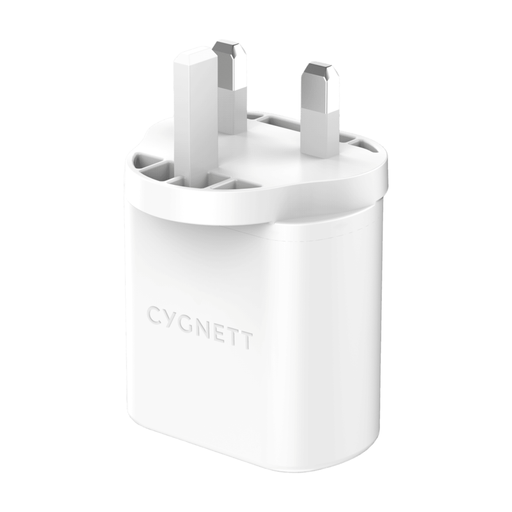 No image available
Consider this dual-port charger if your tablet needs to share a socket with another device. The product name specifies a 32W rating and a UK plug; check the output available to the tablet when both ports are used.
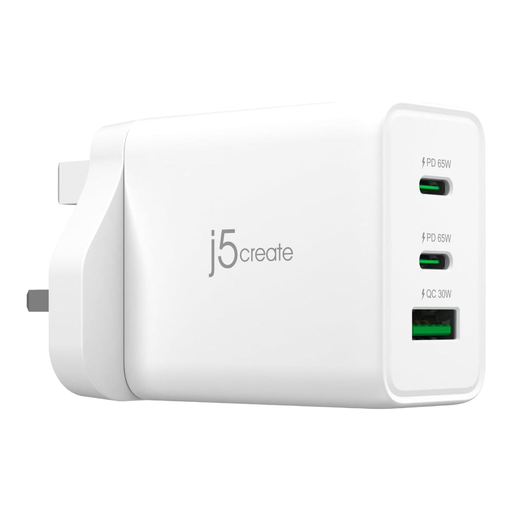 No image available
Three ports may suit a tablet sharing one socket with two other devices. The product name specifies a 65W rating; check the connections, simultaneous output for your intended ports and UK plug compatibility.
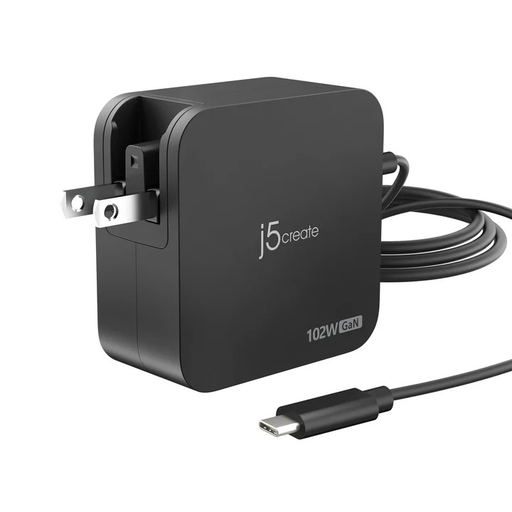 No image available
Its two USB-C ports make it a candidate when the tablet and the other device both use USB-C cables. The product name specifies a 102W rating and changeable AC plugs; confirm the two-port power split and that a suitable UK plug is supplied.
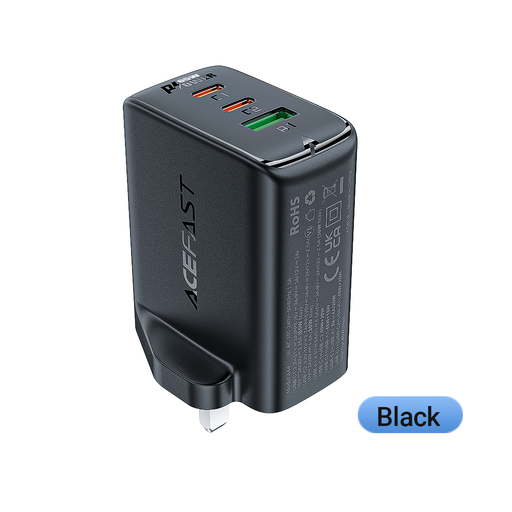 No image available
The two USB-C ports and one USB-A port offer a connection mix to consider if another device uses a USB-A cable. The product name specifies a 65 W rating and UK plug; check the simultaneous output and your tablet’s charging requirements.
No. The tablet’s supported charging mode, the cable and the output available on the port all matter. For Samsung’s Super Fast Charging 2.0 mode, Samsung specifies a compatible USB-PD 3.0 device supporting Direct Charging and a 5A cable for 45W charging.
Not necessarily: check the simultaneous-output figures for the exact charger. Belkin lists up to 65W with one USB-C port in use on its 65W dual-port model, compared with 45W + 20W when both ports are occupied.
Choose a traceable seller and check the product information and supplier identity before buying. Electrical Safety First advises using a reputable retailer rather than a third-party marketplace seller; Which? reported serious safety issues in a sample of marketplace chargers it tested in 2026.
Yes, the Department for Business and Trade’s March 2026 guidance lists UKCA or CE as marking routes for electrical equipment placed on the Great Britain market. It lists CE, or UKNI together with CE, for Northern Ireland. A mark alone does not establish whether a particular charger meets the applicable requirements, so also check its documentation and supplier details.