Travellers with a USB-C cable
If the cable for your earbud case has USB-C at the charger end and you will charge one device at a time, a single-port USB-C wall charger keeps the setup simple. Check the case-end connector separately.


Start with the cable you will take and the connector on the earbud charging case: a single-port USB-C wall charger is a straightforward choice when your cable has USB-C at the charger end, while a charger with both USB-A and USB-C ports accommodates more cable types. Extra ports are useful if a phone or tablet must share a cottage socket, but higher advertised wattage does not establish faster charging for the earbud case.
If the cable for your earbud case has USB-C at the charger end and you will charge one device at a time, a single-port USB-C wall charger keeps the setup simple. Check the case-end connector separately.
If an older earbud cable has USB-A at the charger end, or another device uses a different cable, a charger offering both USB-A and USB-C ports gives you a choice without changing the case-end connector.
If earbuds and a phone or tablet need the same cottage socket, consider enough ports for the devices you intend to connect together. Check the charger’s output information for simultaneous use.
For a charger intended primarily for earbuds in a holiday cottage, settle cable fit before deciding whether you also need shared-socket flexibility or a smaller single-device charger.
| Concern | What to check | Who this matters to |
|---|---|---|
| Cable and case fit | Check whether the cable needs USB-A or USB-C at the charger end, and whether its other end fits your charging case. | If I do not know which cable my earbud case needs, I want to confirm both connectors before packing. Around 50% of consumers put cable and case fit first. |
| Shared-socket charging | Count the devices you will connect at once; check port types and the manufacturer’s output information when multiple ports are active. | With earbuds and another device competing for one socket, I need ports for both rather than a high wattage figure alone. Around 30% of consumers prioritise shared-socket charging. |
| A smaller charging setup | If only the earbud case will use the plug, check for a suitable UK mains charger with the port your cable requires. | When I am packing a charger just for the earbud case, I would rather carry a straightforward single-device option. Around 20% of consumers make a smaller setup their primary concern. |
A USB-C port on the charger will not accept a cable with USB-A at that end; the connector at the earbud case must also fit.
Inspect both ends of the cable before choosing the charger. If you carry different charger-end connectors, consider a model with both USB-A and USB-C.
A mismatched cable may mean taking a different compatible cable or charger.
A charger’s maximum output is not the charging speed of the earbud case, and several active ports can change the output available to each device.
Choose port count for the devices you will charge together, then follow the earbud maker’s charging instructions.
Electrical Safety First has reported an electric-shock risk for a recalled multi-USB charger. A familiar port shape alone does not establish that a charger is suitable to keep using.
Buy from a reputable retailer, inspect the plug and cable for damage or scorch marks, and stop using a charger affected by a recall. GOV.UK provides product-safety alerts and recall information.
An unfamiliar room can make it easy to leave a charger covered, near water or operating after you have gone out.
Electrical Safety First advises against using USB chargers overnight or while out of the house. Keep the charger uncovered, dry and ventilated, and disconnect it after charging when practical.
Anker’s UK charger range includes compact and multi-port options relevant to charging earbuds alongside other travel devices.
Belkin lists a 25W USB-C PD 3.0 PPS wall charger for a USB-C charging setup.
UGREEN’s UK range includes multi-port chargers, including options combining USB-C and USB-A.
These wall chargers are relevant to packing for a cottage stay, particularly if another device may share the socket. Match their stated ports to your own cable before choosing; the earbud case determines which charging method is suitable.
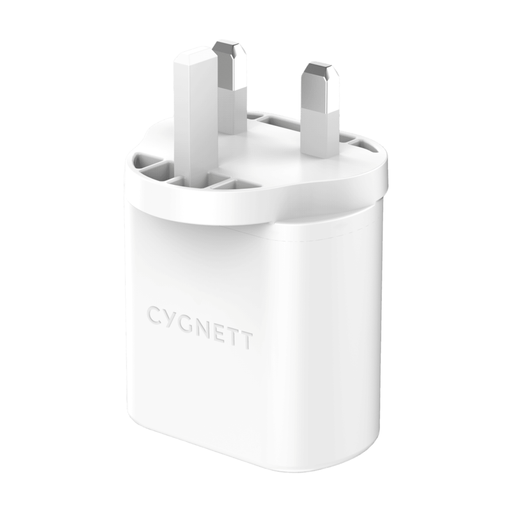 No image available
Consider this dual-port charger if you want to connect earbuds and another device at the cottage. Check that its output ports match both cables and review the manufacturer’s output information for simultaneous charging.
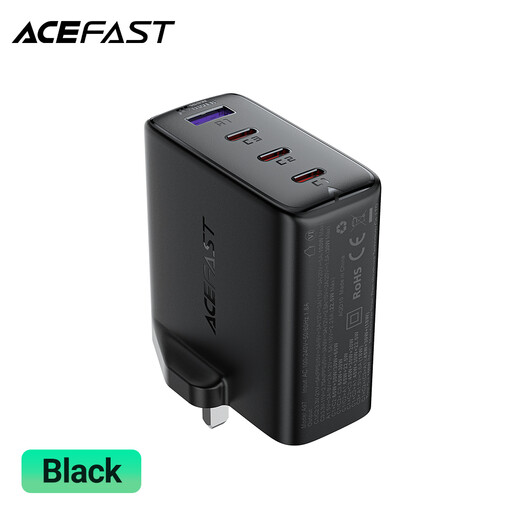 No image available
Its stated three USB-C ports and one USB-A port may suit a cottage socket shared by devices with different cables. The 100W figure is a charger rating, not an earbud charging-speed claim; check output allocation when several ports are in use.
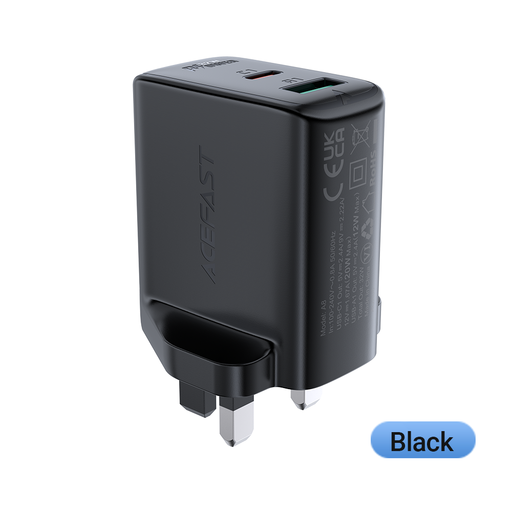 No image available
Consider this dual-port option if earbuds and another device need the same socket. Confirm the output connector types against your cables, and check the manufacturer’s guidance for using both ports together.
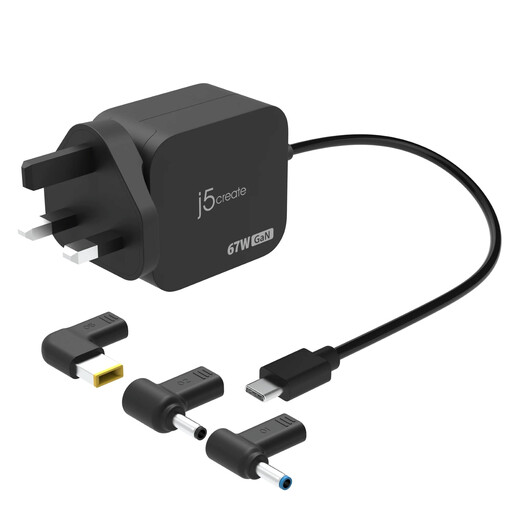 No image available
Its USB-C charging connection is relevant if your earbud cable and case accept that charging method. The three DC connector types do not establish compatibility with an earbud case; check the case instructions rather than treating them as earbud accessories.
No. Match the wall charger to the connector at the charger end of your cable, then check that the other end fits the charging case. Samsung UK specifies a USB-C cable for Galaxy Buds, but that instruction does not establish the connector used by every earbud case.
You can consider it if the cable fits and the earbud maker permits that charging method. Electrical Safety First explains that USB-C fast charging involves power negotiation; still follow the instructions for your particular case rather than relying on the charger’s PD label alone.
Not necessarily. The charger’s maximum output does not tell you what the case will accept, and using multiple ports can affect the output available to connected devices. Check the earbud maker’s charging guidance before choosing extra wattage for this purpose.
Electrical Safety First advises against using USB chargers overnight or while out of the house. Charge on an uncovered, dry, ventilated surface and disconnect the charger after charging when practical.
Only if your particular earbud charging case supports wireless charging. Samsung UK describes wireless charging for Galaxy Buds cases, but you should check your own model’s instructions; the pad also needs a suitable power source.