What matters when choosing a charger?
Start with the laptop’s requirements if one will use the setup; then check the power split for devices charging together, followed by the cable, plug and charging location. A power strip with USB ports needs the same USB-output checks as a standalone charger and is useful as a route only if you also need more mains sockets.
| Concern |
What to check |
Who this matters to |
| Laptop power |
Check whether the exact laptop accepts USB-C Power Delivery (PD) charging, its documented wattage requirements and the output available on the intended charger port. |
If my laptop is the priority, I need it to receive enough power even while other devices charge. Around 40% of consumers put laptop charging compatibility first. |
| Shared power |
Check port types and the manufacturer’s output allocation for the exact combination of ports you plan to occupy. |
When several devices share one socket, I want to know what happens to each port as I connect them. For around 30% of consumers, that simultaneous power split is the primary concern. |
| UK plug and safety checks |
Confirm plug suitability and product identity, review seller and manufacturer information, and search the Office for Product Safety and Standards alerts and recalls service. |
Before replacing a questionable charger, I would rather establish what I am buying than judge it by a marking alone. Product safety and traceability come first for around 20% of consumers. |
| Cable and location |
Check both cable connectors and its stated power capability; choose a hard, flat, heat-resistant charging surface away from flammable materials and escape routes. |
If the cable will not suit my devices or the shared spot is poorly placed, a convenient charger will not solve the setup problem. Around 10% of consumers primarily focus on the cable and charging location. |
Brands to consider
These brands publish information for particular multi-port chargers. Check the documentation for the exact model and port combination you intend to use rather than applying one model’s specifications across a range.
Anker
Anker has documented charging behaviour for a 100W three-port charger with two USB-C ports and one USB-A port.
- For that model, Anker publishes two-port allocations of 70W + 30W or 67W + 33W, depending on the ports used.
- Anker says USB-C1 takes priority during three-port charging. Its product page also specifies a cable rated at 100W or higher for full 100W charging; neither condition should be assumed for other models.
Belkin
Belkin’s UK product information covers both a 100W three-port charger with USB-C and USB-A connections and a 200W four-port USB-C model.
- Belkin identifies USB-C PD and PPS ports on its 100W three-port model and specifies a maximum 140W single-port output for its 200W four-port model.
- Those are model-specific manufacturer specifications. Check the occupied-port allocation and whether the selected package includes the cables you need.
UGREEN
UGREEN lists 100W four-port chargers with three USB-C ports and one USB-A port, including a smart-display variant.
- UGREEN specifies PD and PPS support and a foldable UK plug for the smart-display variant.
- Confirm the exact model, plug version, included cable and power distribution before relying on it for simultaneous laptop charging.
Joybuy charger choices
These choices include multi-port chargers for a shared charging spot and single-device adapters for households with a separate laptop, phone or tablet charging priority. Compare each device’s requirements with the selected model; a shared charger is not automatically a replacement for every existing adapter.
 No image available
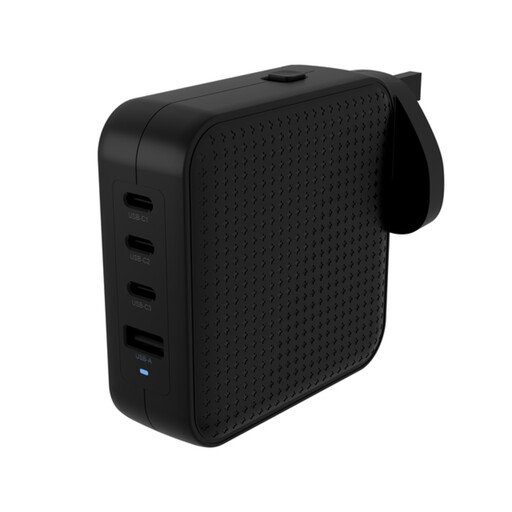
Hyper HyperJuice 100W USB-C GaN Travel Charger (3C+1A), black
Consider this for a shared charging point with USB-C and USB-A devices. Its title identifies a 100W charger with a 3C+1A port configuration; check the output for your intended occupied ports against the laptop’s requirements rather than relying on the total rating.
View on Joybuy
 No image available
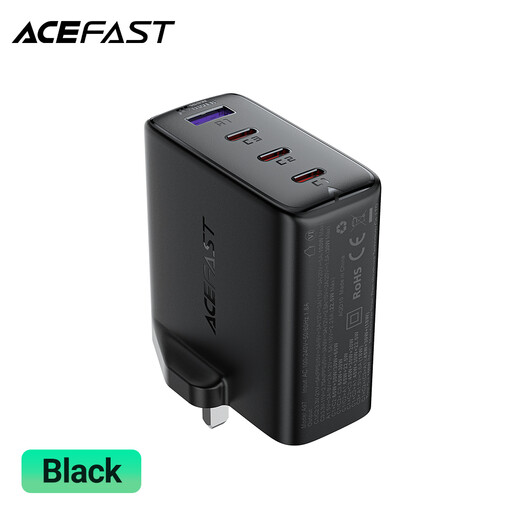
ACEFAST A97 PD100W GaN Charger (3 USB-C + USB-A), UK variant
The USB-C and USB-A port mix is relevant when different devices share one charging location. Check the simultaneous-use output for your intended port combination before depending on it to charge a laptop alongside other devices.
View on Joybuy
 No image available
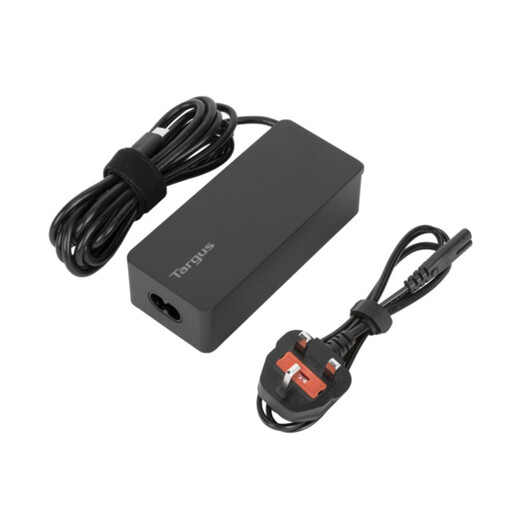
Targus 65W USB Type-C Charger
This is a laptop-focused option to consider if the exact device accepts USB-C charging. Compare its 65W rating with the laptop maker’s charging requirements, and confirm the required charging cable and connectors before buying.
View on Joybuy
 No image available
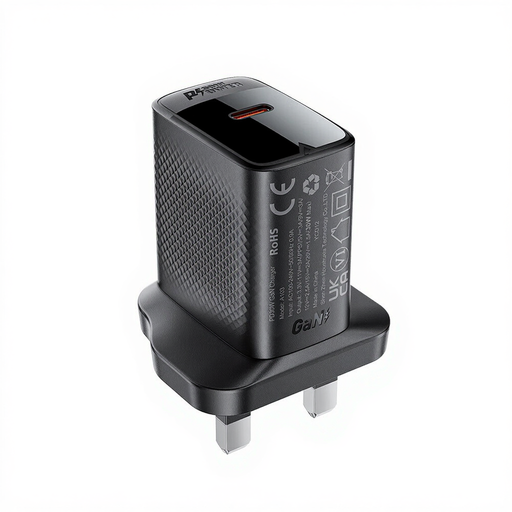
ACEFAST PD30W GaN USB-C Charger, black
Consider this when one compatible USB-C device needs its own charging point rather than a shared multi-port charger. Check the device’s required charging method and power, as well as cable suitability; a 30W rating alone does not establish laptop compatibility.
View on Joybuy
 No image available
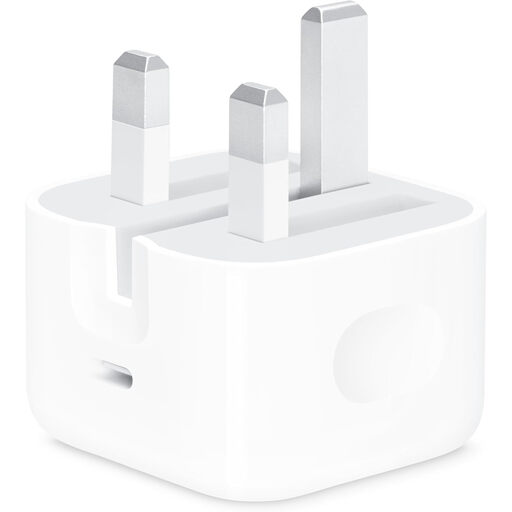
Apple 20W USB-C Power Adapter
This single-device adapter is relevant when you need a separate charging point for a compatible device, not simultaneous charging for the household. Its title specifies 20W and USB-C; choose a cable with the appropriate device-end connector, as a charging cable is not included.
View on Joybuy
Frequently asked questions
Can any USB-C charger power a USB-C laptop?
No: a matching connector does not establish that the laptop accepts USB-C charging or that the charger provides enough power. Check the exact laptop model’s charging method and documented wattage against the output of the port you will use. Microsoft notes that a lower-wattage charger may charge a compatible Surface slowly or not at all.
Is a multi-port charger’s total wattage enough to compare models?
No. Check the manufacturer’s simultaneous-use allocation for the exact ports you plan to occupy, particularly if one device is a laptop. The available power can change when you connect another device; Anker publishes different allocations for specific port combinations on one of its three-port chargers.
Will a 240W USB-C cable make a laptop charge at 240W?
No. A cable’s rating does not increase the capabilities of the charger or laptop. USB Implementers Forum says certified cables do not augment connected products; check that all three parts of the intended charging setup support the required power.
What should I check before buying a charger online?
Identify the exact product and seller, confirm that its plug suits the intended UK socket, and review its instructions and marking. Search the Office for Product Safety and Standards product-safety alerts, reports and recalls service for the selected charger; do not treat a visible marking as the only check.
Where should a shared home charging spot go?
Choose a hard, flat, heat-resistant surface away from flammable materials and escape routes, and follow each device maker’s charging instructions. Greater Manchester Fire and Rescue Service advises against covering charging devices or leaving batteries charging unattended or overnight.


