
24/7 Customer Support

Free returns

Same-day & Next-day Delivery

Quality Guaranteed

Unlock Your Welcome Offers: FREE Delivery | Up to 80% OFF | Free 30-day JoyPlus trial
Download the APP
As the Joybuy Product Recommendation Officer, I often hear from people about the same common frustration: a drawer overflowing with tangled, frayed or slow charging cables. Finding the right USB charging cable can feel unnecessarily complicated, with a confusing mix of connector types, power ratings and marketing claims.
This guide is designed to cut through the clutter. We will walk through the essential features to look for when buying a new cable and highlight a few standout options that cater to different needs, whether you're powering a high-performance laptop or just need a reliable phone charger cable for your daily commute.
Before you add a cable to your basket, considering a few key factors will ensure you get a product that works well and lasts.
The most crucial step is identifying the ports on your devices and chargers. The four most common types are:
A fast charging cable is only one part of the equation; your device and power adapter must also support higher speeds. Look for these terms:
A cable is only useful if it can withstand daily use. Consider these features for a durable charging cable:
Based on features, user needs and overall value, here are our recommendations for your next USB charging cable.
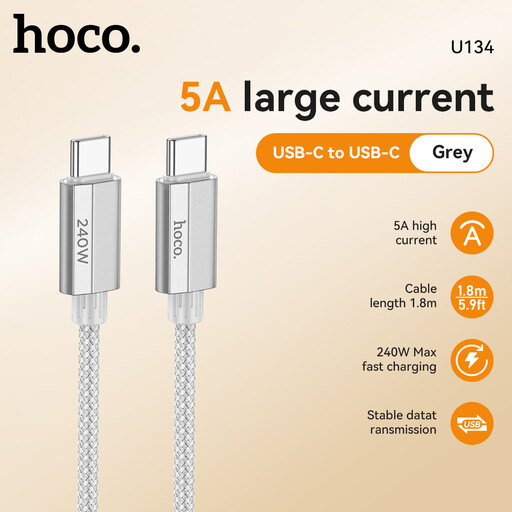
Why It Stands Out: This cable is built for the future. With support for up to 240W output via the Power Delivery 3.1 protocol, it can handle the power demands of everything from a smartphone to a high-performance gaming laptop, ensuring you get the fastest possible charge your devices can handle.
Pros:
Who is it for? This is an ideal choice for tech enthusiasts and professionals who use modern, power-hungry USB-C devices and want a single, high-performance cable for all of them.
View Product Details on Joybuy.co.uk
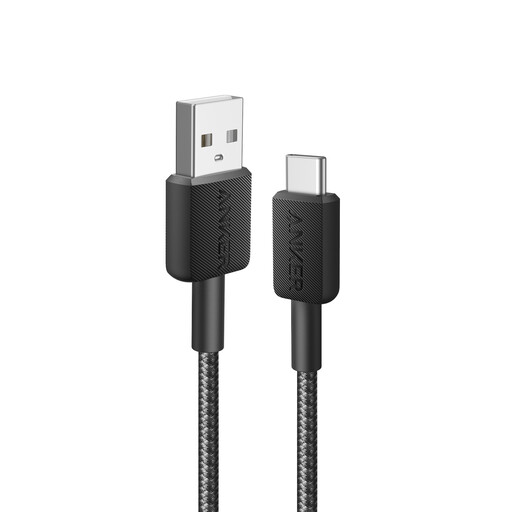
Why It Stands Out: Anker has built a reputation for reliable accessories and this cable is a prime example. It's a straightforward, durable solution for a very common need: connecting modern USB-C devices to older USB-A chargers and ports. Its construction is rated to withstand up to 10,000 bends.
Pros:
Who is it for? Perfect for anyone needing a dependable, everyday USB-A to USB-C cable to charge their phone or tablet from a laptop, car charger or older wall adapter.
View Product Details on Joybuy.co.uk
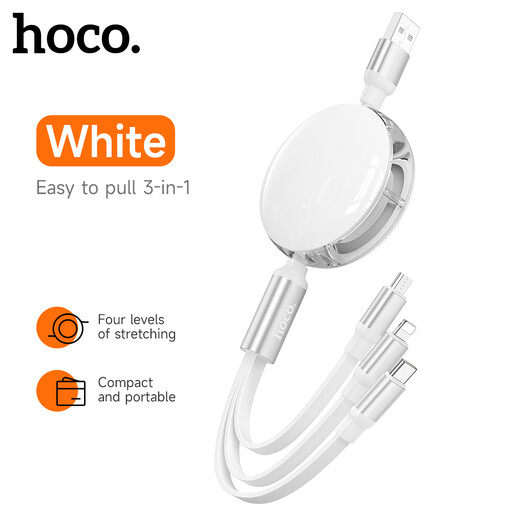
Why It Stands Out: This cable is the ultimate tool for convenience and decluttering. It combines Lightning, USB-C and Micro-USB connectors into a single, compact unit. The retractable mechanism keeps it neat and tangle-free, making it an excellent companion for travel or a tidy workspace.
Pros:
Who is it for? Ideal for travellers, families with a mix of Apple and Android devices or anyone who wants a single, tidy cable solution for their car or bag.
View Product Details on Joybuy.co.uk
If our top recommendations don't quite match what you're looking for, perhaps you need a different length or a specific connection type. You can browse our complete collection, including a wide variety of USB A to USB C cable options, to find the perfect fit for your devices.
USB-A is the traditional, larger rectangular connector that is not reversible. It's an older standard, typically supporting slower charging and data speeds. USB-C is the smaller, oval-shaped connector that is reversible, meaning it can be plugged in either way up. It supports much higher power for fast charging (like Power Delivery) and faster data transfer speeds.
Yes, a fast charging cable is a necessary component. To achieve fast charging, your power adapter, your cable and your device must all be compatible with the same fast-charging standard, such as Power Delivery (PD) or Quick Charge (QC). A standard cable may limit the power flow, even if you have a fast charger.
Yes, a multi-connector cable, such as a 3-in-1 charging cable, is designed for this purpose. These cables typically have a single USB-A or USB-C input and offer multiple outputs like Lightning, USB-C and Micro-USB. This allows you to charge a variety of devices without carrying multiple cables, though charging speeds may be reduced if you power several devices at once.