
24/7 Customer Support

Free returns

Same-day & Next-day Delivery

Quality Guaranteed

Unlock Your Welcome Offers: FREE Delivery | Up to 80% OFF | Free 30-day JoyPlus trial
Download the APP
Navigating the world of cables can feel unnecessarily complicated. You have a new smartphone with a USB-C or Lightning port, but your car charger, laptop and favourite power bank all have the older, rectangular USB-A ports. This mismatch can be a daily frustration, leaving you with a drawer full of incompatible wires.
This guide is designed to cut through the confusion. As a Joybuy Product Recommendation Officer, my role is to help you find practical and reliable solutions. Here, we will explore what to look for in a USB charging cable and highlight a few options that solve these common connectivity problems, whether you need to charge your device or transfer files.
Before you buy, considering a few key factors will ensure you get a cable that not only works but also lasts.
The first step is to identify the ports on your devices.
USB A to C cable is one of the most common types needed today.USB to Lightning cable.Understanding which two ends you need to connect is the most crucial part of your decision.
A phone charger lead is an item of daily use, so it needs to be robust. Look for cables with reinforced stress points where the cable meets the connector, as this is the most common point of failure. Materials like TPE offer good flexibility, while some cables are rated for a specific number of bends. A durable USB C cable, for instance, might be advertised as withstanding 10,000 bends, which indicates a focus on longevity. A standard 1m lightning cable or USB-C cable is often the most practical length for everyday use, balancing reach and portability.
Not all cables perform the same function. Some are designed purely for charging, while a data transfer cable can also sync photos, videos and files between your devices. For charging, check the power output supported, often measured in watts (W). For data, the speed is measured in megabits or gigabits per second (Mbps or Gbps). A standard cable might offer 480Mbps, which is fine for occasional file transfers, while more advanced adapters can offer much higher speeds.
Based on common user needs for connecting new devices to existing USB-A ports, here are a few practical recommendations.
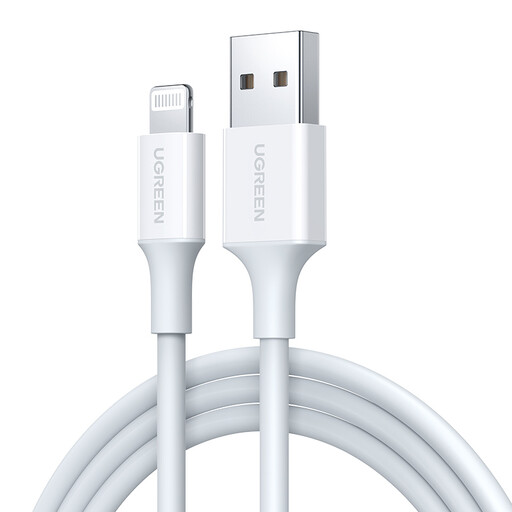
Why It Stands Out: This UGREEN cable is a straightforward and effective solution for Apple users. It directly addresses the need to connect an iPhone to a huge range of chargers, laptops and power banks that use the standard USB-A port. Its clean white finish and durable shell make it a solid replacement or spare iPhone charging cable.
Pros:
Who is it for?: iPhone users (models with a Lightning port) who need a reliable, everyday cable to connect to the vast majority of existing USB-A power sources.
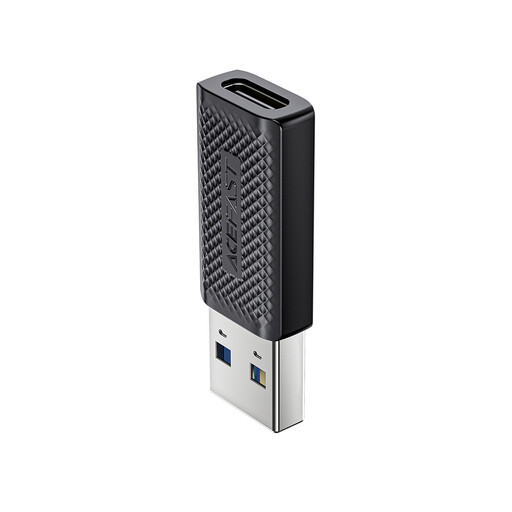
Why It Stands Out: Instead of replacing your cables, this adapter upgrades your ports. The ACEFAST J2 is a compact USB C to USB A adapter that allows you to plug a USB-C cable into a standard USB-A port. Its key advantage is support for the USB 3.0 standard, enabling data transfer speeds of up to 5 Gb/s—significantly faster than a standard charging cable.
Pros:
Who is it for?: Tech-savvy users who already own USB-C cables but frequently need to connect to devices with USB-A ports, such as laptops, desktops or games consoles, and who value high-speed data transfer.
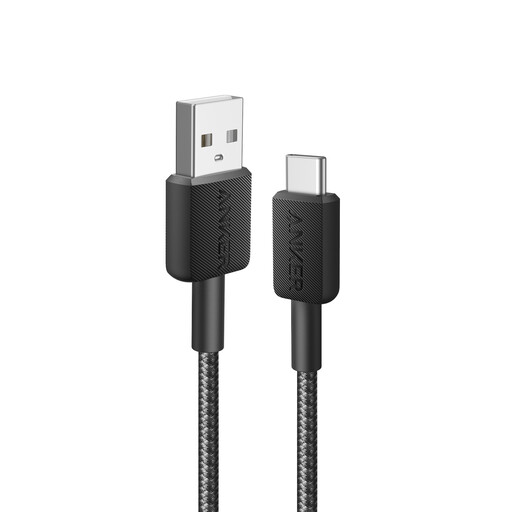
Why It Stands Out: Anker has a reputation for creating durable accessories, and this cable is a prime example. It is engineered for longevity, with lab tests indicating it can withstand up to 10,000 bends. It is also USB-IF compliant, which means it meets specific safety standards for reliable charging. This makes it a trustworthy Android charging cable or a lead for any other USB-C device.
Pros:
Who is it for?: Anyone with a USB-C device looking for a tough, dependable USB A to C cable for daily charging and syncing, from a brand known for its focus on quality.
These recommendations cover some of the most common connectivity needs, but your requirements might be different. If you are looking for a different length, colour or connector type, you can browse our full range of USB 2.0 Cable options to find the perfect match for your devices.
1. Are all USB-C cables the same? No. While the connector is a standard shape, USB-C cables can differ significantly in performance. Variations include charging speed (some support high-wattage Power Delivery, others do not), data transfer speed (from USB 2.0 at 480Mbps to USB4 at 40Gbps) and build quality. It is important to check the specifications to ensure a cable meets your needs.
2. Can I use an Android charging cable for my iPhone? It depends on the model. Most Android phones use USB-C, while most iPhones (up to the iPhone 14 series) use the proprietary Lightning connector. These two are not interchangeable. However, newer iPhone models (iPhone 15 and later) have adopted the USB-C port, so a standard USB A to C cable would work for both a modern Android phone and a new iPhone.