
24/7 Customer Support

Free returns

Same-day & Next-day Delivery

Quality Guaranteed

Unlock Your Welcome Offers: FREE Delivery | Up to 80% OFF | Free 30-day JoyPlus trial
Download the APP
A replacement cable can look like a simple purchase, yet the wrong one may charge slowly, fail to transfer files or become unreliable after repeated bending. UK shoppers often choose by connector shape or a headline wattage alone, which can lead to avoidable problems.
The most common buying traps are:
Before selecting a cable, check the connector at both ends and the requirements of the device.
A cable labelled as a fast charging cable should be matched with a compatible charger. For example, a 20W charging cable can suit many phones, while a 60W charging cable, 65W charging cable or 100W charging cable is more relevant to tablets and compatible laptops. A 240W charging cable is intended for supported high-power USB-C equipment, but the actual charging rate remains limited by the complete setup.
USB-C Power Delivery, commonly written as USB-C PD, allows compatible chargers and devices to negotiate an appropriate power level. A 65W cable may be suitable for a USB-C laptop, tablet and phone, while a 20W USB-C to Lightning cable may be more appropriate for a compatible iPhone or iPad.
Do not assume a higher number is automatically more suitable. Check:
Using a cable above the device’s requirement is generally not a problem when the charger and equipment are compatible, but it does not make the device charge beyond its design limit.
Charging and file transfer are separate specifications. If you regularly move photos, videos or work files, look for a stated data standard.
A durable USB cable can still be limited to USB 2.0 data speeds, so a braided exterior is not evidence of high-speed syncing.
A 1m charging cable is practical for a desk, office or power bank. A 1.2m lead offers a little more flexibility, while a 2m cable can be useful beside a sofa or bed. Longer cables may be less convenient to pack and manage.
Braided nylon, silicone, strain relief and reinforced connectors can help with everyday handling. They do not make a cable indestructible, so avoid tightly wrapping it around a charger, pulling it by the wire or sharply bending it at the plug.
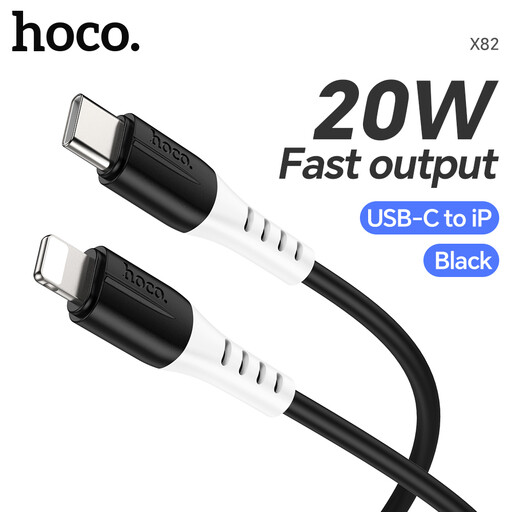
Why This Fits Their Persona: A straightforward option for iPhone or iPad users who need a 1m replacement cable for a compatible USB-C charger.
The product information clearly identifies the USB-C to Lightning connection, 20W maximum output and 3A current capacity, rather than relying on a vague fast-charge label.
USB-C to Lightning format, 20W specification and compact 1m length for everyday indoor use.
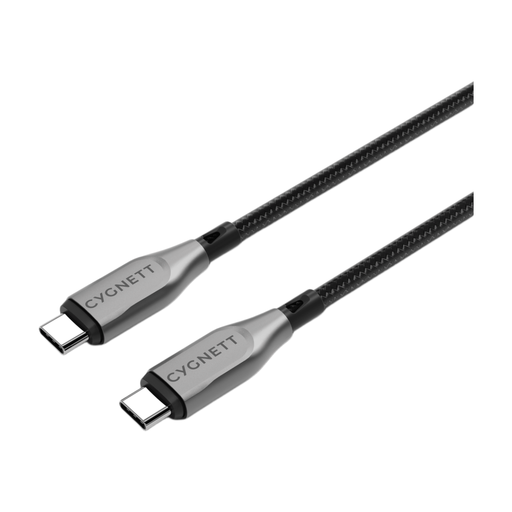
Why This Fits Their Persona: Suitable for users who want one USB-C cable for compatible phones, tablets and laptops, with a focus on construction and file transfers.
Its product details state both the 100W charging rating and 10Gbps transfer speed, helping separate power performance from data capability.
100W support, stated 10Gbps transfer speed, double-braided nylon and a 5-year warranty.
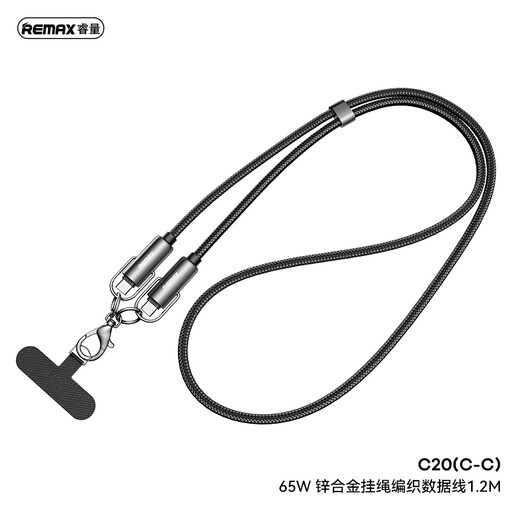
Why This Fits Their Persona: A practical match for laptop, tablet and smartphone owners who need a higher-power daily cable for home, office or travel.
The stated 20V-3.25A output gives a clearer indication of its 65W USB-C PD capability, while the braided exterior addresses everyday wear and tangling.
65W charging, 1.2m length, braided nylon, zinc alloy connectors and an adjustable collar for cable management.
Use USB charging cables with compatible chargers and devices. Keep them dry, avoid heat and inspect for fraying, exposed wires, cracked connectors or unusual warmth. Disconnect by holding the plug rather than pulling the cable. Replace a damaged cable instead of continuing to use it.
We have compiled a complete, real-time list of products that fully satisfy these strict selection criteria and UK safety regulations.
They may fit physically, but charging and data performance can differ. Check the cable’s power rating, data speed and the device’s supported standards before buying.
Yes, if the connectors are compatible, but the phone will normally draw only the power it supports. The charger and phone must also support the relevant USB-C PD arrangement.
There is no fixed lifespan. Careful storage, loose coiling and avoiding sharp bends can extend use. Stop using any cable that shows visible damage, becomes unusually hot or repeatedly disconnects.