
24/7 Customer Support

Free returns

Same-day & Next-day Delivery

Quality Guaranteed

Unlock Your Welcome Offers: FREE Delivery | Up to 80% OFF | Free 30-day JoyPlus trial
Download the APP
A replacement cable can look like a simple purchase, but the wrong one may charge slowly, fail to fit your device or transfer files at disappointing speeds. With USB charging cables, the connector shape is only part of the decision. Power rating, data performance, length and construction all affect whether a cable suits your daily setup.
For UK households, offices and travel bags, three common buying traps are worth avoiding:
Start at both ends of the cable. Common combinations include:
Check your device port and your charger port separately. An iPhone charging cable with a Lightning connector will not suit a USB-C-only iPhone, while a USB-C to USB-C cable will not connect directly to a Lightning port.
A cable’s wattage rating should match the equipment you intend to use. A 60W USB-C cable is suitable for many phones, tablets and smaller laptops, while a 100W USB-C cable may be more appropriate for compatible high-power laptops and gaming devices.
However, the cable alone does not create fast charging. The final charging rate is limited by the lowest-rated part of the setup:
For example, a 100W cable connected to a 20W adapter will not deliver 100W. Always check the charger and device specifications rather than relying only on phrases such as “turbo” or “super fast”.
If you regularly move photographs, videos or large documents, check the stated transfer rate. Some cables support only USB 2.0 speeds of up to 480Mbps, which is adequate for everyday syncing but slower than a cable rated at 5Gbps or 10Gbps.
Length is a practical consideration:
For durability, look for reinforced connectors, strain relief and a braided or flexible outer layer. Braided nylon may resist abrasion, while silicone can feel softer and coil more easily. Regardless of material, avoid tight bends, pulling the cable itself or using a visibly frayed lead.
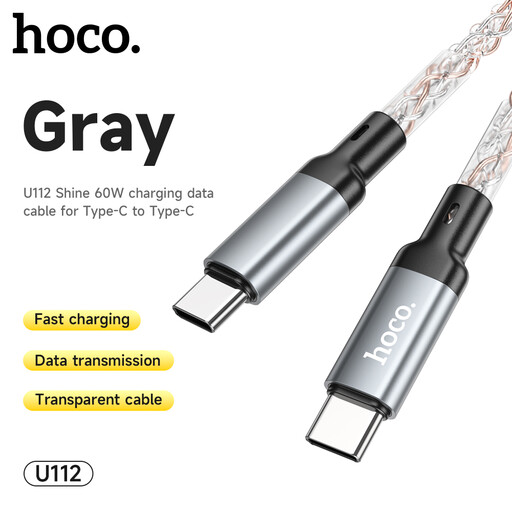
Why This Fits Their Persona: A straightforward USB-C to USB-C option for everyday phone, tablet and compatible laptop charging at home or in the office.
Its stated 60W rating makes the intended power limit clearer than an unspecified “fast” label.
USB-C connectors at both ends; suitable for chargers and devices with matching ports.
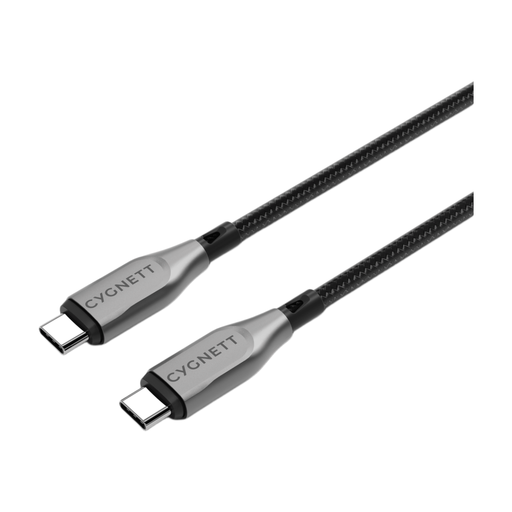
Why This Fits Their Persona: Suits users who want one cable for charging and frequent file transfers between USB-C laptops, tablets and phones.
The listing specifies both 100W charging and 10Gbps transfer, so charging and data claims are separated.
Double-braided nylon, aramid fibre reinforcement and a stated 5-year warranty; 1m length.
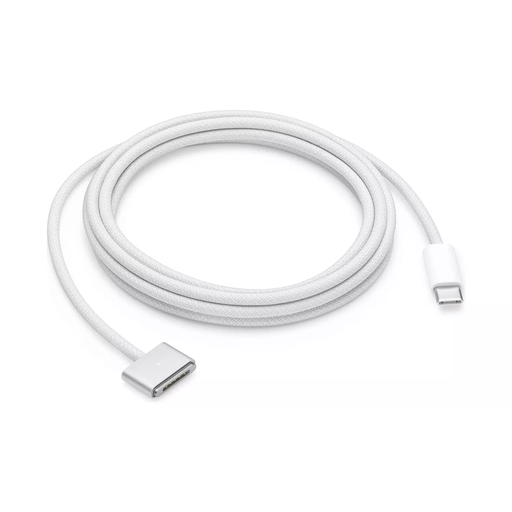
Why This Fits Their Persona: Intended for compatible MacBook Air and MacBook Pro owners who need reach and a magnetic charging connection.
The connector type is clearly specified, reducing the risk of buying a standard USB-C lead for a MagSafe 3 port.
2m woven cable with a magnetic connector, breakaway design and LED charging indicator.
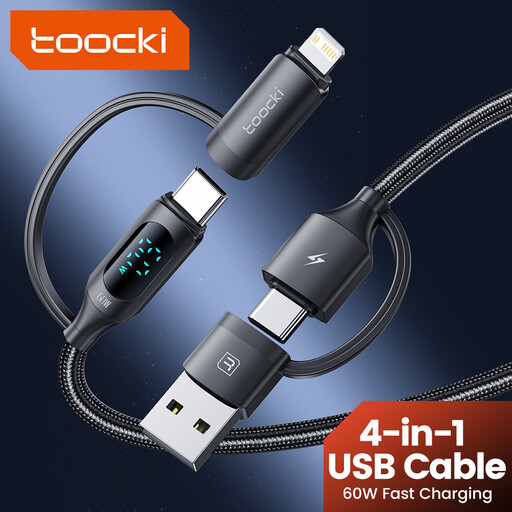
Why This Fits Their Persona: A compact option for travellers carrying a mixture of USB-C, USB-A and Lightning devices.
Its connector combinations are listed directly, helping avoid packing separate leads for every device.
1.2m length, braided outer material and a digital display for charging status.
We have compiled a complete, real-time list of products that fully satisfy these strict selection criteria and UK safety regulations.
No. USB-C is a connector format, not a guarantee of charging speed. Confirm the cable’s wattage, the charger’s output and the device’s supported charging standard. A compatible USB-C Power Delivery adapter may also be required.
Lifespan depends on bending, heat, moisture and how the cable is disconnected. Grip the connector rather than pulling the lead, coil it loosely and stop using it if the insulation splits or wires become visible. Braided or reinforced designs may be more suitable for frequent travel, but they still require careful handling.
The cable itself uses very little energy. Running cost mainly depends on the device, charger efficiency and how long the device remains connected. Unplugging chargers when they are not needed can reduce unnecessary standby consumption.