
24/7 Customer Support

Free returns

Same-day & Next-day Delivery

Quality Guaranteed

Unlock Your Welcome Offers: FREE Delivery | Up to 80% OFF | Free 30-day JoyPlus trial
Download the APP
A replacement cable can look like a simple purchase, but the wrong USB charging cable may charge slowly, fail to support your laptop or become unreliable after repeated bending. UK shoppers also face product listings that highlight impressive wattage without explaining whether the cable, charger and device can work together.
Before buying, check three details: the connector combination, the supported power rating and the cable’s construction. These specifications matter more than appearance alone, particularly if you need an iPhone charging cable, MacBook charging cable, Android accessory or multi-device solution.
A cable labelled 100W, 240W or “fast charging” does not automatically make every device charge at that speed. The charger and device must also support the relevant Power Delivery standard, while some phones and tablets have lower charging limits.
For example, a 20W charging cable can be suitable for compatible iPhone charging, but it will not turn a standard 5W adaptor into a 20W charger. Similarly, a 240W USB-C cable is designed for high-power USB-C equipment, but the connected laptop and charger determine the real output.
USB-C describes the connector shape, not the complete performance specification. A USB-C to USB-C cable may support charging but only USB 2 data speeds. Others offer faster transfer rates, such as the Cygnett cable listed with up to 10Gbps transfer.
If you regularly move photographs, video or large work files, check the stated data standard. For occasional charging, USB 2 speeds may be adequate and can help avoid paying for features you will not use.
A very short cable can be inconvenient beside a bed or sofa, while an excessively long cable may become tangled in a travel bag or car. Repeated sharp bends near the connector are also a common reason for failure.
A braided charging cable or woven design can provide additional resistance to everyday abrasion, but construction is not a substitute for sensible handling. Avoid pulling the cable itself when disconnecting and replace it if the insulation splits or internal wiring becomes visible.
Start at both ends of the cable:
If you use an older iPhone with Lightning, a suitable Apple charging cable or MFi-certified cable can help provide recognised compatibility. Always match the connector to the device rather than relying on a product title containing “universal”.
Look for the cable’s stated maximum power:
Power Delivery, often written as USB PD, is important for many modern fast-charging setups. The cable should be rated for the power you need, but the complete charging chain remains limited by its lowest-rated component.
For daily use, consider a 1m cable for a desk, bedside table or office setup. A 1.5m or 2m cable provides greater reach, while a shorter 0.9m option is easier to manage with a laptop or power bank.
A durable charging cable may use nylon braiding, woven fabric, silicone or reinforced connector housings. Also check whether the listing provides a bend rating, warranty or connector reinforcement. These details are more useful than vague wording such as “premium” or “heavy duty”.
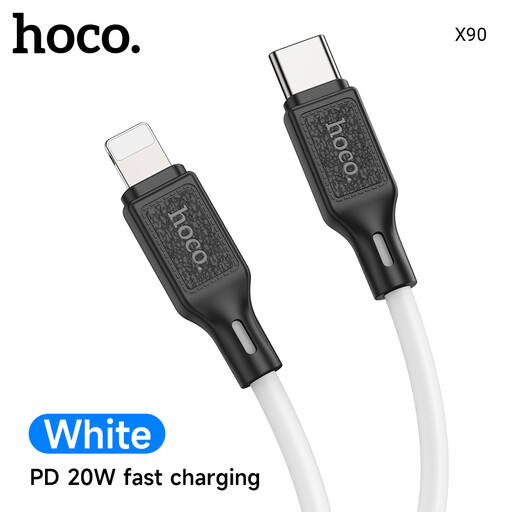
Why This Fits Their Persona: A straightforward 1m USB-C to Lightning option for compatible iPhone and iPad users who already have a USB-C charger and need a practical spare for home, work or travel.
Its stated 20W output and USB-C to Lightning format make the intended setup clear, avoiding a mismatch between an older USB-A charger and a USB-C input.
1m length; supports Power Delivery and up to 20W according to the product specification.
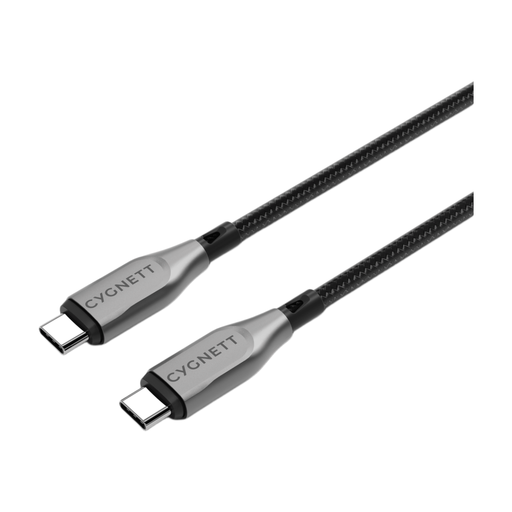
Why This Fits Their Persona: A considered choice for users connecting USB-C laptops, tablets and phones at a desk or in a work bag, especially where charging and file transfers are both important.
The listing specifies both 100W charging and 10Gbps data transfer, making it easier to distinguish from USB-C cables intended mainly for basic charging.
Double-braided nylon exterior; listed Kevlar aramid fibre reinforcement; 10Gbps transfer specification.
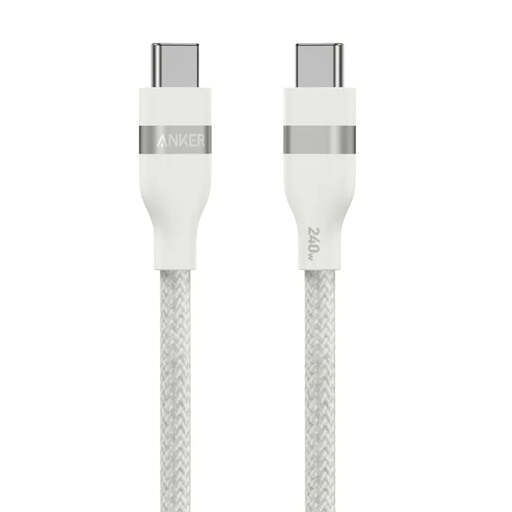
Why This Fits Their Persona: Suited to compatible high-power USB-C laptops and other demanding devices used at a workstation, where a compact cable with a high stated rating is useful.
Its 240W rating is clearly stated, while the USB-C-to-USB-C format prevents confusion about compatibility with Lightning devices.
USB-IF certification is listed; braided exterior; stated 30,000+ bend lifespan and 0.9m length.
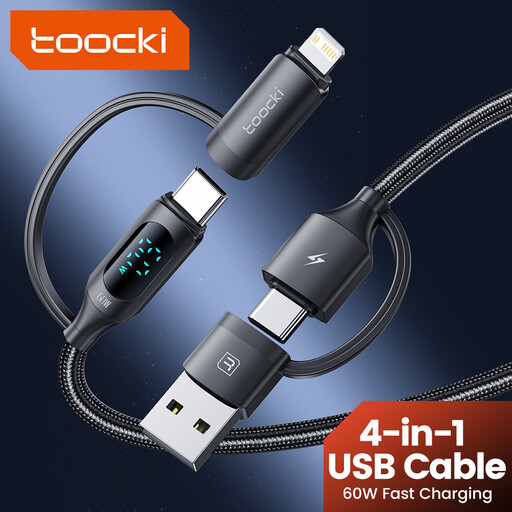
Why This Fits Their Persona: Practical for UK travel, shared households or office drawers containing USB-C, USB-A and Lightning devices.
The connector options are specified as USB-C, USB-A and Lightning, so shoppers can confirm device coverage before buying.
1.2m braided construction; digital display; multi-connector design for travel use.
We have compiled a complete, real-time list of products that fully satisfy these strict selection criteria and UK safety regulations.
Not necessarily. The connector may fit, but charging power, data speed and protocol support vary. Check the device requirements, charger output and cable rating before purchase.
Lifespan depends on construction and handling. Braided or woven designs may resist everyday abrasion, but tight bends, pulling from the cable and exposure to heat or moisture can shorten service life. Stop using any cable with fraying, exposed wires or unusually hot connectors.
The cable rating does not force a device to consume that amount of power. A compatible device and charger draw power according to their requirements. A 100W or 240W cable simply provides capacity for equipment that supports those levels; it does not guarantee that level of charging.