
24/7 Customer Support

Free returns

Same-day & Next-day Delivery

Quality Guaranteed

Unlock Your Welcome Offers: FREE Delivery | Up to 80% OFF | Free 30-day JoyPlus trial
Download the APP
A replacement cable can look like a simple purchase, yet the wrong choice may lead to slow charging, an unreliable connection or a cable that becomes difficult to use after repeated bending. UK shoppers often compare price first, but connector type, power capability and construction are more important indicators of suitability.
Whether you need a USB-C cable for an Android phone, a USB-C to Lightning cable for an older iPhone or a cable for a laptop, the following checks can help you avoid common buying mistakes.
USB-C describes the shape of a connector, not automatically its charging speed or data capability. A USB-C to USB-C cable may support anything from basic charging to high-power laptop charging and faster file transfers.
Likewise, a Lightning charging cable can have a USB-A or USB-C input. If your wall charger has a USB-C port, you need a USB-C to Lightning cable. If it has a traditional USB-A port, a USB-A to Lightning cable is required.
Always check both ends of the cable and compare them with your charger and device.
A cable labelled 100W, 240W or 60W cannot make a device charge at that level by itself. The actual speed depends on the cable, charger, device and supported charging standard.
For example, a 20W charging cable may suit a compatible iPhone and USB-C power adaptor, while a laptop may require a 60W USB-C cable or a 100W USB-C cable. A 240W cable can provide additional capacity for compatible equipment, but it does not override the limits of a lower-rated charger or device.
A 1m cable is practical at a desk or beside a power bank, while a 2m cable can be more convenient beside a sofa or bed. However, longer cables can create more clutter and may be less convenient for commuting.
For car use, look for an appropriate vehicle adaptor and avoid placing the cable where it can interfere with driving controls. Replace any cable that becomes frayed, unusually hot or visibly damaged.
Match the cable to the device and power source:
Look for a stated power rating in watts and, where relevant, support for USB Power Delivery (PD). The charger must also support the required output. A cable rated for 100W is a sensible option for compatible laptops, while a 20W or 30W USB-C to Lightning cable may be sufficient for many compatible Apple devices.
Do not pay extra for a high wattage rating if your devices only require basic charging. Conversely, using an under-rated cable with a high-power laptop charger may result in slower charging.
Charging and data transfer are separate considerations. Some cables support USB 2 data speeds of up to 480Mbps, which is generally suitable for syncing photos, music and documents. Others, such as the Cygnett Armoured USB-C cable, specify 10Gbps transfer speeds.
For frequent travel or daily desk use, a braided charging cable with reinforced connectors and strain relief may resist tangling and surface wear more effectively than a basic smooth cable. Braiding does not make a cable indestructible, so avoid sharp bends, tight knots and pulling the cable itself.
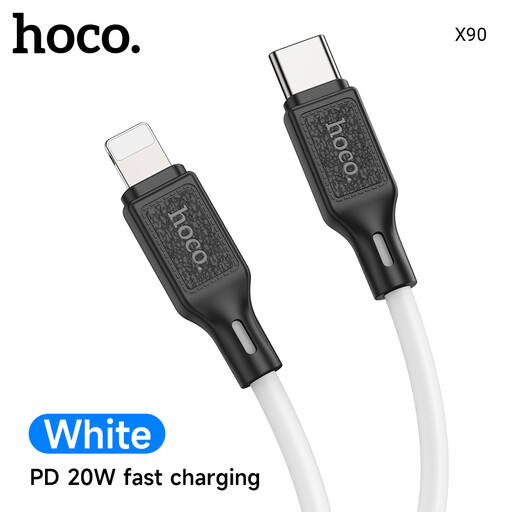
Why This Fits Their Persona: A straightforward 1m option for Apple device owners who already use a compatible USB-C charger at home, in the office or during a commute.
Its USB-C to Lightning format and stated 20W output make the connector and power category clear before purchase.
1m length; supports Power Delivery and Quick Charge 3.0 according to the product specification.
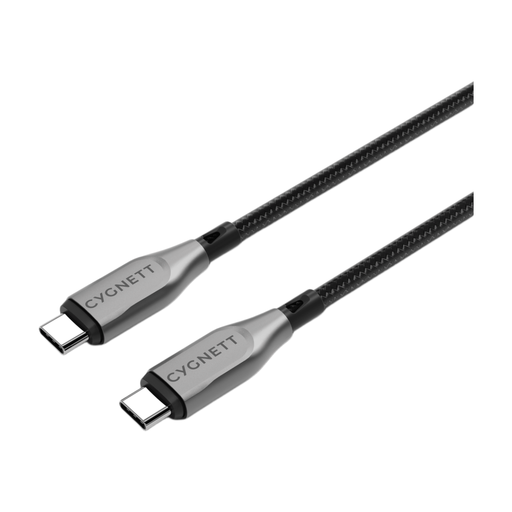
Why This Fits Their Persona: Suitable for users who want one robust USB-C cable for a laptop, tablet and smartphone setup at home or work.
The listing states both its 100W charging capacity and 10Gbps data speed, avoiding vague claims about performance.
Double-braided nylon exterior; reinforced with DuPont Kevlar aramid fibre; backed by a stated 5-year warranty.
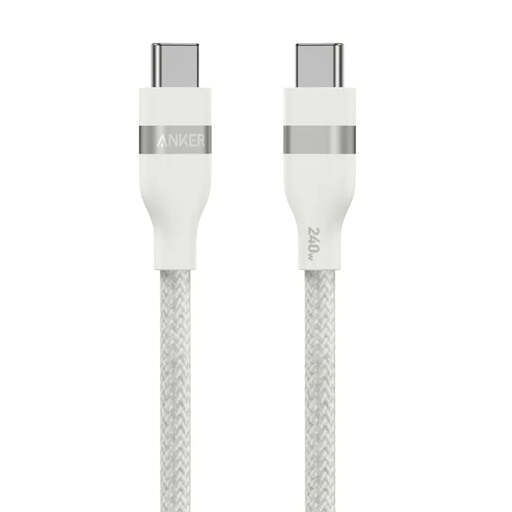
Why This Fits Their Persona: A compact choice for users charging high-power USB-C laptops or tablets from a suitable compatible charger.
The 240W rating is clearly stated, while the USB-IF certification specification provides a concrete detail to check.
Braided exterior; stated 30,000-plus bend lifespan and 220lb resistance specification.
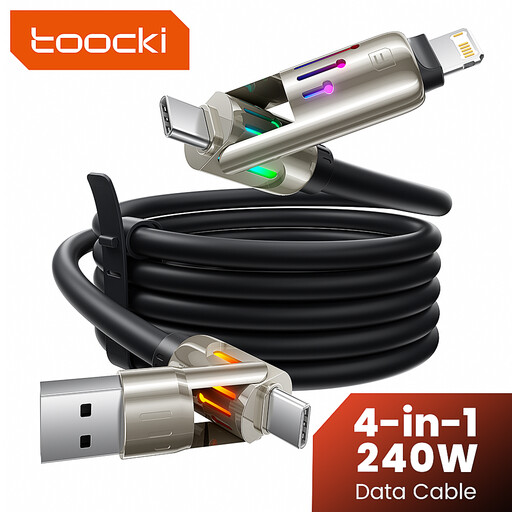
Why This Fits Their Persona: Designed for travel bags and shared households with USB-A, USB-C and Lightning devices that need different connector options.
The 4-in-1 design identifies the available connector combinations rather than leaving compatibility to guesswork.
2m length; braided construction; integrated LED light; supports USB-A / USB-C to USB-C / Lightning connections.
We have compiled a complete, real-time list of products that fully satisfy these strict selection criteria and UK safety regulations.
To extend the usable life of USB charging cables:
They may fit physically, but charging and data performance can differ. Check the cable’s wattage, data speed and the device’s requirements. A cable suitable for a phone may not provide the power or transfer speed required by a laptop.
Lifespan depends on bending, storage, connector strain and daily use. Braided materials and reinforced strain relief can help resist everyday wear, but any cable should be replaced when it becomes frayed, loose or hot during normal charging.
A higher-rated cable does not automatically use more electricity. The charger and device determine the power drawn. A 100W or 240W cable simply provides capacity for compatible equipment; it does not force a phone to consume that amount.