
24/7 Customer Support

Free returns

Same-day & Next-day Delivery

Quality Guaranteed

Unlock Your Welcome Offers: FREE Delivery | Up to 80% OFF | Free 30-day JoyPlus trial
Download the APP
A replacement cable can appear inexpensive, yet the wrong choice may charge slowly, fail to fit your device or become damaged after repeated bending. UK shoppers often compare connector types and advertised wattage without checking whether the cable, charger and device work together.
The most common buying traps include:
Start by checking both ends of the cable.
Check your device port rather than relying on the product title alone. An Apple charging cable for a Lightning device is not interchangeable with a USB-C to USB-C cable.
The cable’s wattage should match your intended use.
A 20W charging cable is generally suited to compatible phones and smaller tablets when paired with an appropriate USB-C Power Delivery charger. A 60W charging cable offers more headroom for phones, tablets and some laptops. A 100W USB-C cable may be suitable for compatible laptops, gaming devices and higher-power equipment.
However, actual charging speed is limited by the lowest-rated component: the device, charger or cable. Look for support for standards such as USB Power Delivery (PD) where relevant. A cable rated at 60W or 100W does not replace a compatible wall adapter.
For example, the HOCO X90 USB-C to Lightning models specify up to 20W, 3A, PD and QC 3.0 support. This can suit a compatible Lightning device and USB-C charger, but it does not mean every iPhone or charger will draw the full rating.
Choose length according to where you charge:
A braided charging cable can offer additional resistance to everyday rubbing and tangling, while silicone designs may feel more flexible. Look for reinforced connector areas and follow the manufacturer’s handling instructions. Do not pull a cable from its wire, tightly coil it around a charger or use it if the insulation is frayed.
For file transfers, check the data specification separately. Several cables in this range support USB 2.0 data transfer up to 480Mbps, which is adequate for everyday syncing but slower than cables designed for higher-speed USB standards.
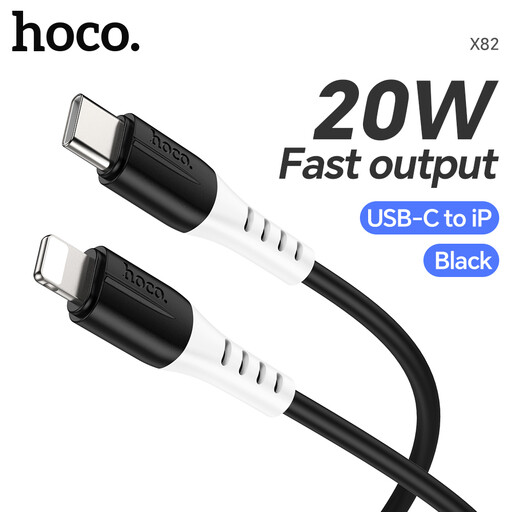
Why This Fits Their Persona: A straightforward 1 m USB-C to Lightning option for Apple device owners who already have a compatible USB-C charger at home, work or in a travel bag.
Its stated 20W maximum and USB-C to Lightning format make the intended use clearer than a generic “fast” label.
1 m length; specified support for PD, QC 3.0, up to 3A and 20W.
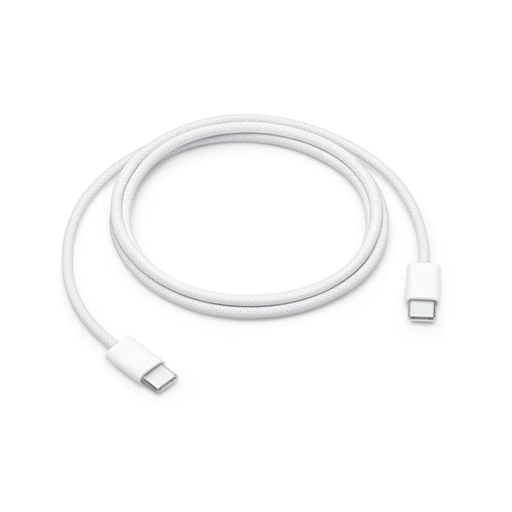
Why This Fits Their Persona: A woven Apple USB-C to USB-C cable for users wanting a coordinated everyday cable for USB-C iPhones, iPads, Macs and other compatible equipment.
The listing states both its power capacity and USB 2 data limitation, helping buyers avoid assuming it is a high-speed data cable.
Woven construction; supports charging up to 60W and USB 2 data transfer.
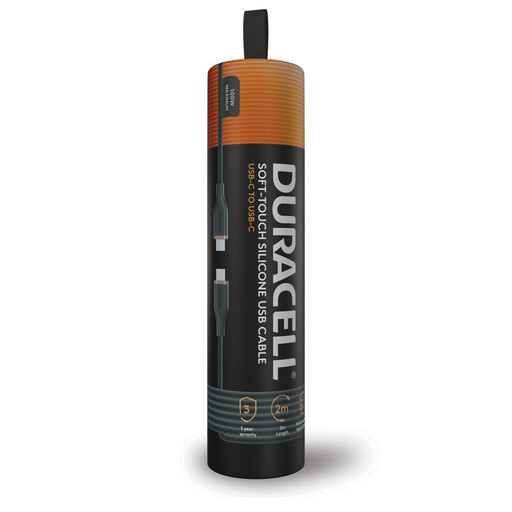
Why This Fits Their Persona: A 2 m cable for laptop users, home offices, bedside sockets and gaming setups where a short lead may be inconvenient.
Its 100W USB-C rating is clearly stated, while the USB 2 data speed makes its charging-first purpose transparent.
2 m length; supports USB-C PD charging up to 100W and up to 480Mbps data transfer.
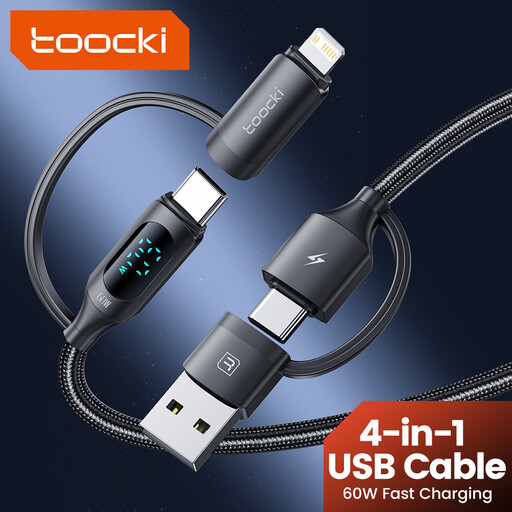
Why This Fits Their Persona: A compact multi-charging cable for travellers carrying USB-C and Lightning devices, with USB-A and USB-C connection options.
The connector choices are specified, reducing the need to carry separate leads; the cable also states that fast charging requires a compatible charger and device.
1.2 m length; braided construction, aluminium alloy elements and a digital charging display.
We have compiled a complete, real-time list of products that fully satisfy these strict selection criteria and UK safety regulations.
A MFi-certified cable can be a sensible consideration for Lightning devices because the certification indicates compatibility within Apple’s accessory programme. Always check the individual listing and device requirements rather than assuming every Lightning charging cable has the same certification.
No. USB-C connectors may fit many devices, but power ratings, charging protocols and data speeds differ. Check whether you need a USB-C to USB-C cable, USB-C to Lightning cable or another configuration.
Not necessarily. The phone and charger determine the power accepted. A 100W cable provides capacity for compatible equipment, but a phone designed for lower input will not automatically charge at 100W.
Lifespan depends on bending, heat, pulling and storage. Reinforced or braided designs may suit frequent daily use, but any cable should be replaced when its insulation, connectors or strain relief show damage.