Shared-archive coordinators
People maintaining the group’s organised collection of drafts need capacity for revisions and a separate second copy. The Library of Congress recommends keeping copies on different storage media in separate locations.


Choose capacity by measuring the group’s drafts, revisions and expected additions, then choose a connector that fits the devices members actually use. Transfer speed matters more when large files move frequently, but no flash drive should be the group’s only archive copy: keep another copy on different media in a separate location, as the Library of Congress advises.
People maintaining the group’s organised collection of drafts need capacity for revisions and a separate second copy. The Library of Congress recommends keeping copies on different storage media in separate locations.
Members regularly exchanging artwork, CAD exports, presentations or video drafts need to consider both transfer performance and the ports on the computers doing the copying. Kingston Technology notes that its DataTraveler Max needs a USB 3.2 Gen 2 host for optimal performance.
When members use both USB-A computers and USB-C devices, direct connector fit can matter more than an advertised speed. Check the devices that will create, receive and maintain the archive copy.
Measure the files and identify the group’s regular ports before comparing drive specifications. Plan the separate archive copy regardless of which drive carries files between members.
| Concern | What to check | Who this matters to |
|---|---|---|
| Capacity and headroom | Measure drafts, source files and revisions; allow for additions and usable capacity below the labelled amount. | If I need to retain editable files alongside exports, today’s folder size alone will not leave room for later revisions. Around 33% of consumers put capacity first. |
| Archive resilience and access | Arrange a second copy on different media in a separate location; decide who can update and access the files. | I do not want the loss of a meeting drive to erase the group’s draft history. For around 33% of consumers, protecting access to the archive is the primary concern. |
| Large-file transfers | Check the regular computers’ USB ports and both read and write claims; treat advertised speeds as maxima. | When large design packages change hands often, waiting for copies can disrupt the handover. Faster transfers come first for around 20% of consumers. |
| Connector fit and portability | List the USB-A and USB-C ports members use; consider how a carried drive will be kept track of. | I need the drive to connect to the devices used at meetings without relying on an unexpected adapter. Around 14% of consumers chiefly prioritise that practical fit. |
A resistant casing cannot prevent deletion, loss or failure of the only copy.
Use the flash drive as one managed copy. The Library of Congress recommends copies on different media in separate locations and migration to current media about every five years.
Editable source files, assets and revisions can take space beyond the finished files, while formatted capacity is lower than the label.
Measure the complete folder collection and leave room for the files the group intends to retain.
Advertised transfer maxima depend on the host connection and the copying workload. Kingston Technology says DataTraveler Max needs a USB 3.2 Gen 2 host for optimal performance.
Check contributors’ ports and any hubs before choosing a drive for its speed claims.
If drafts or associated files contain personal information, passing a removable drive between members raises access and loss concerns.
Keep unnecessary personal information out of the archive, agree who may hold the drive and assess suitable access protection. Legal Aid Agency guidance for legal aid providers identifies encryption as one possible removable-media measure.
The USB-C DataTraveler Max range is relevant to groups regularly moving large files between compatible computers.
Samsung’s BAR Plus line addresses USB-A handovers, while its Type-C line addresses devices with USB-C ports.
The Extreme PRO USB 3.2 Solid State Flash Drive is a USB-A option to investigate when large-file handovers are frequent.
These drives offer 512GB or 1TB labelled capacity for a group comparing portable draft handover copies. Choose between the listed connector types using members’ actual devices, and size the drive against the group’s files rather than capacity alone.
 No image available
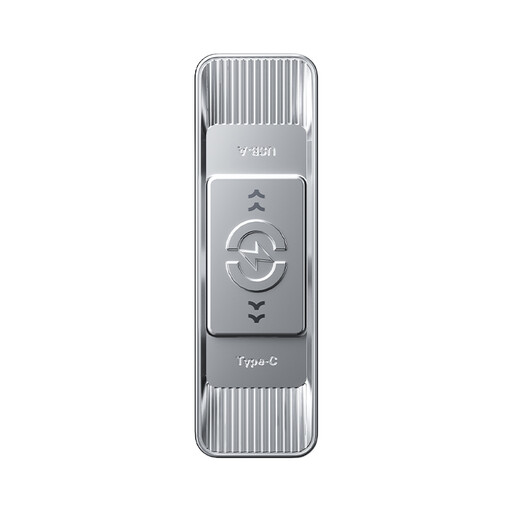
Consider this for a handover copy shared between USB-A and USB-C devices, after checking the group’s ports and storage needs.
The title specifies 1TB, a dual interface and zinc-alloy housing. Confirm the interface and transfer-speed specification before relying on the advertised speed.
 No image available
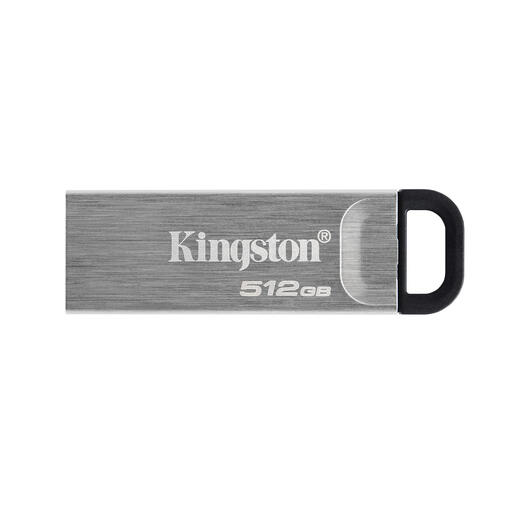
Consider this when members need to pass drafts between USB-A and USB-C devices and the measured files fit within the usable capacity.
The title specifies USB 3.2 Gen 1, a Type-C connection and zinc-alloy housing, and advertises 570MB/s read. Actual transfer speed depends on the devices and workload.
 No image available
Consider this for a USB-A-centred handover routine, subject to checking the computers that will access it.
The product title specifies 512GB. Compare that labelled capacity with the complete draft collection and planned additions.
 No image available
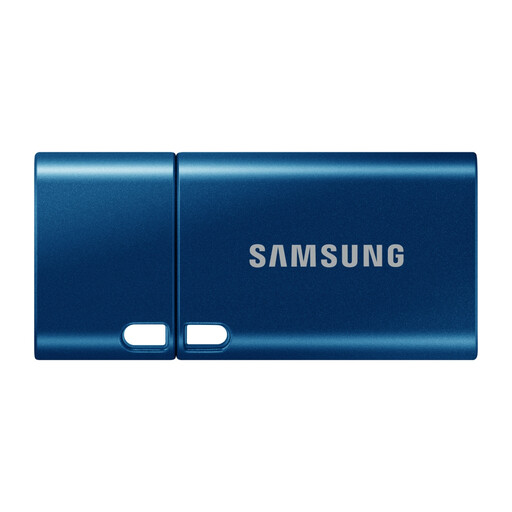
This is a direct-connection option when the devices used for group handovers have USB-C ports; USB-A-only equipment needs a compatible connection arrangement.
The title specifies 512GB and USB 3.2 Gen 1. If copying large draft packages is important, check the write-speed specification as well as read-speed claims.
 No image available
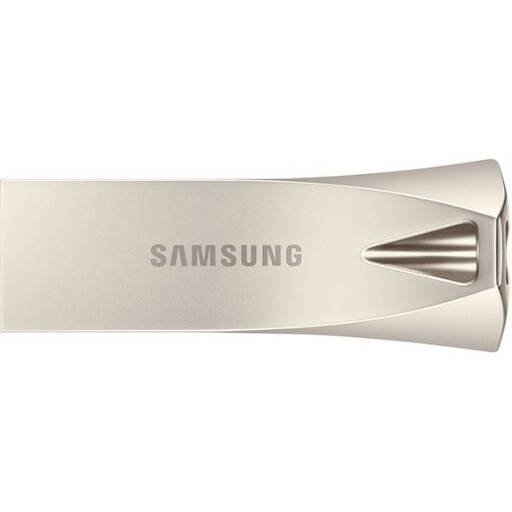
This suits consideration where members access drafts through USB-A ports; check any USB-C-only devices before choosing it for shared use.
The title specifies 512GB and USB 3.2 Gen 1. For frequent large-file handovers, check the write-speed specification rather than judging transfer time from read speed alone.
No. A flash drive can hold one copy or carry files between members, but the Library of Congress recommends copies on at least two different storage media in separate physical locations and migration to current media about every five years.
Encryption is a measure to assess if the drive holds personal information, not an automatic requirement for every design file. Legal Aid Agency removable-media guidance for legal aid providers identifies it as one possible protection; consider the files, who handles the drive and the consequences of unauthorised access.
Formatting and device functions leave less space available for files than the labelled capacity. Measure the group’s complete draft collection and leave room for future revisions rather than sizing the drive to the label alone.
No. Kingston Technology says DataTraveler Max needs a USB 3.2 Gen 2 host for optimal performance, while Samsung notes that BAR Plus speed varies with the host and usage conditions. Check the regular computers and any hubs before treating a quoted maximum as a planning figure.