Choose a USB flash drive around the device that creates or exports the captures, then consider how the group will share and store them. A dual-connector drive can help with handovers between compatible USB-A and USB-C devices, while a USB-A drive can suit a collection managed mainly from a PC with that port. Check the console’s capture and formatting requirements before use, and keep another copy of the group’s files before reformatting a drive.
Who needs the drive?
Shared-library organisers
If one person collects members’ screenshots and longer clips, the drive needs enough space for the intended collection and a practical way to move files to a separate archive. Published transfer figures can help narrow the choice, but should be checked for the exact capacity being bought.
Mixed-device groups
When members pass clips between USB-A computers and compatible USB-C devices, connector choice affects each handover. Kingston’s DataTraveler microDuo 3C illustrates the dual-connector option; the connector alone does not establish that every phone or console can use the drive.
Console capture users
Anyone exporting directly from a console should establish the intended storage role and file system before comparing speed claims. PlayStation and Xbox Support describe different requirements for the PS5 backup and Xbox external-capture workflows.
What matters when choosing?
Identify the capture source and destination devices before choosing a connector or formatting the drive. Then size it against the group’s own clips and consider how often files will be copied onto it.
| Concern |
What to check |
Who this matters to |
| Ports and console format |
Check the capture device’s port, export method and required file system. PlayStation specifies FAT32 or exFAT for PS5 USB backup; Xbox Support specifies USB 3.0 and NTFS for external captures. |
If I need to move clips from a console and share them across members’ devices, the drive must work with the actual export route before its speed matters. Around 33% of consumers put this compatibility need first. |
| Video transfer speed |
For frequent large transfers, compare published write figures for the exact model and capacity where available, as well as the host port. A read figure alone does not describe how quickly new clips are copied onto a drive. |
After a session, I want to copy longer clips without making the handover unnecessarily slow. Around 27% of consumers prioritise transfer speed for that task. |
| Archive capacity |
Look at a recent capture folder and decide how many sessions to retain before transferring files to the separate archive. Allow room for incoming clips; usable space can be lower than the stated capacity after formatting. |
When several members contribute footage, I need space to hold the planned sessions before clearing the working drive. For around 27% of consumers, capacity is the primary concern. |
| Handling and file protection |
Consider how the drive will be carried and labelled, and keep a separate copy of footage worth retaining. A metal casing or warranty does not replace that copy. |
If the drive travels between meetings, I want it to be manageable without making the group’s footage depend on one easily misplaced object. Around 13% of consumers place this handling and protection need first. |
Mistakes to avoid
-
Formatting the group’s only copy for a console
Formatting changes how a drive is used and can erase its files. Xbox Support requires NTFS for its external-capture workflow and says storage formatted for Xbox games will not work for captures; PlayStation distinguishes PS5 backup drives from USB extended storage.
Make another archive copy before changing the file system or dedicating a drive to a console.
-
Choosing by the headline read speed
Read speed concerns retrieving files, whereas write speed matters when adding new clips. Samsung says the BAR Plus writes more slowly than it reads, and published maximums should not be treated as transfer times for every host and file.
Compare write specifications for the exact capacity variant when they are available, alongside the port through which the group will copy files.
-
Treating a metal drive or warranty as a backup
A durable casing does not make footage recoverable. Samsung’s BAR Plus warranty is limited, and Samsung excludes liability for data loss and recovery expenses.
Use the flash drive as a working or transport copy and keep the archive elsewhere.
-
Assuming USB-C means every device will work
Two connector types can make physical handovers easier, but they do not settle a console’s file-system rules or a device’s ability to export and browse captures.
Check the intended devices’ ports and capture workflows before choosing a dual-interface drive.
Brands and product lines to consider
SanDisk
The 512GB Extreme PRO USB 3.2 Solid State Flash Drive is a USB-A option to examine for a collection managed through a compatible PC.
- SanDisk specifies up to 420MB/s sequential read and 380MB/s sequential write for model SDCZ880-512G-G46, with a lifetime limited warranty.
- Those are manufacturer maximums for that model, not independently measured transfer results or specifications for every capacity.
Kingston
Its DataTraveler lines offer different connector choices: Kyson for USB-A and microDuo 3C for USB-A and USB-C handovers.
- Kingston lists Kyson capacities up to 512GB and read speeds up to 220MB/s; microDuo 3C has both connector types.
- The cited microDuo 3C range ends at 256GB. Check the write specification and variant when comparing either line for frequent video transfers.
Samsung
The cited 256GB BAR Plus is a metal-body USB-A option for a drive carried between sessions.
- Samsung specifies up to 300MB/s read for the cited 256GB model and a five-year limited warranty.
- Samsung says write speed is lower than read speed and excludes liability for data loss and recovery expenses. Keep a separate archive copy.
Lexar
JumpDrive P30 is another USB-A line to examine when comparing published figures for a larger collection.
- Lexar lists a 1TB JumpDrive P30 with up to 450MB/s read and write.
- Check the exact capacity, connector and warranty on the variant being considered before comparing those manufacturer figures with another drive.
Joybuy product choices
These portable drives cover mixed-device handovers and a collection managed mainly from a USB-A computer. Choose for the devices the group actually uses, and check a console’s export and formatting requirements before assigning any drive to capture storage.
 No image available
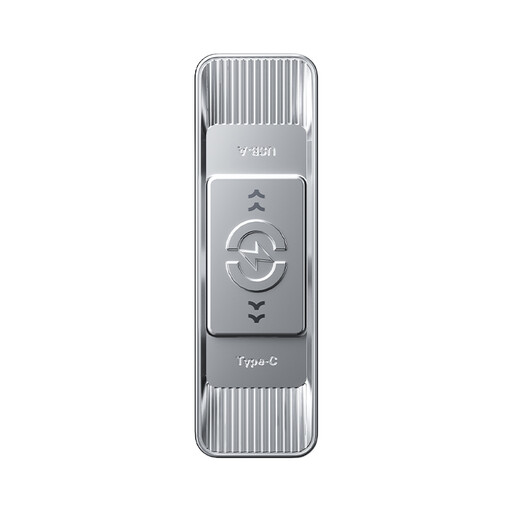
MOVESPEED YSUSP05-512GSR 512GB dual-interface USB drive
Consider this capacity if members need to hand clips between different device types while keeping a larger working collection. The product name specifies 512GB, USB 3.2 Gen 1 and Type-C, with an advertised read speed of up to 570MB/s. Confirm the group’s ports and any console export or formatting requirements before use.
View on Joybuy
 No image available
DigiEra LUS320 128GB USB-A and USB-C flash drive
This is an option for passing a smaller working collection between devices with compatible USB-A and USB-C ports. Its name specifies 128GB, a USB 3.2 dual interface and a 360° swivel design, with advertised reads up to 500MB/s. Check the intended capture workflow and file system before using it with a console.
View on Joybuy
 No image available
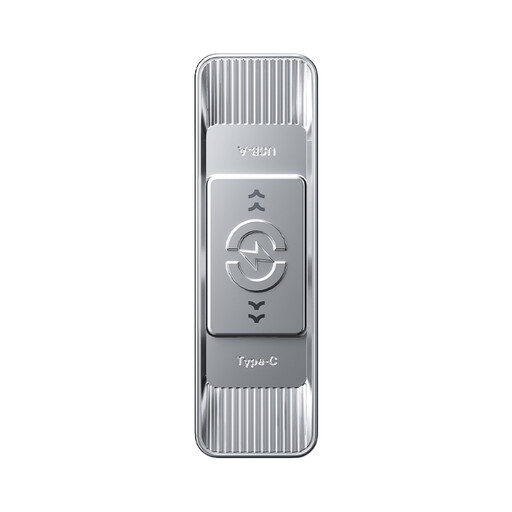
MOVESPEED YSUSP05-256GSR 256GB dual-interface USB drive
Consider the 256GB variant when the group wants mixed-device handovers but plans to move clips to its archive more often. The product name specifies USB 3.2 Gen 1 and Type-C, with advertised reads up to 570MB/s. Check the available ports and console workflow rather than relying on the connector alone.
View on Joybuy
 No image available
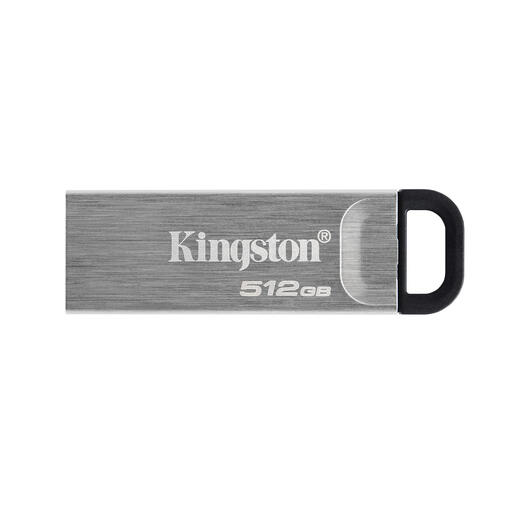
Kingston DataTraveler Kyson 512GB USB flash drive
This 512GB option is worth considering when one organiser manages the collection from a compatible computer. Confirm the listing’s connector and transfer figures for this Kyson variant, as well as the export and file-system requirements if a console will use the drive directly.
View on Joybuy
 No image available
MOVESPEED YSUWD10-1TSY 1TB dual-interface USB drive
The stated 1TB capacity may suit a group keeping more clips on its working drive between archive transfers. Check the exact ports, interface and supported transfer rates before choosing it for frequent large copies; the stated interface and transfer-speed figures need clarifying. Confirm any console capture requirements separately.
View on Joybuy
Frequently asked questions
Can one drive handle PS5 backups and Xbox external captures?
Do not assume one format will serve both workflows. PlayStation specifies FAT32 or exFAT for PS5 USB backup, whereas Xbox Support specifies a USB 3.0 device formatted as NTFS for external captures. Xbox storage formatted for games will not work for captures; check each intended use before repurposing or formatting a drive.
Can I copy PS5 screenshots and clips to a USB drive?
Yes, PlayStation says PS5 screenshots and video clips can be copied to a USB drive. Check the console’s instructions for the particular copying or backup task and keep another copy before formatting a drive that already holds the group’s files.
What should I check for direct Xbox capture storage?
For the external-capture workflow described by Xbox Support, use a USB 3.0 storage device formatted as NTFS. A drive formatted for Xbox games will not work for captures, so move any files you need to keep before repurposing and reformatting it.


