Recorder-to-computer copy users
If you copy lessons or dictation from a dedicated recorder, start with its USB port and manual. The drive’s capacity and file system must also be accepted by the recorder before transfer speed becomes useful.


Check the language recorder’s manual before choosing a drive: its connector, USB storage support, accepted capacity and required file system determine whether copying is possible. A USB-A drive suits a confirmed USB-A recorder-to-computer setup; a dual USB-A/USB-C drive is useful when recordings also need to move to a USB-C device. Advertised read speed does not guarantee how quickly recordings will copy onto the drive.
If you copy lessons or dictation from a dedicated recorder, start with its USB port and manual. The drive’s capacity and file system must also be accepted by the recorder before transfer speed becomes useful.
If recordings move between a USB-A device and a USB-C laptop, tablet or compatible phone, a drive with both connectors may avoid an adapter. Each device must still support the intended USB storage workflow.
If you regularly carry batches of recordings, compare supported capacity with practical details such as a protected connector and a keyring loop. Those details do not replace a compatibility check.
For copying language recordings, establish that the recorder can use the drive, then choose enough supported capacity and the connectors needed for the rest of your workflow.
| Concern | What to check | Who this matters to |
|---|---|---|
| Device and file-system compatibility | Check the recorder manual for its USB port, USB-host support, accepted capacity and required file system; check the receiving device’s port too. | If my recorder cannot recognise the drive, I cannot start copying my lessons, however fast the drive claims to be. Around 50% of consumers would put this compatibility need first. |
| Archive capacity and protection | Compare the space your recordings need with the recorder’s capacity limit; consider a cap or retractable connector for frequent carrying. | When I keep several batches of recordings and carry them between places, I need enough usable space and a plug I can protect in transit. Around 30% of consumers would make this their primary concern. |
| Cross-device transfer and speed | Match USB-A and USB-C connectors to the actual devices, and distinguish advertised read speed from write speed. | If I move recordings to a USB-C device as well as a USB-A one, direct connection matters more to me than a read-speed headline alone. For around 20% of consumers, transfer convenience and speed would be the main priority. |
A USB-C laptop does not establish which connector the recording source needs. A dual-connector drive offers both plugs, but it cannot make a recorder recognise unsupported USB storage.
Check the recorder’s port and manual first, then map the complete route from recorder to receiving device.
A connector mismatch may mean carrying an adapter or choosing a different drive.
The cited Kingston and SanDisk headline figures describe reading data, not necessarily writing recordings onto the drive. Transcend also notes that speed can vary with the host, software, usage and capacity.
If writing time matters, look for a clearly stated write speed and consider the capabilities of the recorder and computer used for the transfer.
Formatting can erase stored files. A recorder’s required file system should come from its own instructions, not from an assumption about the drive.
Keep a separate copy of recordings you need before formatting, and follow the recorder manufacturer’s file-system instructions.
Without another copy, formatting can mean losing the recordings.
A drive’s advertised capacity does not establish the maximum capacity a separate recorder accepts.
Check the recorder’s supported capacity range before choosing how much space to buy.
Kingston’s cited DataTraveler models offer different connector arrangements: Exodia uses USB-A, while Duo and microDuo 3C provide USB-A and USB-C.
The cited Ultra Flair is a USB-A drive; the cited Ultra Dual Drive has USB-A and USB-C connectors.
The JetFlash 790 is a USB-A line with a retractable connector, keyring loop and stated capacities from 16GB to 512GB.
These USB-A and USB-C drives are choices for moving recordings between devices with different ports. Before choosing a capacity, confirm that your recorder can use USB storage and accepts the drive’s capacity and file system.
 No image available
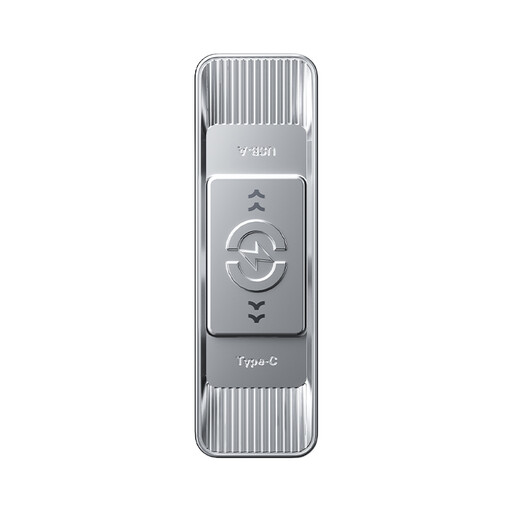
Consider its two connectors if recordings need to move between USB-A and USB-C devices. It has a stated 128GB capacity, 360° swivel design and advertised read speed of up to 500MB/s; check the recorder’s capacity and file-system requirements before use.
 No image available
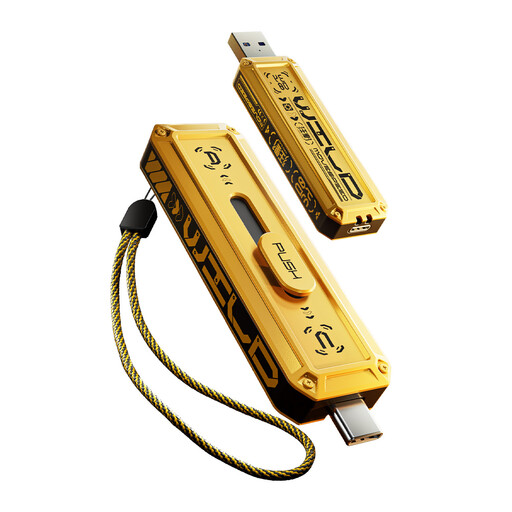
Its two connectors suit a mixed-port transfer route if both devices support USB storage. The drive has a stated 512GB capacity and advertised read speed of up to 570MB/s; neither figure confirms that a recorder will accept it or how quickly recordings will be written.
 No image available
This variant offers both connector types for a mixed-port recording workflow, provided the recorder accepts USB storage and 512GB drives. Its stated speed figures conflict with its stated Type-C 5Gbps interface, so confirm the actual interface and transfer speeds before relying on those claims.
 No image available
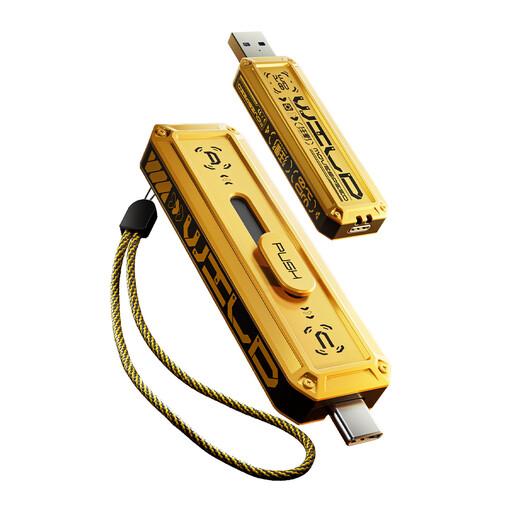
Choose this 256GB variant for a mixed USB-A and USB-C route only if the recorder supports that capacity and its required file system. Its stated speed figures conflict with its stated Type-C 5Gbps interface; confirm the actual interface and transfer speeds if copying time affects your choice.
 No image available
This 1TB variant has USB-A and USB-C connectors, but its capacity is useful for recorder transfers only if the recorder accepts it. The stated speed figures conflict with the stated Type-C 5Gbps interface; confirm the interface and transfer speeds rather than using the headline figures to predict copying time.
No: a matching plug alone does not establish that the recorder can use the drive. Check its manual for USB-host support, connector type, accepted capacities and required file system before choosing a model.
It is useful when recordings need to move between supported devices with USB-A and USB-C ports. Kingston’s DataTraveler Duo and microDuo 3C and the cited SanDisk Ultra Dual Drive have both connectors, but each receiving device and the recorder must support the intended USB storage use.
No. The cited SanDisk and Kingston figures are advertised read speeds, whereas copying files onto the drive involves writing. If transfer time matters, check for a stated write speed and account for the recorder or computer used.
Reformat only after checking the recorder manufacturer’s required file system and making a separate copy of any files you need. Formatting can erase stored content, and it will not resolve an unsupported connector or capacity.