What matters when choosing a drive?
Plan where the other archive copy will live, then measure the files you intend to take and check the ports on the devices you will use. If the drafts are sensitive, decide how you will manage access before copying them onto a portable drive.
| Concern | What to check | Who this matters to |
|---|
| Separate archive copies |
Keep another copy on a different medium in a separate location; check important files after copying. |
If the drive disappears among moving boxes, I still need my drafts elsewhere. Around 42% of consumers would put independent copies first. |
| Capacity and transfer time |
Measure the selected archive, allow headroom and check which capacity and host port a stated speed applies to. |
When a project includes linked assets and large exports, I need the whole selected archive to fit without rushing the copy. Around 33% of consumers would make capacity and transfer time their primary concern. |
| Confidentiality in transit |
Check the encryption method, connector and what happens if access credentials are lost. |
If a drive carrying client or personal files goes missing, I want those files protected from unauthorised access. For around 25% of consumers, confidentiality would be the main priority. |
Joybuy USB drives for an additional copy
These drives cover different capacities, connectors and portable-copy needs. Measure your complete design archive before choosing one, and keep another copy on a different medium in a separate location.
 No image available
MOVESPEED YSUYC-256GSN 256GB USB flash drive, Silver
Consider this additional copy if you need both USB-A and Type-C connections and want to assess fingerprint access for sensitive drafts.
The listing specifies 256GB, a zinc-alloy body and fingerprint and AES-256 features. Check the security setup and recovery process before storing confidential files, and confirm that your full archive fits with headroom.
View on Joybuy
 No image available
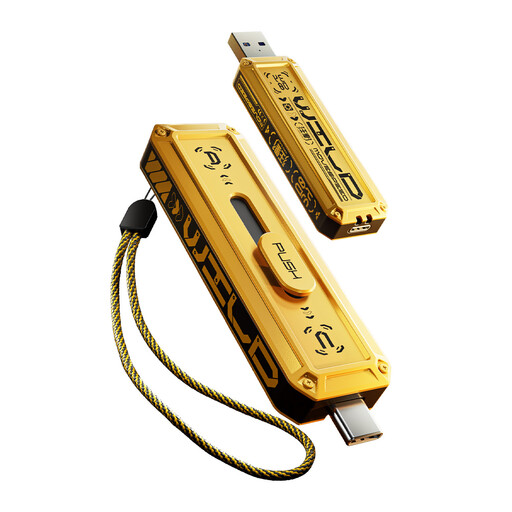
MOVESPEED YSUWD10-512GSY 512GB USB flash drive, Yellow
Consider this additional copy if your measured archive needs the listed 512GB capacity and you use USB-A and Type-C devices.
The listing describes a dual-interface drive with a zinc-alloy housing. Check the applicable transfer speed for this variant and connection before planning copy time; leave capacity headroom for revisions.
View on Joybuy
 No image available
MOVESPEED YSUWD10-1TSY 1TB USB flash drive, Yellow
Consider this additional copy if the files you intend to retain call for the listed 1TB capacity and access through USB-A and Type-C.
The listing describes a dual-interface drive with a zinc-alloy housing. Measure the archive rather than choosing capacity by its label alone, and check the applicable transfer speed for this variant and connection.
View on Joybuy
 No image available
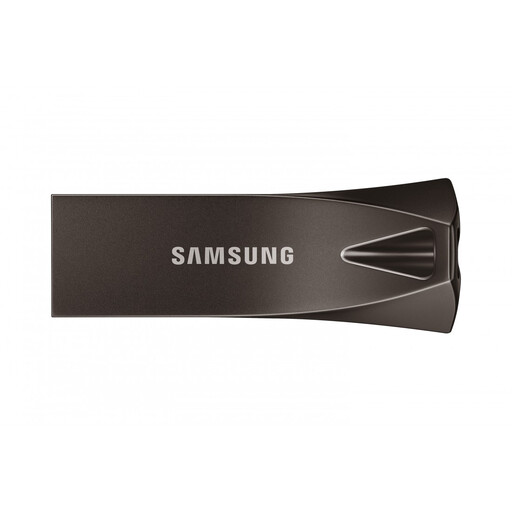
Samsung MUF-256BE4 256GB USB-A flash drive, Grey
Consider this USB-A drive for an additional portable copy if your measured archive fits within its capacity.
The listing specifies USB 3.2 Gen 1 and a capless design. If physical-protection or password-protection claims matter to you, check their conditions and the security method for this exact model.
View on Joybuy
 No image available
SanDisk Ultra 128GB USB 3.0 flash drive
Consider this straightforward additional copy if your selected drafts fit with headroom and your computer has USB-A.
The listing describes a retractable design and SecureAccess software. Do not treat that software feature as hardware encryption; check whether its access method suits any sensitive files you intend to carry.
View on Joybuy
Questions about moving design drafts
Can a USB flash drive be my only archive during the move?
No, not if you intend to preserve the drafts. The Library of Congress advises keeping copies on at least two different storage media in separate physical locations and migrating saved copies to current media about every five years. Check the USB copy, then retain another copy elsewhere.
How much capacity do I need for design drafts?
Choose capacity after measuring the files you will actually preserve, including linked assets, exports and versions you want to keep. Leave headroom: Samsung notes that a drive's usable file capacity can be lower than its labelled capacity.
Should I encrypt a drive carrying design drafts?
If it carries personal information or confidential work, encryption is a relevant protection if the drive is lost. The Information Commissioner's Office identifies encryption of USB media as a protection for stored personal information. Choose an access method you can manage, keep credentials separate and maintain another accessible copy.
Will an advertised USB speed tell me how long copying will take?
No. Manufacturer figures are maximum sequential speeds for particular models and conditions; the host port and mix of files can affect an archive transfer. Check the figure for your chosen variant and allow time to inspect the copied files.
What should I do with an old drive containing drafts?
Protect the files before passing the drive on or recycling it: retain any drafts you need and securely remove the stored data. Ask your local authority or retailer which collection route is available. GOV.UK describes the UK waste electrical and electronic equipment framework, but its guidance for businesses does not prescribe one household collection route.


