Choose a USB flash drive with room for the catalogue you need to copy and future additions, then match its connector to your workstation’s ports. A dual-connector drive makes sense if you use both USB-A and USB-C equipment. Keep the drive as one removable backup copy, not the only way to recover irreplaceable photos; a stated read speed does not tell you how long a full backup will take.
Who this is for
People with growing photo libraries
If you keep adding photos or edited files, size the drive for the data you will copy and leave room for later backups. The labelled capacity is not all available for your files; Samsung notes that some space may be used for system files and storage-control purposes.
People copying large batches
If you back up a sizeable catalogue regularly, check whether your workstation has USB-A, USB-C or both before choosing a drive. Manufacturer maximum read speeds are not guaranteed write speeds for copying the whole catalogue.
People protecting irreplaceable photos
A removable USB drive can hold a separate copy, but it should not be your only recovery route. The National Cyber Security Centre advises keeping important backup data in a separate safe location; check that you can open or restore copied files.
What matters when choosing
Start with the size of the data to be copied, then check port access and how you will maintain a recoverable copy. For a drive shared between Windows and macOS, consider the filesystem before copying files onto it.
| Concern |
What to check |
Who this matters to |
| Capacity and headroom |
Measure the files you will copy, then compare that size and planned growth with the exact drive variant’s usable space. |
If my catalogue is growing, I need the next full copy to fit without choosing which photos to leave out. Around 42% of consumers put capacity and headroom first. |
| Recoverable copies |
Plan another independent copy, store the USB drive separately after use and test a sample restore. |
For photos I cannot recreate, being able to recover them matters more than simply having a portable copy. Around 33% of consumers make recovery resilience their primary concern. |
| Connector and workflow |
Match USB-A or USB-C to the workstation; distinguish stated read speed from full-backup write performance. |
When I copy large batches regularly, I want the drive to connect directly and the routine to be manageable. Around 25% of consumers prioritise connector fit and transfer workflow. |
Backup mistakes to avoid
-
Matching the drive exactly to today’s catalogue size
A near-full drive leaves little room for later imports, and its usable space can be below its labelled capacity.
Measure everything you intend to copy and choose an exact capacity variant with room for growth.
-
Reading a maximum read speed as a backup time
Copying files onto the drive depends on write behaviour and the workstation connection. A manufacturer’s maximum read figure does not establish either for a full catalogue.
Check the connector and exact capacity variant, then make an initial full copy and restore a sample before settling on a routine.
-
Removing the drive as soon as the copy window closes
Kingston explains that a computer may delay writes in its cache, leaving data at risk if the connection is interrupted.
Use the operating system’s eject function and wait until it is safe to disconnect the drive.
-
Treating one portable copy as the entire backup plan
A USB drive can be lost or damaged. The National Cyber Security Centre advises keeping important backup data in a separate safe location.
Store the drive separately after copying and keep another independent copy of photos you cannot replace.
Brands to consider for these drive types
Kingston
Its DataTraveler Kyson line is a USB-A option for a workstation with a matching port.
- Kingston lists 64GB to 512GB variants and a steel casing for the Kyson line.
- Its stated maximum read speed of 220MB/s does not establish the time needed to write a full catalogue; a USB-C-only workstation needs another connection route.
Samsung
Its BAR Plus USB-A, Type-C and Duo Plus lines offer different connector routes.
- Samsung describes the Duo Plus as a Type-C drive with a Type-A adapter. Its UK BAR Plus range includes capacities up to 512GB.
- Samsung’s maximum read-speed claims are variant-dependent and do not establish sustained write speed or make one drive a sufficient recovery plan.
SanDisk
Its Extreme PRO USB 3.2 line is a USB-A route to examine if frequent large transfers matter to you.
- SanDisk lists 128GB, 256GB and 512GB variants and a USB 3.2 Gen 1 interface for this line.
- Confirm the exact regional model and warranty terms before purchasing. Bundled recovery software does not replace an independent backup copy.
Joybuy product choices for a removable photo backup
These drives cover USB-A, USB-C and dual-connector choices. Compare each stated capacity with your measured catalogue and growth plans; none should be the only copy of irreplaceable photos.
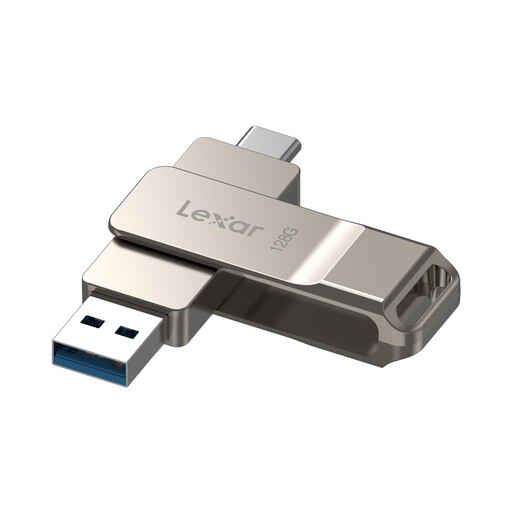 Image unavailable
Lexar D40E LJDD40E128G-BNSNG 128GB dual USB drive
Consider this variant if you need to move a backup between USB-A and USB-C equipment and your catalogue fits with room to grow.
Its name specifies 128GB, USB 3.2 Gen 1 and a Type-C connection; the product information also identifies both connector types. Check the space available for your files before choosing 128GB.
View on Joybuy
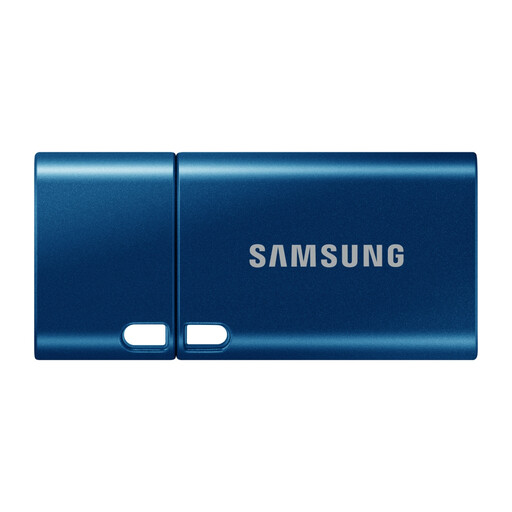 Image unavailable
Samsung MUF-512DA 512GB USB-C drive, blue
This variant suits a workstation with a USB-C port when the catalogue and planned growth fit within its usable space.
The listed interface is USB 3.2 Gen 1. Check the workstation’s port and do not treat a stated read speed as the time required to write your backup.
View on Joybuy
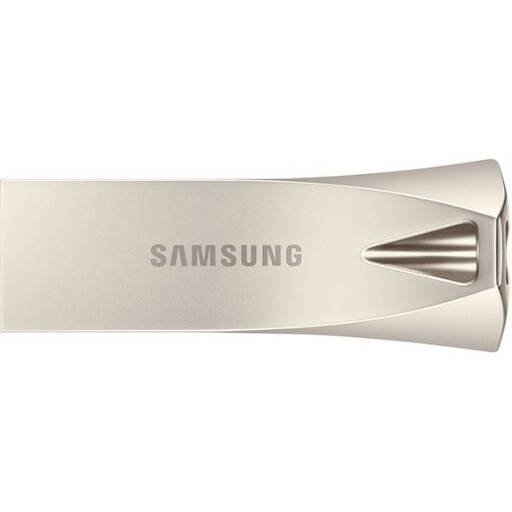 Image unavailable
Samsung MUF-512BE3 512GB USB-A drive, silver
Consider this USB-A variant if your workstation has a matching port and the catalogue fits with space left for later copies.
Its listed interface is USB 3.2 Gen 1. A maximum read-speed claim does not establish sustained write performance for the full backup.
View on Joybuy
 Image unavailable
DigiEra LUS320 128GB dual USB-A/USB-C drive
Its dual connectors are relevant if the backup drive needs to connect to both USB-A and USB-C ports, provided 128GB leaves enough room for your catalogue.
The name lists a USB 3.2 interface and swivel design. Test an initial copy and sample restore rather than relying on a stated transfer-speed figure alone.
View on Joybuy
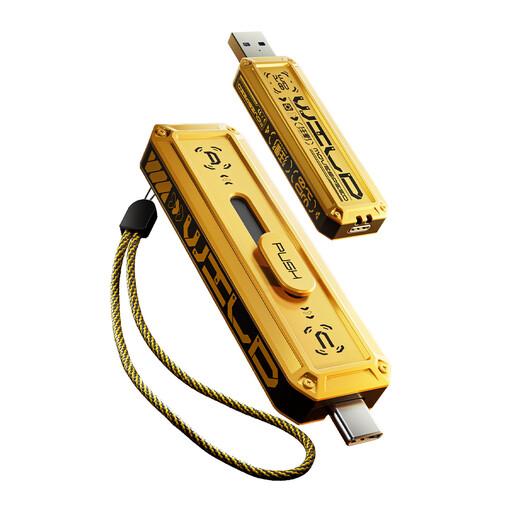 Image unavailable
MOVESPEED YSUWD10-256GSY 256GB dual USB drive, yellow
Consider its USB-A and USB-C connections if you use both port types and the catalogue fits within the 256GB variant with headroom.
Check the exact model’s transfer claims before planning around them: its listed read and write figures conflict with the stated 5Gbps interface. Test a copy and sample restore before relying on the drive.
View on Joybuy
Questions about photo backups
Can a USB flash drive be my only photo-catalogue backup?
No—not for photos you cannot replace. A USB drive can hold a removable copy, but the National Cyber Security Centre advises keeping important backup data in a separate safe location. Maintain another independent copy and check that you can restore files.
How much capacity should I choose?
Choose an exact capacity variant that fits the files you will copy and leaves room for growth. Measure the catalogue first; Samsung notes that usable storage can be lower than the labelled capacity because some space may be used for system files and storage-control purposes.
Should a drive shared by Windows and macOS use exFAT?
SanDisk’s support guidance recommends exFAT for a drive used with both Windows and macOS, subject to support on the computers involved. Formatting removes existing files, so copy anything you need elsewhere before changing the filesystem.
What should I do if a newly purchased flash drive is faulty?
Contact the seller with your order evidence and a description of the fault. In the UK, rights under the Consumer Rights Act 2015 are separate from a manufacturer’s voluntary warranty; the available remedy depends on the circumstances.


