What to check before buying
Start with the school’s port and removable-storage requirements, then size the drive for the exported files; carrying and access features matter only if they fit the hand-in routine.
| Concern |
What to check |
Who this matters to |
| Connector and school compatibility |
Confirm the ports on both devices, whether removable storage is permitted and which file format the school accepts. |
If I cannot plug the drive into the hand-in computer, its other features will not help me submit the recordings. Around 37% of consumers put connector and school compatibility first. |
| Storage and transfer routine |
Check an exported file’s size against the planned files and revisions, allowing space beyond the labelled capacity; assess speed claims for the exact model. |
I need room for finished takes and possible revisions, without choosing capacity from recording time alone. For around 27% of consumers, storage and the copying routine are the primary concern. |
| Carrying the drive |
Consider a loop, key-chain hole or covered connector, and keep a second copy elsewhere. |
When the drive travels between home and school, I want a way to keep track of it. Carrying and avoiding a misplaced drive come first for around 18% of consumers. |
| Authenticity and file access |
Check the seller and packaging; if using password protection, confirm the school can open the files. |
I want the submitted recordings to be accessible to the teacher and do not want doubts about the drive I bought. Around 18% of consumers make authenticity and file access their main concern. |
Relevant brands to consider
These product lines illustrate different connector, capacity and carrying choices; check the exact model rather than applying a line’s features to every drive from the brand.
Kingston
Kingston Technology lists the DataTraveler Exodia M for USB-A connections and the DataTraveler Duo for workflows needing both USB-A and USB-C.
- The Exodia M specifications list USB 3.2 Gen 1, capacities from 64GB to 256GB, a moving cap and a loop.
- The Duo’s listed capacity range starts at 128GB, which may be more space than a single project requires; confirm capacity from the actual files.
SanDisk
The Ultra Flair USB 3.0 line is relevant if you are considering a USB-A drive with a published transfer-speed claim and a password-protection option.
- SanDisk’s Ultra Flair datasheet lists a metal casing, password protection and speeds of up to 150MB/s.
- That model-specific upper figure does not establish write speed or the result on a particular school computer. Confirm that protected files will be accessible for marking.
Lexar
Lexar’s JumpDrive V40 line offers modest listed capacities and a key-chain hole for carrying a school project drive.
- Lexar lists 16GB, 32GB and 64GB versions, along with PC and Mac compatibility.
- Lexar notes that formatting and other uses reduce the space available for files; check exported recording sizes before selecting a variant.
Joybuy product choices
These drives cover USB-A-only, dual USB-A/USB-C and USB-C-only connection choices for copying the recordings. Match the connector to the devices in your project, then check the school’s storage rules and the space your files need.
 No image available
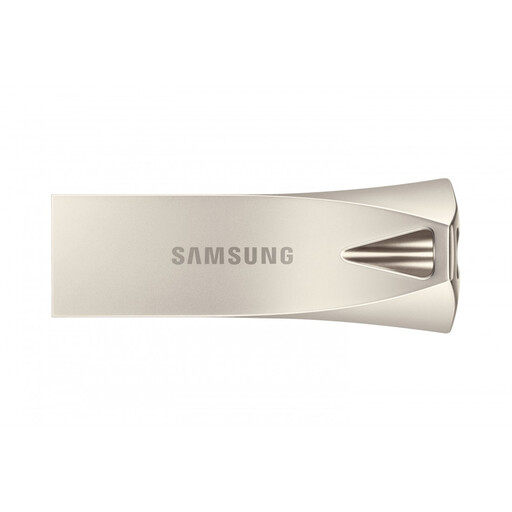
Samsung MUF-256BE 256 GB USB-A, Silver
Consider this drive if the copying computer and school computer use USB-A. The listed capacity is 256 GB and the interface is USB 3.2 Gen 1; check whether the exported recordings need that much space and whether the school permits removable storage.
View on Joybuy
 No image available
SanDisk Ultra 64GB USB 3.0 Flash Drive
This is an option for copying recordings through USB-A when the files fit with room for revisions. Its listed capacity is 64GB; calculate the space needed from exported files and confirm the school’s port and removable-storage rules.
View on Joybuy
 No image available
DigiEra LUS320 128GB Dual USB-A/USB-C Drive
The two connectors suit a project that moves between a USB-C device and a USB-A school computer, provided both devices accept external storage. The title lists 128GB, USB 3.2 and a 360° swivel design; confirm the school’s accepted file format before changing the drive’s format.
View on Joybuy
 No image available
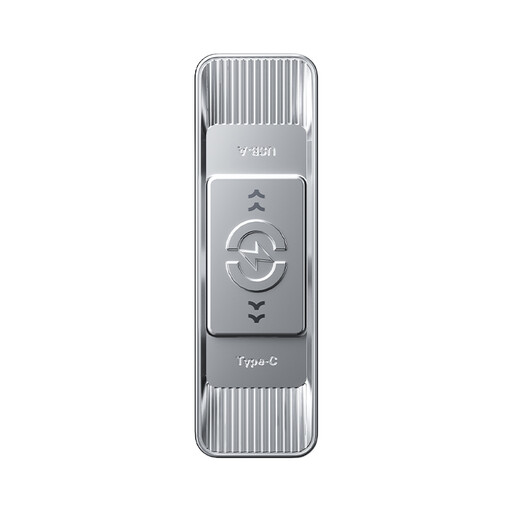
MOVESPEED YSUSP05-512GSR 512GB Dual USB-A/USB-C Drive
Its two connector types are relevant when recordings must move between USB-A and USB-C devices that accept external storage. The product title lists 512GB, USB 3.2 Gen 1 and a zinc-alloy housing; compare that capacity with your files before choosing it for a school project.
View on Joybuy
 No image available
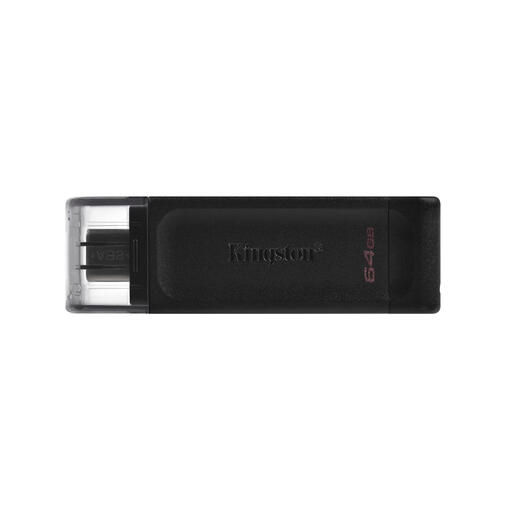
Kingston Technology DataTraveler 70 64GB USB-C Drive
Consider this USB-C drive only if the school computer has a suitable USB-C port or you have another approved way to transfer the files. The title lists 64GB and USB 3.2 Gen 1; it will not plug directly into a USB-A-only port.
View on Joybuy
Common questions
How much storage do I need for language recordings?
Choose capacity from the exported files, not recording time alone. Check the size of a representative finished recording, allow for the expected files and revised takes, and leave space for a backup if you plan to carry one on the drive. Lexar notes that formatting and other uses take up some labelled capacity.
Should I choose USB-A or a drive with USB-A and USB-C?
Choose USB-A for a workflow in which the copying and school computers both have USB-A ports; choose both connectors when files must move directly between USB-C and USB-A devices. Kingston Technology lists its DataTraveler Duo with both connectors. Check that any phone or tablet in the workflow accepts external USB storage.
Should I reformat the drive before copying files?
Reformat only after confirming the file system the school accepts and saving any existing files elsewhere, because formatting erases them. Microsoft Learn lists a 4 GiB maximum single-file size for FAT32, which may matter if the submission includes unusually large files.
Can I password-protect the recordings?
You can consider password protection if the exact drive offers it and the school can open the protected files. SanDisk describes this feature for its Ultra Flair line; confirm the teacher’s access method before enabling it, and keep a separate accessible copy.


