Mixed-computer studio teams
People passing recipe documents between Mac and Windows workstations need a connector that fits each computer and a shared file format. Apple Support identifies MS-DOS (FAT) and ExFAT as Windows-compatible formats.


Choose a drive that fits the ports on the studio computers, then agree a file format before adding recipe documents. A standard drive can serve routine handovers, but confidential files call for approved removable storage, appropriate access controls and a workable recovery process. Keep a separate copy of important documents whichever drive you choose.
People passing recipe documents between Mac and Windows workstations need a connector that fits each computer and a shared file format. Apple Support identifies MS-DOS (FAT) and ExFAT as Windows-compatible formats.
People handling personal information or confidential customer, supplier or recipe files need to control access if a removable drive is lost. The Information Commissioner's Office identifies encryption as a way to protect personal information stored on USB media.
People who move large food photographs or videos alongside recipe documents may want to compare rated write speeds and the capabilities of the computers they use. Kingston Technology and SanDisk publish high transfer-speed ratings for particular flash-drive models, not guaranteed speeds on every computer.
Check the studio's ports and agree a file format first. Then decide whether the documents require managed access, whether large media files make transfer speed important, and how the drive and its backup will be kept.
| Concern | What to check | Who this matters to |
|---|---|---|
| Ports and file format | Match USB-A, USB-C or dual connectors to the workstations. For Mac and Windows use, check the format before loading files; Apple Support advises MS-DOS (FAT) for disks of 32 GB or less and ExFAT for disks over 32 GB. | I need the same recipe files to open at each workstation without relying on a missing adapter. Around 27% of consumers put cross-computer access first. |
| Confidential-file access | Confirm that removable storage is permitted and assess encryption and password recovery if the files contain personal or confidential information. | If a drive containing customer details or confidential recipes goes missing, I need access to remain controlled. For around 33% of consumers, protecting those files is the primary concern. |
| Large-file transfers | Compare rated write speed and the host computer's USB capability when regularly copying photographs or video; published speeds are not assured in use. | Repeatedly copying large recipe-related media makes transfer time more important to me than it is for text documents alone. Around 27% of consumers prioritise that workflow. |
| Handling and custody | Look for a practical way to label and keep track of the drive, and maintain a separate copy of important files. | When several people carry one small drive between workstations, I want it to be easy to identify and less likely to be misplaced. That is the first concern for around 13% of consumers. |
A USB-C-only drive cannot plug directly into a USB-A-only workstation, so an adapter may become necessary for routine handovers.
Check the ports on every computer that will use the drive. Choose a dual-connector design if both USB-A and USB-C are routinely needed.
The National Cyber Security Centre warns that removable media can create data-loss and data-theft risks. The Information Commissioner's Office identifies encryption as protection for personal information stored on USB media.
Before storing confidential files, confirm the studio permits USB storage and assign responsibility for access and recovery. Keep passwords and recovery details separate from the drive.
Formatting erases the files already on the drive, as Apple Support cautions in its disk-formatting guidance.
Agree the format before the first handover. If reformatting becomes necessary, copy the documents to another storage location first.
A small drive can be misplaced or become inaccessible, including through password-management errors on an encrypted model.
Maintain a controlled primary copy and a separate backup. Decide who manages recovery before sharing an encrypted drive.
Kingston's DataTraveler and IronKey ranges illustrate different choices: connector flexibility, higher rated transfer speeds and managed encrypted access.
The BAR Plus range is a USB-A reference point for studios whose computers have matching ports.
The Extreme PRO Flash Drive with USB-A is a reference for studios that regularly copy large supporting media files.
These drives offer connector choices for recipe-document handovers, alongside a keypad-access option for a studio considering controlled access. Match each model to the actual workstations and agree how files and backups will be managed.
 No image available
Consider this model where workstations use both USB-A and USB-C. Its name lists a 256GB capacity, USB 3.2 Gen 1, fingerprint access and rated speeds of 550 MB/s read and 500 MB/s write. Confirm the file format and how access can be recovered before using it for confidential documents; the descriptions differ on the encryption implementation.
 No image available
This is a connector option for handovers between USB-A and USB-C computers. The name specifies 128GB, USB 3.2, a 360° swivel design and a rated read speed of 500 MB/s. Check the drive's format against the studio's Mac and Windows workflow; rated speed is not a measured result on its computers.
 No image available
Consider this 128GB USB-A model for routine document handovers on computers with matching ports. Check its file format before sharing it between Mac and Windows workstations. If the recipes are confidential, assess access controls separately rather than assuming this standard drive provides hardware encryption.
 No image available
The keypad-access design is relevant when a studio has approved USB storage for confidential documents and can manage PIN access. The name specifies 16GB and AES-256 encryption; assess whether that capacity is sufficient and confirm the file format, computer compatibility and recovery arrangements before shared use. FIPS 140-3 Level 3 is described as pending, not completed.
 No image available
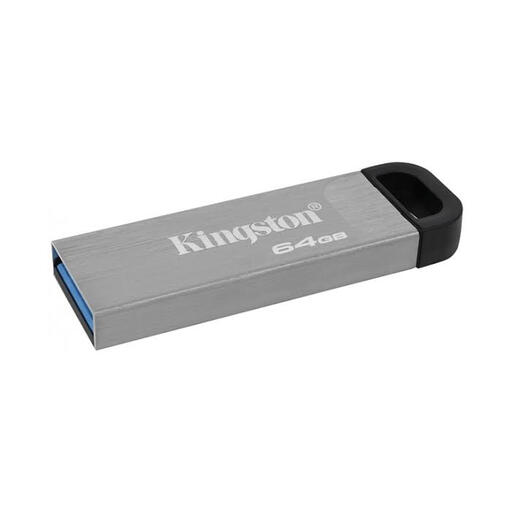
Consider this 64GB drive for a portable collection of recipe documents if its connector fits the studio computers. Confirm the connector and file format before buying, and keep a separate copy of files that the studio cannot afford to lose.
Use appropriate encryption when the drive holds personal information or confidential material and the studio permits removable storage. The Information Commissioner's Office identifies encryption as protection for personal information on USB media; the studio also needs a practical way to manage access and recovery.
Yes, if the connector fits and the drive uses a suitable shared file format. Apple Support identifies MS-DOS (FAT) and ExFAT as Windows-compatible, advising the former for disks of 32 GB or less and ExFAT for disks over 32 GB. Back up existing files before formatting, because formatting erases them.
Choose on connector fit and file handling before rated speed when the drive mainly carries text recipes, PDFs and spreadsheets. Higher write-speed ratings become more relevant if staff regularly copy large photographs or video, but speeds published by Kingston Technology and SanDisk depend on the host and usage conditions.
Check the studio's removable-media policy before connecting a drive. The National Cyber Security Centre advises organisations to weigh the benefits of peripheral access against risks including data theft, data loss and malware, and to apply appropriate user guidance and controls.