People using campus and shared PCs
If you mainly copy notes between desktop PCs or older laptops with USB-A ports, a USB-A drive may meet your connector needs. Check the ports on every computer you expect to use, including shared machines.


Choose the connector before comparing speed claims: a USB-A drive suits computers with USB-A ports, while a drive with both USB-A and USB-C connectors lets you move notes directly between those port types. Check how much space your files need and look more closely at write-speed claims if you regularly copy larger folders or recordings. If notes contain identifiable information about other people, plan how to encrypt them and follow the relevant institution's data-handling policy.
If you mainly copy notes between desktop PCs or older laptops with USB-A ports, a USB-A drive may meet your connector needs. Check the ports on every computer you expect to use, including shared machines.
If your study computer has USB-A but your personal laptop, tablet or phone uses USB-C, a drive with both connectors can give you direct access on each device. Confirm that the exact model has both plugs.
If your files contain information about identifiable people, connector fit is only part of the decision. The Information Commissioner's Office advises encrypting personal information stored on removable media; follow any university, placement or employer policy as well.
Start with the ports you will actually use, then consider space and copying demands. Treat physical design and protection of the files as separate decisions: a drive that is convenient to carry does not, by itself, secure its contents.
| Concern | What to check | Who this matters to |
|---|---|---|
| Direct connector fit | Inspect your main computer's port and the drive's plug; a USB version label does not identify the connector shape. | If my usual study computer has USB-A, I need a drive that plugs in without an adapter. Around 36% of consumers put direct fit with their main computer first. |
| Access across USB-A and USB-C | Confirm that the exact drive has both connectors if you routinely move files between those port types. | Moving the same offline notes between a shared PC and my USB-C device matters more to me than using a single-port drive. For around 29% of consumers, access across both port types is the primary need. |
| Copying and storage | Compare capacity with your current folders and future files; for frequent larger transfers, look for a write-speed figure for the exact variant. | My notes also include scans or recordings, so repeated copies and available space affect my choice. Roughly 21% of consumers prioritise copying performance and capacity. |
| Carrying and file protection | Consider how you will carry the drive and, separately, whether files containing personal information need encryption. | I carry the drive regularly and need to keep track of it, particularly if it holds information about other people. Around 14% of consumers place carrying convenience or protection of those files first. |
A USB 3.2 label does not tell you whether the drive has USB-A, USB-C or both. A USB-A plug will not fit directly into a USB-C-only port.
Check the ports on each device you will use. For regular transfers between USB-A and USB-C devices, look for an explicitly dual-connector model.
Read and write speeds describe different operations: copying notes onto the drive involves writing. Samsung says actual speed can vary with the host device and usage conditions, so an up-to read figure does not establish how quickly your files will copy.
If you often transfer larger course folders, look for a stated write figure for the exact model and capacity, and keep any published maximum in context.
Samsung notes that usable capacity can be lower than labelled capacity because of formatting, operating-system, application and storage-control use. That matters if your note folders are already close to the capacity you intend to buy.
Check the size of your existing files and allow room for additional PDFs, scans or recordings.
A metal body or keyring loop can affect how you carry a drive, but it does not prevent someone from opening unencrypted files if the drive is lost. The Information Commissioner's Office identifies encryption as protection against unauthorised access to personal information on removable media.
If notes identify other people, use an appropriate encryption workflow, keep recovery information separate from the drive and follow the policy that applies to those files.
These model families illustrate different connector and capacity choices; the details apply to the named lines, not to every drive made by each brand.
Kingston Technology's DataTraveler Exodia and Kyson are USB-A models, while DataTraveler Duo has both USB-A and USB-C connectors. That makes the port arrangement the useful starting point when comparing these lines.
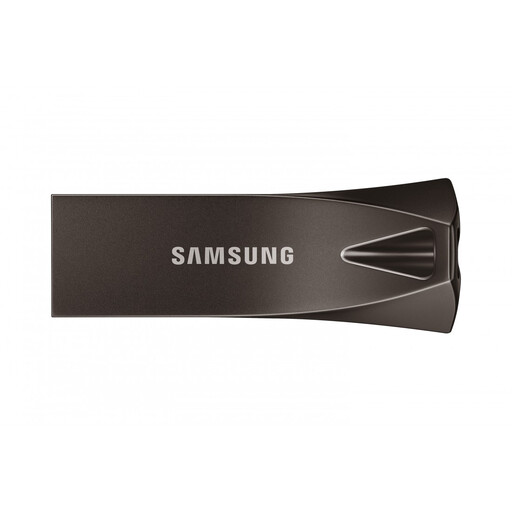
Samsung's BAR Plus is a USB-A line with a metal body and keyring loop. Samsung UK lists capacities from 64GB to 512GB for the cited range.
SanDisk's Ultra Luxe USB-A family offers stated capacities from 32GB to 1TB. Its separate Ultra Luxe Type-C line serves a different connector need, so check which line a listing names.
These drives offer USB-A options and models described for use across USB-A and USB-C devices. Match the connector to your computers first, then consider the labelled capacity; if files contain other people's personal information, check your encryption workflow separately.
 No image available
Consider this for copying notes with a USB-A computer, after checking that the plug fits your devices.
The named variant has 128GB of labelled capacity and a USB 3.0 designation. If you intend to encrypt files, check that the protection software you plan to use works on your devices.
 No image available
Consider this if your offline notes need to move between USB-A and USB-C devices.
The named 128GB variant specifies USB 3.2, both connector types and a 360° swivel design. Check your intended encryption method if the files contain identifiable information about other people.
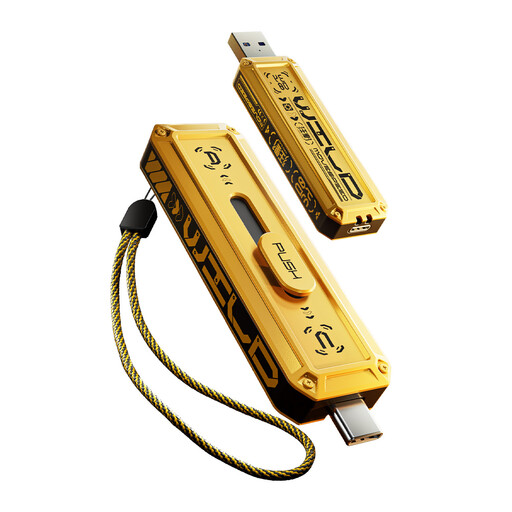 No image available
Consider this variant if you move notes across USB-A and USB-C devices and need its 512GB labelled capacity.
The name specifies USB 3.2 Gen 2×1, Type-C and zinc-alloy housing. Confirm both plugs suit your devices, and arrange appropriate encryption separately if the files contain other people's personal information.
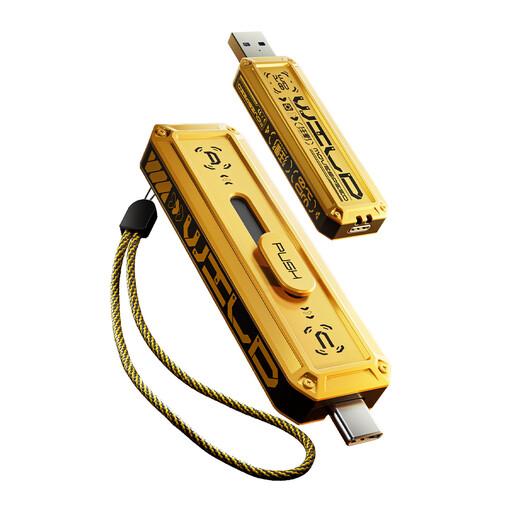 No image available
Consider this variant for transfers across USB-A and USB-C devices if 256GB of labelled capacity meets your storage needs.
The name specifies USB 3.2 Gen 2×1, Type-C and zinc-alloy housing. Check connector fit on each device and use a suitable encryption workflow if your notes contain other people's personal information.
 No image available
Consider this for offline notes if the computers you use have USB-A ports.
The named variant has 256GB of labelled capacity and a USB 3.2 Gen 1 Type-A interface. If you need to protect personal information, check the encryption method you would use rather than relying on a password-protection description alone.
No: USB-A and USB-C have different physical connectors. If you regularly use both port types and do not want to rely on an adapter, choose a drive explicitly specified with both connectors.
No: the interface label alone does not establish write speed for a particular drive and capacity. Look for a stated write figure if you often copy larger files; Samsung notes that actual transfer speed can vary with the host device and usage conditions.
Do not assume the full labelled capacity will be available for notes. Samsung explains that formatting, the operating system, applications and storage-control use can reduce usable capacity, so compare your folder size with room left for future files.
Encrypt them when they contain personal information about identifiable people, using a method appropriate to the files and devices involved. The Information Commissioner's Office identifies encryption as protection against unauthorised access to personal information on removable media; also follow your university, placement provider or employer policy.
A faulty or misdescribed drive is different from one whose connector you chose incorrectly. GOV.UK says a seller must offer a full refund if an item is faulty, not as described or does not do what it is supposed to do. Keep your order details and check the drive's connector and operation when it arrives.