USB-A workstation users
If you mainly move document notes between a desktop or laptop with USB-A and other compatible computers, a conventional USB-A drive meets the connector requirement without adding a second connector you may not use.


For ordinary study-note documents, a USB-A flash drive is a sensible choice if the home workstation has a USB-A port. Choose a drive with both USB-A and USB-C connectors when notes must move directly between those port types; if you also copy large recordings or video, check capacity and write performance rather than relying on an advertised read-speed figure.
If you mainly move document notes between a desktop or laptop with USB-A and other compatible computers, a conventional USB-A drive meets the connector requirement without adding a second connector you may not use.
If notes must move between a USB-A workstation and a USB-C laptop, tablet or phone, a dual-connector drive can remove the need for an adapter. Check that each device also supports USB storage.
If your notes include recordings, scans, images or video, check how much space the whole collection needs. If you copy large files often, a stated write speed is more relevant to that task than a headline read speed.
Start with the ports on the devices that will exchange notes. Then consider how you will keep a separate copy and whether larger files change your capacity or transfer-time needs.
| Concern | What to check | Who this matters to |
|---|---|---|
| Connector fit | Check the workstation and other devices for USB-A or USB-C ports; confirm that devices used for transfers support USB storage. | If my workstation and study device have different ports, I need a drive that connects to both without an adapter. Around 44% of consumers would put connector fit first. |
| Everyday copying and recoverability | Check compatibility and warranty information for the exact model, and keep another current copy of important notes. | When I copy document notes, I want to be able to open them later even if one copy becomes inaccessible. For around 33% of consumers, keeping notes recoverable would be the primary concern. |
| Larger files and transfer time | Allow space for recordings or scans, and distinguish a stated write speed from an advertised read speed. | If recordings or video sit alongside my notes, their size and the time spent copying them matter more to me. Around 23% of consumers would make larger-file needs their main priority. |
A sequential-read figure describes reading from the drive, not necessarily copying files onto it. Samsung also notes that actual speed can vary with the host device and usage conditions.
If copying time matters, look for a write-speed specification for the exact capacity and compare figures measured under like-for-like conditions.
USB-A and USB-C are different physical connectors. A drive with only one of them will not plug directly into a device that has only the other port type.
Inspect the ports on every device that will exchange notes. Choose a dual-connector drive when both USB-A and USB-C are genuinely part of that workflow.
Otherwise, using both devices may require an adapter or another drive.
The UK National Cyber Security Centre describes a backup as a separate copy kept so important data can be recovered when the original is inaccessible. One copy on a removable drive does not provide that separation.
Keep another current copy, open a sample of files after copying, and store the drive separately from the workstation when it serves as a backup.
An old flash drive can still contain notes or account-related files. Electrical-waste collection also needs a different route from ordinary household rubbish.
Remove personal material before handing over the drive, then check local electrical-waste collection or applicable retailer take-back arrangements. GOV.UK describes same-type take-back when customers buy electrical equipment.
Kingston Technology lists the DataTraveler Exodia for USB-A laptops and desktops, while the DataTraveler Duo has both USB-A and USB-C connectors.
SanDisk's Ultra USB 3.0 is a conventional USB-A option. Its UK product page lists capacities from 32GB to 1TB.
Samsung's USB-A BAR Plus range includes metal-bodied drives for people considering a larger collection of study files or frequent carrying.
These drives include dual-connector choices for moving notes between USB-A and USB-C devices, alongside USB-A choices for a compatible home workstation. Check the exact ports and the space your files need before choosing.
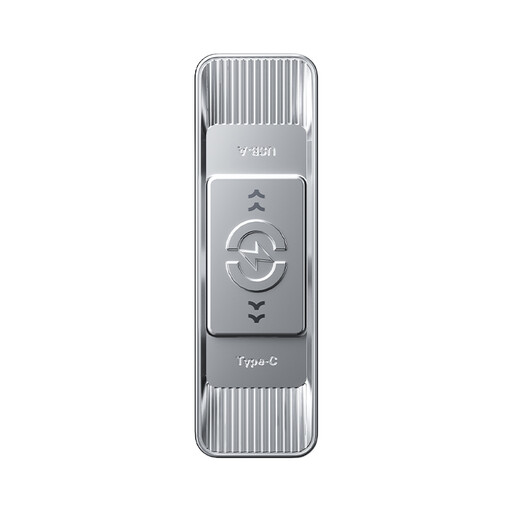 No image available
Consider this model if notes must move between USB-A and USB-C devices and you also need space for larger study files.
The product title specifies 512GB, USB 3.2 Gen 1, a Type-C connector, zinc-alloy housing and an advertised 570 MB/s read figure. Check that each device supports USB storage; the read figure does not establish copying speed onto the drive.
 No image available
This is another option for copying notes between a USB-A workstation and a USB-C device, provided both devices support the drive.
The product title specifies 128GB, USB 3.2, a metal body, a swivel design and an advertised 500 MB/s read figure. Confirm file-system compatibility with each device before relying on it for transfers.
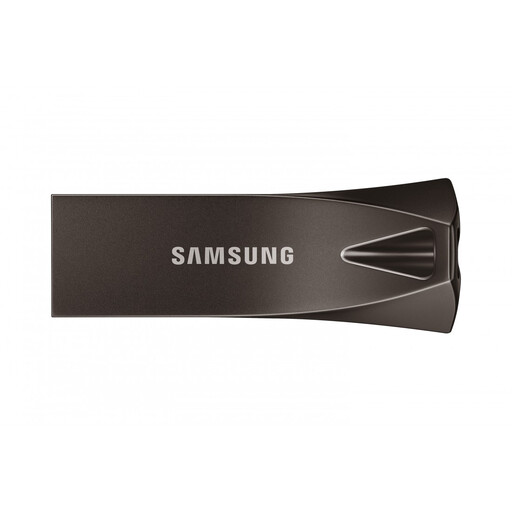 No image available
Consider this USB-A model if your workstation has the matching port and you want to keep notes alongside additional files.
The product title specifies 256GB and USB 3.2 Gen 1. If you frequently copy large files, check the write-speed figure for this exact model rather than judging it by the USB version alone.
 No image available
This is a conventional choice for copying study notes on a workstation with a matching USB-A port.
SanDisk advertises up to 130 MB/s sequential read performance for its Ultra USB 3.0 range. That figure should not be treated as the speed of copying files onto this 128GB drive.
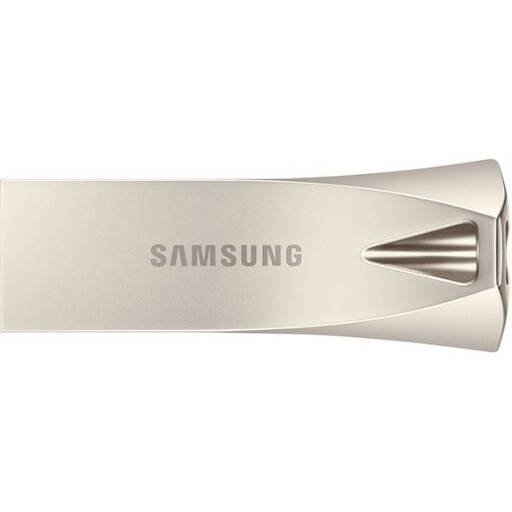 No image available
Consider this USB-A model if your workstation has the matching port and your study-file collection needs the stated 512GB capacity.
The product title specifies USB 3.2 Gen 1. Samsung advertises up to 400 MB/s sequential read performance for selected BAR Plus capacities, but read performance does not establish how quickly files will copy onto this drive; check its write specification if that matters to you.
A USB 2.0 stick can hold ordinary note documents. A USB 3.x drive is a sensible option when the workstation has a compatible port, but the USB version alone does not tell you how quickly notes will copy onto it; check the write-speed information if transfer time matters.
Match the workstation's port first, then check every other device that will receive notes. Choose both connectors if transfers must go directly between USB-A and USB-C ports, and confirm that those devices support USB storage.
Keep another current copy of important notes rather than relying on the flash drive alone. The UK National Cyber Security Centre describes a backup as a separate copy that can be used when the original becomes inaccessible; periodically check that copied files open.
Reformat only if a device or workflow requires a particular file system, and copy off any existing files first because formatting erases them. If you need to store a large individual recording, check file-system limits: Microsoft lists a 4 GiB maximum individual-file size for FAT32.
Remove personal files and use an appropriate electrical-waste collection route rather than ordinary household rubbish. Check local collection instructions; GOV.UK also describes retailer take-back of same-type electrical waste when buying electrical equipment.