What matters when choosing?
Finish and measure the handover folder, confirm the client’s receiving device, then assess whether the contents call for protected storage. A fast-looking specification cannot compensate for too little space, the wrong connector or an unsuitable security process.
| Concern | What to check | Who this matters to |
|---|
| Capacity |
Measure the completed folder and leave headroom; check the capacity of the exact drive variant. |
If the course pack includes media and final exports, I need it all to fit on the handover copy. Around 36% of consumers would put sufficient capacity first. |
| Connector compatibility |
Confirm the client’s USB-A or USB-C port and test that the chosen drive opens the files. |
When I cannot be sure which port the client has, a usable connection takes priority over other features. For around 29% of consumers, compatibility would be the primary concern. |
| Confidentiality |
Identify personal or confidential files, assess appropriate protection and agree how authorised access will work. |
If learner or client information is included, I need a handover that limits access if the drive is misplaced. Protecting that material would come first for around 21% of consumers. |
| Physical handover |
Consider how the drive will be carried and labelled, and retain a separate copy until receipt is confirmed. |
For a drive travelling between people, I want to keep track of the physical copy and its connector. Around 14% of consumers would prioritise that practical concern. |
Joybuy drive choices
These drives offer capacity and connector options for carrying a completed teaching-resource folder to a client. Compare each exact variant with your folder size and the receiving device; for confidential files, assess the security process separately rather than assuming a product title settles it.
 No image available
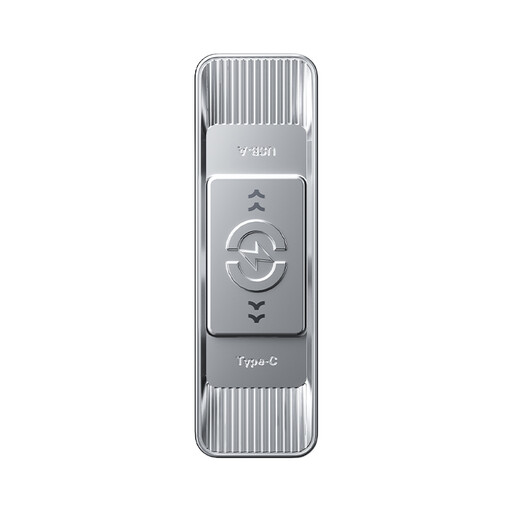
MOVESPEED YSUSP05-512GSR 512GB USB flash drive
Consider this drive when a larger completed folder and access to both listed connector types matter. Its title specifies USB-A and Type-C, USB 3.2 Gen 1 and a zinc-alloy housing; confirm the client’s port and leave capacity headroom.
View on Joybuy
 No image available
MOVESPEED YSUYC-256GSN 256GB USB flash drive
The 256GB variant is worth considering if the measured folder fits and either of its listed USB-A and Type-C connectors suits the recipient. The title advertises fingerprint encryption; before using it for sensitive material, establish how access, credentials and recovery would work under the applicable policy.
View on Joybuy
 No image available
DigiEra LUS320 128GB USB flash drive
This 128GB option may suit a smaller measured folder when the recipient can use one of its listed USB-A or Type-C connectors. Its title specifies a 360° swivel design and metal body; check the available space before making the final copy.
View on Joybuy
 No image available
MOVESPEED YSUWD10-1TSY 1TB USB flash drive
Consider the 1TB variant for a large completed archive if its listed dual connectors match the handover devices. Its title describes a sliding zinc-alloy design; confirm the exact interface before relying on the advertised transfer-speed figures.
View on Joybuy
 No image available
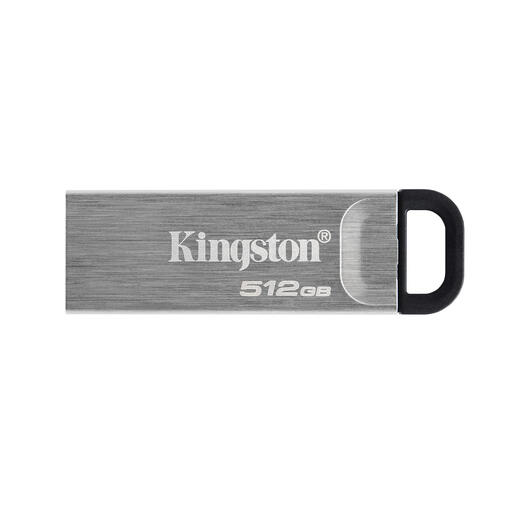
Kingston Technology DataTraveler Kyson 512GB
This 512GB drive is an option when the completed folder fits and the client can connect the exact model. Confirm its connector against the receiving device before the handover; if the files are sensitive, assess the protection needed before copying them.
View on Joybuy
Questions about the handover
Do teaching resources need to go on an encrypted USB drive?
Not every teaching-resource handover calls for the same protection. If the files contain personal information, UK GDPR requires appropriate security measures, and the Information Commissioner’s Office identifies encryption of USB media as protection against unauthorised access if a device is lost or stolen. Assess the contents and risk, then follow the client’s or organisation’s data-handling policy.
Is a USB-A drive enough for the client?
A USB-A drive is enough for a direct connection only if the receiving device has a compatible USB-A port. Kingston DataTraveler Exodia and Samsung BAR Plus are USB-A lines; Kingston offers Type-A and Type-C versions of IronKey Vault Privacy 50 and Keypad 200, which does not mean that each of those drives has both connectors. Confirm the exact device and variant before purchase.
Can an advertised speed tell me how long the copy will take?
No: a stated maximum read speed is not a dependable measure of the time needed to write your folder. Samsung says actual BAR Plus speed varies with the host and usage conditions. Make the final copy early enough to reconnect the drive and check the files.
What should I check after copying the files?
Reconnect the drive and confirm that the expected folders and representative files open on a suitable device. Retain a separate backup until the client confirms receipt; if the drive is protected, agree a secure, separate way to provide access credentials.


