Choose a USB flash drive for a compact secondary copy or for handing off design drafts, with a connector that fits the computers you use. Do not make it your only archive: The National Archives advises keeping at least two copies in different places and favours an external SSD over a USB stick for long-term preservation. A portable SSD is worth considering for a larger or growing primary removable archive, but it still needs a separate copy.
Who needs which kind of storage?
Designers building a recoverable archive
If you keep final drafts and working versions, plan the copies before choosing a drive. The National Archives advises making at least two copies and storing them in different places; one removable device cannot fulfil that routine alone.
Creators moving large active projects
Source files, exports and asset folders can make transfer time and capacity important. Match the drive connector and USB interface to your computer rather than choosing by a headline speed alone; Kingston notes that host connections can limit transfer performance.
Mobile teams carrying project copies
For presentations or hand-offs across different computers, check whether you need USB-A or USB-C. A protective casing may matter in transit, but a drive carrying confidential files also needs appropriate access controls.
What matters when choosing?
USB flash drive
Choose it when: You need a pocketable secondary copy or a drive for occasional project hand-offs.
Bear in mind: It must not be the sole archive, and a stated maximum transfer speed depends on the host connection and workload.
Portable SSD
Choose it when: Your primary removable copy needs to hold a substantial or growing collection of design projects. The National Archives favours an external SSD over USB sticks for long-term preservation.
Bear in mind: An SSD is still only one copy; keep another in a different place, and check that your computer supports its connector and interface.
| Concern | What to check | Who this matters to |
|---|
| Archive recoverability |
Plan at least two copies in different places, and check that saved files remain readable. |
If a draft or earlier version becomes inaccessible, I need another usable copy rather than a single drive to depend on. Around 42% of consumers might put recoverability first. |
| Capacity and transfer speed |
Allow room for complete project folders and future versions; match the connector and USB interface to your computer. |
When I move large asset folders, I need enough space for versions without waiting on a connection that limits the drive. For around 33% of consumers, capacity and transfer speed might be the primary concern. |
| Carrying and sharing files |
Check USB-A or USB-C fit, handling needs and how sensitive drafts will be protected. |
I take drafts between locations or share them with a client, so the drive must connect where needed and the files must be handled securely. Portability, compatibility and confidentiality might come first for around 25% of consumers. |
Mistakes to avoid
-
Calling one USB stick the archive
A lost or unreadable drive could leave you without a usable draft. The National Archives advises at least two copies stored in different places.
Use the stick as one part of a backup routine, check the copies periodically and consider an external SSD for the primary removable archive.
If versions or linked assets exist only on the lost drive, recreating them can mean substantial extra work.
-
Buying capacity for today's files only
Linked assets and later revisions can enlarge a project archive, while usable space is lower than the capacity printed on a drive.
Compare capacity with your largest complete project folder and allow room for the versions you intend to retain.
-
Assuming maximum speed through any port
Kingston says DataTraveler Max needs a USB 3.2 Gen 2 host for optimal performance; ports, hubs and other connection components can limit transfers.
Check the computer's connector and USB generation, including any hub or extension you expect to use.
-
Treating a lost client drive as only lost storage
The National Cyber Security Centre notes that removable media can expose information to theft or loss and may lack encryption or authentication.
Protect sensitive drafts with encryption and applicable workplace controls, and sanitise the drive before it leaves your control.
Brands and product lines to consider
Kingston
DataTraveler Max is a USB flash-drive range with separate Type-A and Type-C versions for moving large files.
- Kingston lists 256GB to 1TB versions and maximum speeds of up to 1,000MB/s read and 900MB/s write.
- Kingston says optimal performance requires a suitable USB 3.2 Gen 2 host; the port, hub, cable and usage can affect speed.
SanDisk
The Extreme PRO USB 3.2 solid-state flash drive is a USB-A option for moving project files.
- SanDisk specifies a metal casing and maximum speeds of up to 420MB/s read and 380MB/s write.
- Those manufacturer maximums do not establish copying speed for every design folder or computer.
Samsung
BAR Plus is a compact metal USB-A flash-drive range to consider when your computers have USB-A ports.
- Samsung states sequential read speeds of up to 400MB/s for its 128GB, 256GB and 512GB BAR Plus versions.
- The stated maximum varies by capacity and usage; the casing does not replace another archive copy.
Corsair
Flash Survivor Stealth offers a USB-A secondary-copy option for transport where physical protection is a priority.
- Corsair describes the 256GB model's aluminium housing as waterproof to 200 metres, vibration-resistant and shock-resistant.
- Its USB 3.0 interface should not be treated as a like-for-like speed specification against USB 3.2 Gen 2 drives.
Crucial
The X10 Pro is a portable-SSD alternative for a sizeable primary removable copy, rather than a USB-stick choice.
- Crucial lists 1TB, 2TB and 4TB versions, with maximum speeds of up to 2,100MB/s read and 2,000MB/s write.
- Maximum speed depends on a compatible USB-C connection, and the SSD still needs a separate backup copy.
Joybuy product choices
These choices include portable SSDs for a primary removable copy and USB flash drives for secondary copies or project hand-offs. Whichever route fits your work, keep another copy of the drafts in a different place.
 No image available
Samsung MU-PE1T0S 1TB USB-C portable SSD, black
Consider this portable SSD for a sizeable primary removable copy of your design drafts, alongside a separate backup.
The product name specifies 1TB and USB 3.2 Gen 2. Check that the intended computer has a suitable connection for your transfer needs.
View on Joybuy
 No image available
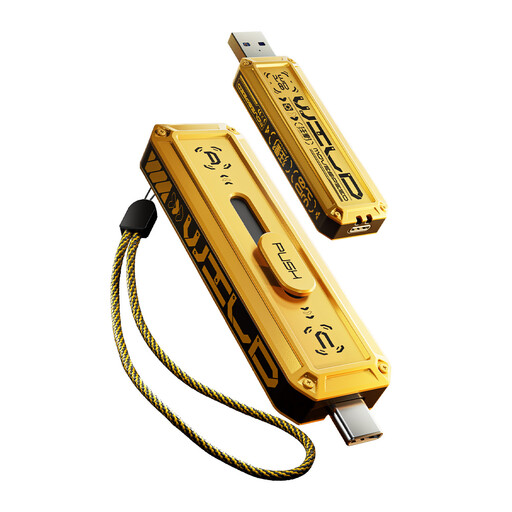
MOVESPEED YSUWD10-1TSY 1TB dual-connector USB flash drive, yellow
This flash drive is a choice for a high-capacity secondary copy or project hand-off, not the only archive.
Its name specifies USB-A and USB-C connections. Check the applicable interface rating for each connection before relying on its stated maximum transfer speeds.
View on Joybuy
 No image available
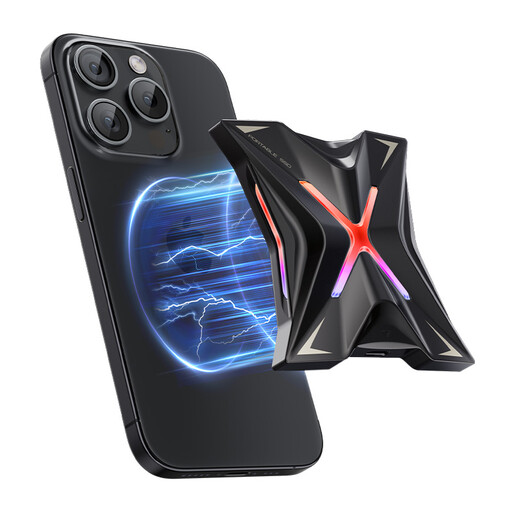
MOVESPEED YSPSRX20M-1TTG 1TB USB 3.2 Gen 2×2 portable SSD
Consider this portable SSD for a sizeable primary removable project copy, while maintaining another copy elsewhere.
Check that your computer supports USB 3.2 Gen 2×2 if that interface is central to your choice; the stated maximum speed is not a guarantee for every file workload.
View on Joybuy
 No image available
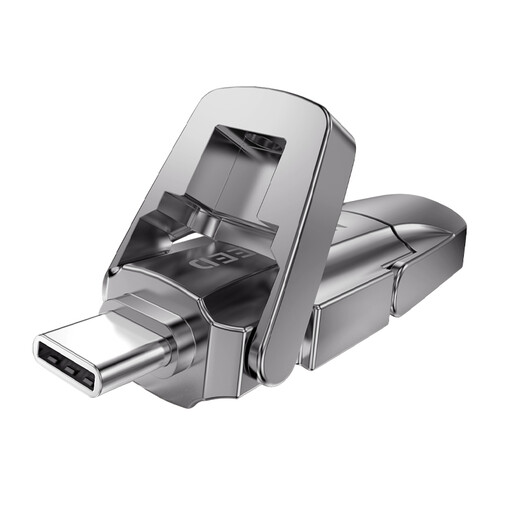
MOVESPEED YSUYVP10-512GSR 512GB dual-connector USB flash drive
Use this USB stick as a secondary project copy or for hand-offs between compatible computers.
The product name specifies USB-A and USB-C connections and USB 3.2 Gen 1. Its stated read-speed maximum does not establish how quickly it will write a large design folder.
View on Joybuy
 No image available
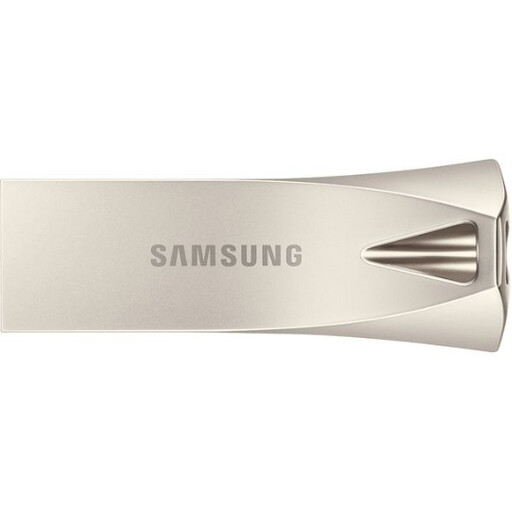
Samsung MUF-512BE3 512GB USB-A flash drive, silver
This USB-A flash drive suits a secondary copy when the computers used for drafts have USB-A ports.
The product name specifies USB 3.2 Gen 1. If you regularly copy large folders onto the drive, check write performance as well as read speed.
View on Joybuy
Common questions
Can a USB flash drive be my only archive for design drafts?
No. The National Archives advises making at least two copies in different places and favours an external SSD over USB sticks for long-term preservation. A flash drive can still serve as a secondary copy or a hand-off drive.
Why might a fast USB drive copy drafts below its advertised speed?
The connection and workload affect the speed you achieve. For DataTraveler Max, Kingston specifies a USB 3.2 Gen 2 host for optimal performance; check the computer port and any hub or cable rather than treating the quoted maximum as an expected copy speed.
How should I carry confidential client drafts on a USB drive?
Protect sensitive drafts with encryption and follow any applicable workplace device controls. The National Cyber Security Centre identifies removable media as a potential route for data theft or loss, so carry only the files needed for the task.
What should I do before giving away or disposing of an old USB drive?
Sanitise the drive appropriately before it leaves your control, especially if it has held client material. The National Cyber Security Centre provides guidance on sanitising storage media, including flash-based devices; arrange disposal or recycling through an appropriate electronic-waste route.


