What matters when choosing a drive?
Start with the studio’s copy plan and the computers that will use the drive. Then match its capacity and stated transfer figures to actual project folders, allowing for future growth and the limits of the host connection.
| Concern |
What to check |
Who this matters to |
| Preserving copies |
Check that the drive has room for the intended files and that a separate copy, location and routine for checking and refreshing files are planned. |
If I am responsible for the masters, I need an offline copy without making one removable drive the entire archive. Around 36% of consumers put preservation resilience first. |
| Sharing between computers |
Check the workstations’ USB-A and USB-C ports and agree a file system before loading files; for Mac-and-Windows sharing, assess whether ExFAT fits the workflow. |
When several artists need to edit or retrieve the same project copy, I want it to connect and open on their actual machines. Compatibility is the primary concern for roughly 36% of consumers. |
| Large-file transfers |
Compare the exact drive’s capacity and stated read and write speeds with project-folder sizes; check the host port and any hub or cable. |
If large artwork files move between desks regularly, I need enough room and manageable copying time. About 28% of consumers prioritise transfer capacity and speed. |
Joybuy drives for portable studio copies
These drives offer USB-A and USB-C connections for moving or keeping an additional portable copy of studio artwork. Check each capacity against your project folders and confirm the file-system and access arrangements needed by the people sharing it.
 No image available
MOVESPEED YSUYC-256GSN 256GB, silver
Consider this for a portable copy shared across USB-A and USB-C devices when fingerprint access is part of the studio’s access plan.
The product name specifies 256GB, USB 3.2 Gen 1, a Type-C connection and fingerprint encryption. Confirm how authorised users enrol and recover access before storing sensitive files.
View on Joybuy
 No image available
MOVESPEED YSUWD10-1TSY 1TB, yellow
Its stated 1TB capacity may suit a larger portable artwork copy if the studio’s files and growth plans fit.
The product name lists a dual interface with USB 3.2 Gen 2×1 and Type-C. Confirm the performance of each connection on the intended computers before relying on the advertised transfer figures, and agree a shared file system before use.
View on Joybuy
 No image available
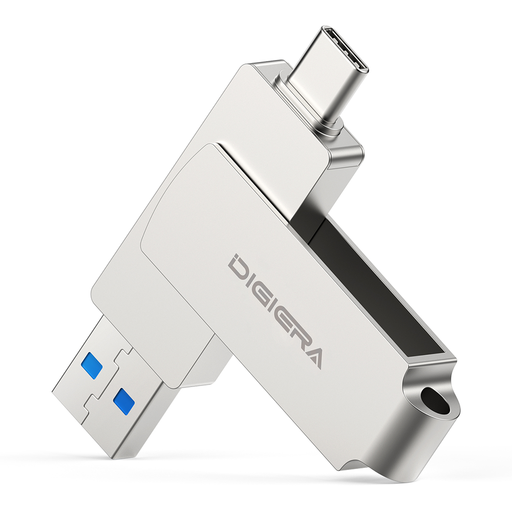
DigiEra LUS320 512GB dual-interface drive
Consider this capacity for a portable project copy used with both USB-A and USB-C computers, provided it accommodates the studio’s actual files.
The product name specifies a USB 3.2 dual interface, up to 500MB/s read and a 360° swivel design. Check that the chosen file system works with the applications on each workstation; copy files elsewhere before reformatting.
View on Joybuy
 No image available
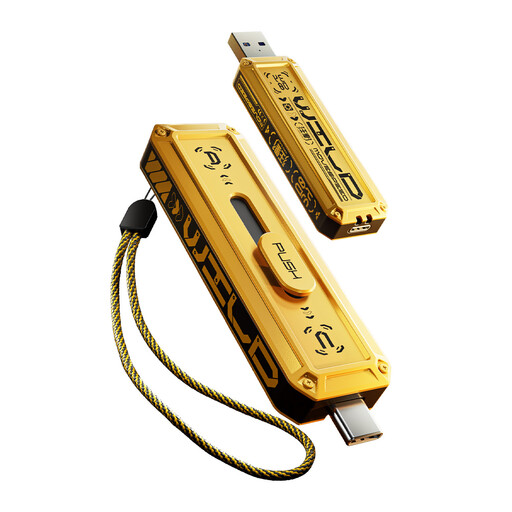
MOVESPEED YSUWD10-512GSY 512GB, yellow
This 512GB variant is worth assessing when a portable project copy needs more room than a 256GB drive and the studio uses both connector types.
Its product name lists a dual interface with USB 3.2 Gen 2×1 and Type-C. Confirm the file system and practical transfer performance on the intended computers.
View on Joybuy
 No image available
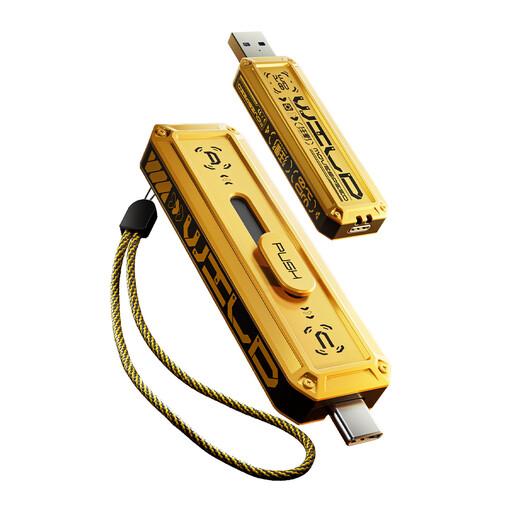
MOVESPEED YSUWD10-256GSY 256GB, yellow
Consider this 256GB variant for a smaller portable project copy if it leaves enough room for the files being handed over.
The product name lists a dual interface with USB 3.2 Gen 2×1 and Type-C. Confirm connector performance and host requirements before relying on advertised speed figures, and settle the shared file system before loading artwork.
View on Joybuy
Common questions
Can a USB drive be the studio’s only artwork archive?
No: use it as one managed copy or a transfer medium, not the sole place where master artwork exists. National Cyber Security Centre guidance supports maintaining an offline backup that is connected only when necessary; plan separate copies and a routine for checking them.
Should an archive USB drive stay connected?
Not if it is intended to serve as an offline copy. The National Cyber Security Centre warns that ransomware can affect connected USB backup drives, so connect that copy when needed for copying or checks and disconnect it afterwards.
Which format works for a drive shared between Mac and Windows?
ExFAT is a format to assess for a Mac-and-Windows drive: Apple identifies it as Windows-compatible, and Kingston describes its use across macOS and Windows for DataTraveler drives. Confirm that it fits the studio’s applications, and copy and check existing files elsewhere before formatting because formatting erases the drive.
How should a studio protect personal or confidential files on a USB drive?
Assess the files’ sensitivity and use appropriate encryption, access controls and secure storage. The Information Commissioner’s Office identifies encryption as protection for personal information held on USB media if a device is lost or stolen; the studio also needs a way for authorised staff to retain access.
Why might a 1TB drive show less space in Windows?
The labelled capacity and the capacity displayed by Windows use different calculations, with further space used by formatting and drive functions. Kingston gives an example of a nominal 1TB drive displaying as 931.32GB in Windows before further reserved space, so size the copy against usable space rather than the label alone.


