What matters when choosing a drive?
Check the ports on both the backup and restore devices, then assess the records’ sensitivity and how the drive will be carried. Capacity, physical handling and speed matter within that workflow, not in place of it.
| Concern |
What to check |
Who this matters to |
| Personal-record protection |
Establish whether the files contain personal information and how the drive will travel. If considering encryption, check the exact model’s access and recovery arrangements. |
If I carry identifiable records between venues, I need a way to protect access without leaving the group unable to recover its files. Around 37% of consumers put personal-record protection first. |
| Connector compatibility |
Check the ports on every device expected to create or restore the backup; choose a dual USB-A/USB-C connector only if both are needed. |
When different volunteers use USB-A and USB-C equipment, I want the same drive to connect to each device directly. For around 27% of consumers, mixed-device compatibility is the primary need. |
| Routine handling |
Check the connector-protection design and warranty for the exact model, and decide who will keep and identify the drive. |
If backups are an occasional committee task, I need a drive that is easy to recognise and put away so the routine is repeatable. Roughly 27% of consumers place routine handling first. |
| Capacity and transfer time |
Measure the backup folder, allowing for retained versions and attachments; check the exact capacity variant rather than relying on a headline read speed. |
As our backup folder grows, I need room for older copies and want to know whether transfers will fit our routine. Around 9% of consumers put capacity or transfer-time headroom first. |
Brands to consider
These product lines illustrate different connector and access-control choices; a feature on one line should not be assumed to apply to another from the same brand.
Kingston
Kingston’s DataTraveler Exodia is a straightforward USB-A option, while IronKey Vault Privacy 50 is a separate, security-focused line.
- Kingston describes a protective cap and keyring loop on DataTraveler Exodia.
- Kingston’s stated hardware encryption for IronKey Vault Privacy 50 must not be assumed for DataTraveler Exodia; check the exact model and its password arrangements.
Samsung
Samsung BAR Plus is relevant to groups looking for a USB-A drive with a metal body and a choice of capacities.
- Samsung UK lists BAR Plus capacity variants from 64GB to 512GB.
- Samsung’s stated read speeds depend on the capacity variant, host device and usage conditions. The metal body is not an encryption feature.
SanDisk
SanDisk Ultra Dual Drive Go is relevant when records need to move between devices with USB-C and USB-A ports.
- SanDisk describes both connector types on the Ultra Dual Drive Go, alongside a swivel design and keyring hole.
- Dual connectors address how devices connect, not whether personal records have appropriate access protection.
Joybuy drives for these backup needs
These drives cover USB-A-only backups, transfers between USB-A and USB-C devices, and models listed with access-control features. Match the connector and capacity to the group’s devices and files; assess any protection feature separately before relying on it for personal records.
 No image available
MOVESPEED YSUYC-256GSN 256GB fingerprint USB-A/USB-C drive (Silver)
For a group using both connector types and assessing access controls for a portable backup. The listing describes USB-A and USB-C connections, 256GB capacity, and AES-256 encryption with fingerprint access. Confirm how encryption operates and how the group would enrol users and recover access before relying on those claims.
View on Joybuy
 No image available
Kingston IronKey Keypad 200 16GB USB drive
For a USB-A backup managed by a custodian who can administer keypad access. The listing describes a keypad and XTS-AES 256-bit hardware encryption; its FIPS 140-3 Level 3 certification is stated as pending, not completed. Check that 16GB accommodates the backup and retained versions, and establish a PIN recovery process.
View on Joybuy
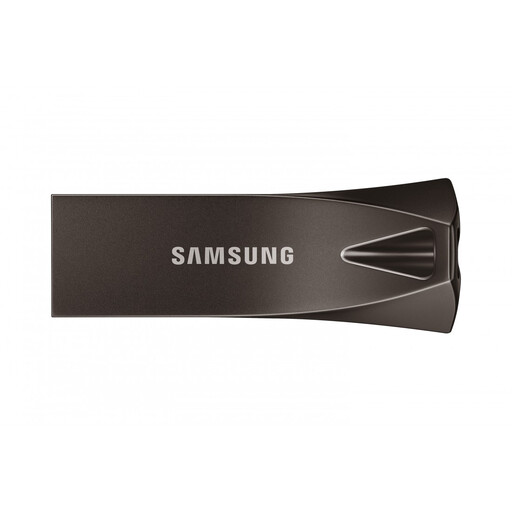 No image available
Samsung MUF-256BE4 256GB USB-A drive (Grey)
For routine backups on computers with USB-A ports. This 256GB USB 3.2 Gen 1 drive is listed with a capless design. If the spreadsheets contain personal information, check what the listing’s password-protection claim does and whether it encrypts stored files before relying on it.
View on Joybuy
 No image available
SanDisk Ultra 128GB USB 3.0 flash drive
For backups on USB-A computers where 128GB meets the group’s retention needs. The listing describes a retractable connector and SecureAccess software for password-protected file encryption, rather than whole-drive hardware encryption. Check the software’s compatibility with every device that needs to open protected files.
View on Joybuy
 No image available
DigiEra LUS320 128GB USB-A/USB-C drive
For moving a backup between USB-A and USB-C devices. The listing describes 128GB capacity, both connectors and a swivel design. Check that its stated exFAT format works with the devices used for backup and restoration, and assess protection separately if the files contain personal information.
View on Joybuy
Questions about community-group backups
Does every community-group USB backup need encryption?
Encryption is a risk-based decision, not a feature to assume every spreadsheet needs. The Information Commissioner’s Office advises considering it according to the nature of the personal information and the risks of storing it on media such as USB drives; assess those risks particularly if a portable copy could be lost.
Can one USB drive be the group’s only backup?
Treat the USB drive as one managed copy within a regular recovery plan, rather than the group’s only way to restore its records. The National Cyber Security Centre emphasises regular backups for recovery and notes that backup data itself needs protection.
Should we buy USB-A or a dual USB-A/USB-C drive?
Choose USB-A when every device used to make or restore the backup has that port. If records need to move directly between USB-A and USB-C devices, choose a drive that has both connectors, such as the connector arrangement SanDisk describes for Ultra Dual Drive Go.
What should we do with a drive we no longer use?
Sanitise or dispose of a drive that held group records before it leaves the group’s control. Follow a process suited to the sensitivity of those records; the National Cyber Security Centre’s storage-media guidance addresses preventing unauthorised retrieval.
Which warranty details matter for a backup drive?
Check the warranty for the exact model and capacity variant you intend to use. Kingston, Samsung and SanDisk state five-year warranties or limited warranties for the cited DataTraveler Exodia, BAR Plus and Ultra Dual Drive Go lines, respectively; confirm the applicable terms for the particular product before choosing it.


