Mixed-device group organiser
You share the same notes with members using both USB-A computers and USB-C devices. A connector that works with the regular recipients matters before capacity or speed.


Choose the connector around the devices that will receive the notes: USB-A suits a group using USB-A computers, while a dual USB-A and USB-C drive lets a mixed-device group connect without a separate adapter. Check that the complete folder fits and that each device accepts USB storage; if the files include personal data, agree how access and handover will be managed before distributing the drive.
You share the same notes with members using both USB-A computers and USB-C devices. A connector that works with the regular recipients matters before capacity or speed.
You copy PDFs, documents, slides or scanned notes between computers with USB-A ports. Your starting checks are whether the drive connects and whether the whole folder fits.
You may carry attendance lists or contact details alongside study materials. You need to consider who can access the files and what happens if the drive is lost.
Check recipients’ ports and USB-storage support first, then size the drive against the folder you intend to share. Transfer time and protection become more important when the files are large or contain personal information.
| Concern | What to check | Who this matters to |
|---|---|---|
| Connector compatibility | List recipients’ USB-A and USB-C ports. For phones and tablets, also check whether they accept external USB storage. | I need members with different devices to open the notes without borrowing an adapter; around 31% of consumers would put direct connector compatibility first. |
| Folder capacity | Measure the complete folder, allow room for later sessions and remember that usable space can be below the labelled capacity. | If I keep adding scans and slides, I need the full collection to fit on one drive; roughly 31% of consumers would make folder capacity their primary concern. |
| Transfer time | For frequent large copies, compare the stated interface and distinguish read from write speed for the exact variant. | Repeatedly loading large sets of notes or media would make waiting for copies more significant to me; around 23% of consumers would prioritise transfer time. |
| Personal-data protection | Keep ordinary notes separate where possible. If personal data must travel, assess access, encryption, password handling and backups. | When a folder includes contact details or attendance records, I need a controlled way to share it; roughly 15% of consumers would put protection first. |
A USB-A-only drive will not plug directly into a USB-C-only device, and a USB-C-only drive will not directly fit a USB-A port.
Check the ports used by regular recipients before buying. If both types recur, consider a dual-connector drive and confirm that each device accepts USB storage.
A stated maximum read speed does not tell you how long writing a folder to the drive will take. Transfer conditions and the host device also matter.
For the capacity variant you are considering, check whether a figure describes reading or writing and what conditions apply. Do not let a speed claim displace the connector and capacity checks.
A removable drive can be lost or passed to someone who should not see contact details or attendance records. The Information Commissioner’s Office advises security measures appropriate to the circumstances and risks when processing personal data.
Separate learning materials from personal information where possible. If personal data must be carried, decide who may access it and how encryption, passwords, handover and backups will work.
Kingston Technology offers USB-A DataTraveler Exodia drives and dual-connector DataTraveler Duo models relevant to document sharing.
SanDisk’s Ultra USB 3.0 and Ultra Flair ranges provide USB-A options for sharing files between computers with that port.
Samsung UK lists a Type-C drive for USB-C connections and a DUO Plus model with USB-C and Type-A connectivity.
These Joybuy drives have USB-A and USB-C connectors for groups sharing study notes across both port types. Choose a capacity against the actual folder size, and check USB-storage support on recipients’ devices before relying on either connector.
 No image available
For sharing a folder across USB-A and USB-C devices when the group also wants to consider controlled access to files.
The listing identifies USB 3.2 Gen 1, fingerprint access and AES-256 encryption. If personal data is involved, check how authorised members will unlock the drive and recover access; measure the folder before choosing 256GB.
 No image available
For a mixed-port group whose complete shared folder fits the 128GB variant.
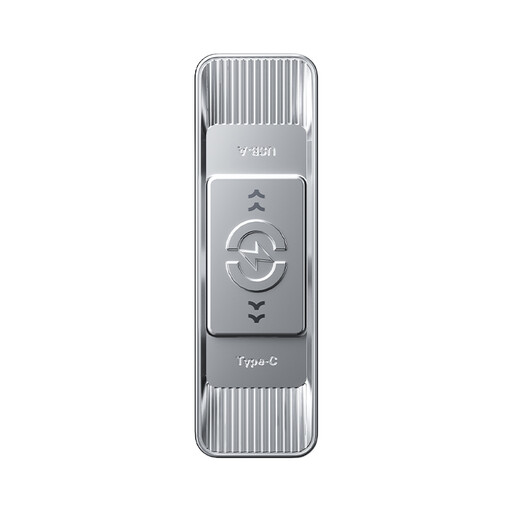
The product title specifies USB-A and USB-C connectors, USB 3.2 and a swivel design. Check USB-storage support on any recipient phone or tablet.
 No image available
For sharing notes across USB-A and USB-C devices when the measured folder calls for more space.
The product title specifies USB 3.2 Gen 1 and a sliding dual-connector design. Compare the 512GB capacity with the folder size rather than choosing it solely for its larger label.
 No image available
For a group using both USB-A and USB-C ports if its shared folder fits the 256GB variant.
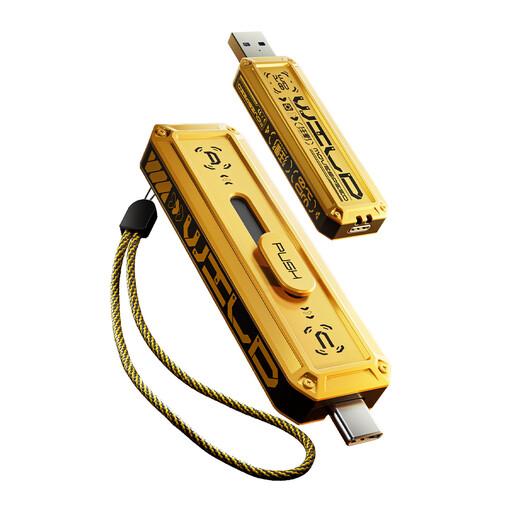
The product title identifies a dual-connector, sliding design. Confirm transfer-performance details before making speed the reason to choose this model, and check recipients’ USB-storage support.
 No image available
For a mixed-port group with a particularly large collection of notes and supporting files, provided the measured folder warrants 1TB.
The product title identifies USB-A and USB-C connectors and a sliding design. Confirm transfer-performance details separately and check that recipient devices accept USB storage.
Choose a connector that fits the devices regularly receiving the notes: USB-A for USB-A computers, USB-C for confirmed USB-C devices, or a dual-connector drive when both ports are in use. For a phone or tablet, check that it supports external USB storage as well as having the right port.
A small folder of documents and PDFs need not be chosen by headline speed alone. If you repeatedly copy larger scans, images, audio or video, compare the exact models’ read and write claims and their stated conditions; a maximum read figure is not a guaranteed time for loading files.
Assess encryption when the drive will carry personal data, rather than treating every set of ordinary notes alike. The Information Commissioner’s Office advises security measures appropriate to the circumstances and risks; consider who needs access and how passwords and recovery will be handled alongside any encryption.
Keep another copy so that losing or damaging the drive does not also lose the group’s notes. Where personal data is involved, the Information Commissioner’s Office advises measures that support availability and timely restoration after an incident; decide who controls the additional copy and who may access it.