What matters when choosing a drive?
Plan the separate preservation copies before buying a portable drive. Then check the devices that need access, the size of the files and whether the copy needs protection against unauthorised access.
| Concern | What to check | Who this matters to |
|---|
| Separate archive copies |
Plan where the external SSD preservation copy and another copy in a different place will be kept. |
If losing a rehearsal drive would leave me without the scripts or earlier versions, I need it to be only one copy in a wider archive. Around 42% of consumers put copy separation first. |
| Ports and capacity |
Check Type-A and Type-C ports on the devices involved, then compare the collection’s size with the drive’s capacity. |
When collaborators use different devices, I need to open the files at handover without discovering that the connector does not fit. For around 33% of consumers, device access is the primary concern. |
| Confidential files |
Check whether an encryption workflow suits the files and how authorised users will manage access and recovery. |
If the drive carries personal information, I need to limit access if it is lost without locking out the production team. Protecting confidential files comes first for around 25% of consumers. |
Joybuy drives for portable script copies
These drives cover Type-A, Type-C and dual-connector ways to carry theatre-script copies. Choose by the devices used for handovers, the space your files need and whether personal information calls for a workable encryption arrangement; keep the preservation copies separate.
 No image available
MOVESPEED YSUYC-256GSN 256GB fingerprint USB drive
Consider this for a portable copy that must move between USB-A and Type-C devices, particularly if access to confidential files needs planning.
The title specifies dual connectors, USB 3.2 Gen 1, fingerprint encryption and a zinc-alloy body. Its stated 550MB/s read and 500MB/s write figures are product claims, not guaranteed transfer speeds.
Check fingerprint enrolment and recovery arrangements for everyone who needs access, as well as whether 256GB holds the intended files.
Joybuy
 No image available
Kingston Technology IronKey Keypad 200 16GB
Consider this for a small portable script copy where keypad-controlled access is useful and the device connection suits the team’s computers.
The product name states AES-256 encryption and describes FIPS 140-3 Level 3 as pending, not completed certification.
Compare the files with its 16GB capacity and agree how authorised users will retain access to the protected copy.
Joybuy
 No image available
SanDisk Ultra 128GB USB 3.0 flash drive
Consider this for a portable script copy if its USB connection fits the computers used for access and handover.
The named configuration is 128GB with a USB 3.0 interface. Check that the collection fits and, before carrying personal information, that the intended encryption and recovery workflow works for authorised users.
Joybuy
 No image available
DigiEra LUS320 128GB dual-connector USB drive
Consider this for handovers between equipment with USB-A and Type-C ports.
The title specifies USB 3.2, a 360° swivel design and a metal body. Its stated 500MB/s read speed is a product claim; check capacity against the files and arrange suitable protection if the copy will hold personal information.
Joybuy
 No image available
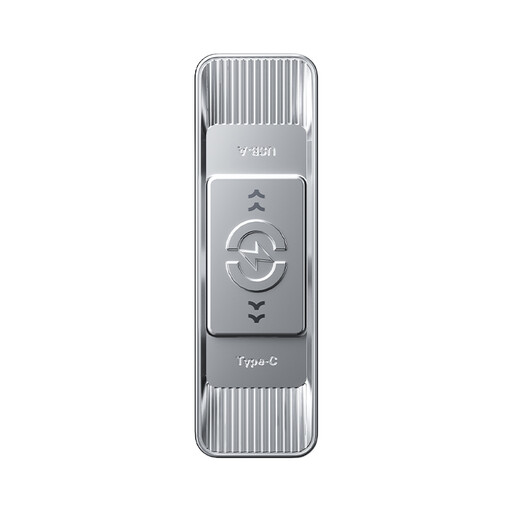
MOVESPEED YSUSP05-512GSR 512GB dual-connector USB drive
Consider this for portable handovers involving both USB-A and Type-C devices, after checking how much space the scripts and associated files require.
The title specifies USB 3.2 Gen 1, 3D NAND flash and zinc-alloy housing. Its stated 570MB/s read speed is a product claim, not a guaranteed result.
If the copy will carry personal information, check a suitable encryption and credential-management workflow before using it for those files.
Joybuy
Questions about storing theatre scripts
Can one USB flash drive serve as my theatre-script archive?
No, not as the only long-term preservation copy. The National Archives advises keeping at least two copies in different places and using an external SSD rather than a USB stick for the preservation copy; a flash drive can still provide portable access or transfer.
Should I choose USB Type-A or Type-C for script handovers?
Choose the connector that fits the devices which must open the files. Check the ports on collaborators’ and venue equipment; if both connector types are in use, decide whether a dual-connector drive or a suitable adapter will make access practical.
How should I organise scripts before copying them?
Agree a consistent folder structure and a way to identify each script version, such as descriptive names and dates. Keep the organisation consistent across copies, and periodically check that files can still be opened.
Does a USB copy containing personal information need encryption?
Assess encryption against the information on the drive and the risks of losing it. The Information Commissioner’s Office says UK GDPR requires appropriate technical and organisational security measures and identifies encryption as a measure whose suitability depends on the nature and risks of the processing; plan access and credential recovery as part of that decision.
Does a five-year drive warranty protect my files for five years?
No. A limited manufacturer warranty is not a promise that files will remain accessible or recoverable. Keep separate copies and check them periodically, rather than relying on the drive’s warranty as an archive plan.


