What matters when choosing a drive?
Check the recipient's port and the completed folder first, then decide whether copying time or protection of sensitive files changes the choice.
| Concern | What to check | Who this matters to |
|---|
| Connector compatibility |
Check the ports on both devices; choose a drive with USB-A and USB-C connectors if both types are needed. |
If I need to move files between USB-A and USB-C devices, I cannot count on an adapter being available. Around 50% of consumers put connector compatibility first. |
| Copying time |
Check the finished folder size and any stated write speed, not just the USB interface or maximum read speed; host and files also affect transfer time. |
When I have a large pack to copy repeatedly, I need time to prepare and check every copy. Around 33% of consumers put copying time first. |
| File protection |
Identify personal or confidential files, then agree an appropriate protection method and how the client will receive access credentials. |
For sensitive handouts, I need the client to open the files without leaving them exposed if the drive is misplaced. Around 17% of consumers put file protection first. |
USB drives for workshop handovers on Joybuy
These drives cover USB-A handovers, mixed USB-A/USB-C connections and options with stated access-control features. Match the connector, finished folder size and any sensitive-file procedure to the client's equipment before choosing.
 No image available
Kingston Technology IronKey Keypad 200 16GB
Consider this for a handover that calls for PIN-controlled access, provided the client can use the agreed access process.
The product name states 16GB capacity and AES-256 encryption. Its FIPS 140-3 Level 3 status is stated as pending, not certified; check the finished folder against the available capacity.
View on Joybuy
 No image available
MOVESPEED YSUYC-256GSN 256GB dual USB-A/USB-C drive (Silver)
The dual connectors suit a handover involving USB-A and USB-C devices, subject to checking the client's equipment and fingerprint-access process.
The product name states USB 3.2 Gen 1 and maximum speeds of 550MB/s read and 500MB/s write; these are not guaranteed copying rates. It describes fingerprint encryption, but confirm the encryption method before relying on it for confidential files.
View on Joybuy
 No image available
SanDisk Ultra 128GB USB 3.0 flash drive
This is an option when both handover devices have USB-A ports; confirm the connector and the client's access requirements before purchase.
The product name specifies 128GB and USB 3.0. If you plan to use the described SecureAccess software for sensitive files, check its compatibility and how the client will open the protected folder.
View on Joybuy
 No image available
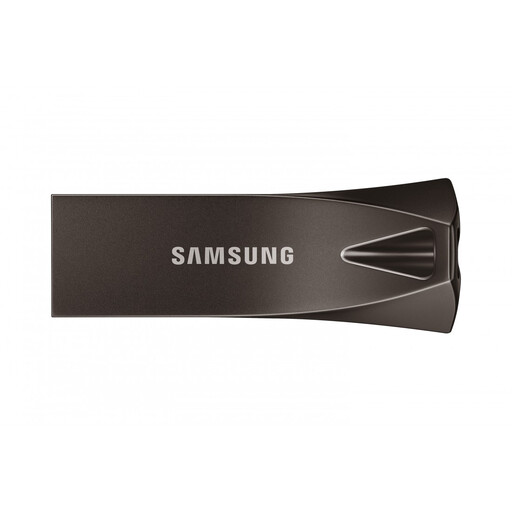
Samsung MUF-256BE4 256GB USB-A flash drive (Grey)
Consider this for an ordinary document handover when both devices have USB-A ports and the finished folder fits.
The product name specifies 256GB and USB 3.2 Gen 1. If password protection matters, confirm how that feature works and how the client would gain access before relying on it.
View on Joybuy
 No image available
DigiEra LUS320 128GB dual USB-A/USB-C drive
The two connector types suit a handover between USB-A and USB-C devices, once the client's ports and file-format support are checked.
The product name states USB 3.2 and a maximum read speed of 500MB/s, which is not a write-speed guarantee. Check that the finished folder fits within 128GB.
View on Joybuy
Questions about client handovers
What capacity do I need for workshop handouts?
Choose capacity after measuring the completed folder, including slides, PDFs and any video, and allow for a duplicate if you intend to keep one on the drive. Check the drive's available formatted space rather than selecting capacity from the file count alone.
Should I use FAT32 or exFAT?
Use the format required by the client's device; if any single file exceeds 4GB, FAT32 will not accommodate it. Microsoft states that exFAT permits files above FAT32's 4GB single-file limit, but confirm the receiving device supports exFAT before formatting the drive.
Does every client USB drive have to be encrypted under UK law?
No: the Information Commissioner's Office says the UK GDPR does not specifically require encryption of all personal information. Security must be appropriate to the risk, and its guidance discusses encryption for personal information stored on removable media. Assess the handouts and follow your organisation's procedure before deciding how to protect them.
How can I check the handover files before delivery?
Open representative files from the drive on a separate compatible device and check that the client-visible folder contains the intended documents. If access is protected, test the agreed recipient process too; then eject the drive safely.


