Designers maintaining a recoverable archive
You want a local copy of drafts without relying on one USB drive to preserve everything. The Library of Congress advises keeping copies on different storage media in separate locations.


Choose a low-profile USB-A drive if it needs to stay connected without projecting far into your workspace, or a USB-C drive if your working devices use that port. A dual-connector drive makes more sense when drafts regularly move between USB-A and USB-C devices; for frequent large transfers, check read and write ratings against your computer’s port. Whichever drive you choose, keep the USB copy as part of a multi-copy archive, not as your only copy.
You want a local copy of drafts without relying on one USB drive to preserve everything. The Library of Congress advises keeping copies on different storage media in separate locations.
You want a drive that occupies little space beside your computer, perhaps while left connected. SanDisk describes its Ultra Fit line as compact enough to leave plugged in.
Your project folders travel between USB-C devices and USB-A equipment. Connector choice matters: Samsung lists USB-C devices for its Type-C drive, while Kingston’s DataTraveler Duo has both USB-A and USB-C connectors.
For a small-desk design archive, plan where a separate copy will live, then check the ports, physical clearance and capacity your drafts require.
| Concern | What to check | Who this matters to |
|---|---|---|
| Archive resilience | Keep another copy on different media in a separate location, and check that copied folders open before removing working files. | If losing a draft would mean rebuilding work, I need a recoverable copy beyond the USB drive; around 31% of consumers put archive resilience first. |
| Desk footprint | Check the drive’s dimensions and how far it projects from an available port. | When space around my computer is tight, I want a drive that does not protrude unnecessarily; keeping the footprint small is the primary need for around 25% of consumers. |
| Large-file transfers | Compare read and write ratings for the exact capacity, and check the computer’s port and USB generation. | If I regularly archive large design exports, waiting for copies to finish matters to my workflow; around 25% of consumers place transfer time first. |
| Port compatibility | List the ports on the archive computer and receiving devices before choosing USB-A, USB-C or both. | When drafts move between older USB-A equipment and USB-C devices, I want a direct connection at each end; for around 19% of consumers, that flexibility is the main priority. |
A hardware warranty is not an archive plan. Kingston’s warranty excludes loss, damage or corruption of stored content.
Keep a second copy on different media in a separate location. The Library of Congress also advises checking and migrating saved copies over time.
Recreating a lost draft can take time even if a defective drive is replaced.
Kingston and Samsung both qualify their stated transfer speeds by host or usage conditions. A maximum read rating also does not tell you how quickly files will be written to the drive.
Check read and write figures for the exact variant, along with the connector and USB generation of the computer used for archiving.
A USB-A drive does not plug directly into a USB-C-only port, and a USB-C-only drive does not plug directly into USB-A. Kingston’s DataTraveler Duo provides both connectors for a mixed-port workflow.
Check every device that will receive drafts before choosing a single- or dual-connector drive.
A mismatched single-connector drive may mean carrying an adapter or using another drive.
Old removable storage may still contain personal or project information. The Information Commissioner’s Office advises properly deleting personal information before disposing of hardware.
Address the stored data before using an available electrical recycling or take-back route.
The Ultra Fit line is relevant when a USB-A archive drive needs to occupy little space beside the computer.
Samsung’s Type-C USB Flash Drive is a single-connector option for workflows centred on USB-C devices.
Two distinct Kingston lines address different needs: DataTraveler Max for rated USB-C transfer performance and DataTraveler Duo for direct USB-A/USB-C connections.
These dual USB-A/USB-C drives are options when design drafts need to move between both port types. Compare their stated capacities with your archive size, and check physical dimensions before deciding how each will fit beside your computer.
 Image unavailable
Consider this 128GB dual-connector drive if drafts need to move between USB-A and USB-C devices.
The title specifies USB 3.2 and a 360° swivel design. Check its dimensions for your desk setup and confirm transfer-speed conditions with the computer you will use.
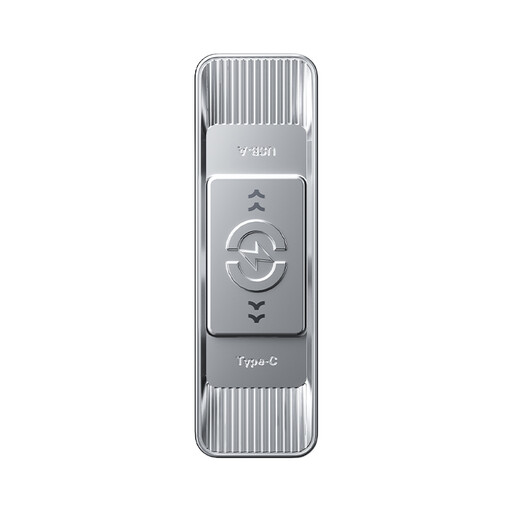 Image unavailable
This 512GB option suits a mixed-port workflow if that capacity meets the size of your draft archive.
The title specifies USB 3.2 Gen 1 and a zinc-alloy housing. Check the drive’s dimensions and the transfer conditions for your intended host.
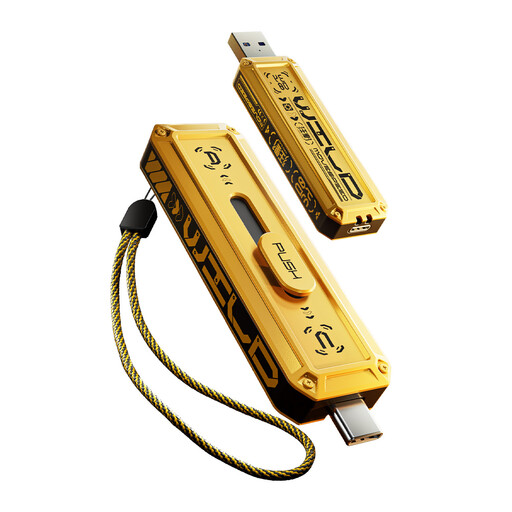 Image unavailable
This 512GB dual-connector variant is worth considering when the archive moves between USB-A and USB-C devices.
The title specifies USB 3.2 Gen 2×1. Before relying on its speed claim, confirm which connector and host conditions apply; the product description also lists Type-C at 5Gbps. Check physical dimensions for desk clearance.
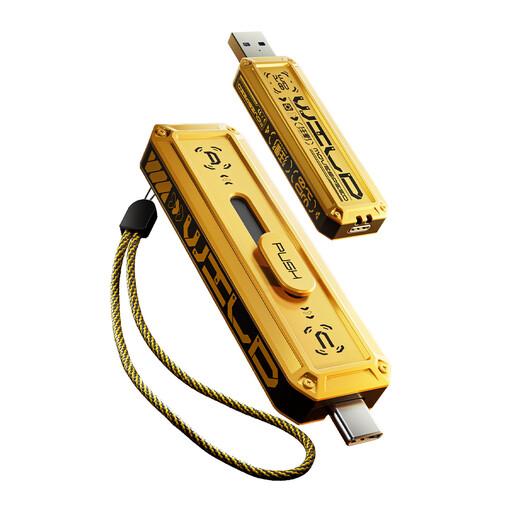 Image unavailable
Consider this 256GB dual-connector variant if its capacity accommodates your drafts and you use both port types.
The title specifies USB 3.2 Gen 2×1. Confirm which connector and host conditions apply to its speed claim, given the separate Type-C 5Gbps description, and check its dimensions before buying for a confined desk.
 Image unavailable
This 1TB dual-connector variant is an option if your draft archive calls for that stated capacity and files move between USB-A and USB-C equipment.
The title specifies USB 3.2 Gen 2×1. Check the speed conditions for each connector against the separately stated Type-C 5Gbps description, and measure the available desk clearance.
No. Use it as one copy rather than the whole archive. The Library of Congress advises keeping copies on at least two different storage media in separate physical locations and migrating saved copies to current media about every five years.
Choose connectors that directly fit the devices used to archive and receive drafts. A USB-C-only drive suits a USB-C workflow; a dual USB-A/USB-C drive avoids an adapter when you regularly use both port types.
Formatting, drive functions and differences in how capacity is displayed can leave the space shown by your device below the labelled capacity. Check the available space after formatting against the size of the drafts you need to retain.
Check which marking requirements apply to the particular product and the market where it is supplied. The Department for Business and Trade’s 31 March 2026 table lists UKCA or CE for electrical equipment in Great Britain, and CE or UKNI together with CE in Northern Ireland; a mark does not establish a drive’s capacity, speed or compatibility.
Deal with personal or confidential files before recycling the drive. The Information Commissioner’s Office advises properly deleting personal information before disposing of hardware; then check for an available electrical recycling or retailer take-back route.