What matters when choosing a drive?
For language recordings copied from a home workstation, check the ports on every device in the transfer path, then measure the files you plan to store. Give security greater weight if the recordings contain identifiable or confidential information.
| Concern |
What to check |
Who this matters to |
| Connector fit |
Check the workstation and receiving device for USB-A or USB-C ports; choose a dual-connector drive if you need both. |
If I copy recordings at my desk, I want the drive to plug into the devices I already use without an adapter. Around 38% of consumers put straightforward connector fit first. |
| Capacity and copying |
Measure your recording folders, allow room for additions and check the exact variant’s stated write speed where available. |
As my lesson library grows, I need space for new files and want to judge how long larger copy jobs might take. Around 37% of consumers make capacity and copying their primary concern. |
| File protection |
Assess encryption and password recovery for sensitive files; keep a separate copy that you can restore. |
If recordings identify speakers or contain confidential material, I need to consider what happens if the drive is lost. For around 25% of consumers, protecting sensitive recordings comes first. |
Joybuy drives for recording copies
These choices include USB-A drives for copying at a workstation and dual-connector drives for moving recordings between USB-A and USB-C devices. Match capacity to your recording folders, and assess file protection separately if the material is sensitive.
 No image available
SanDisk Ultra 128GB USB 3.0 Flash Drive
Consider this USB-A option for workstation copies if 128GB leaves enough room for your recordings and planned additions.
If the files are sensitive, check whether its file-protection method meets your requirements rather than assuming it provides hardware encryption.
View on Joybuy
 No image available
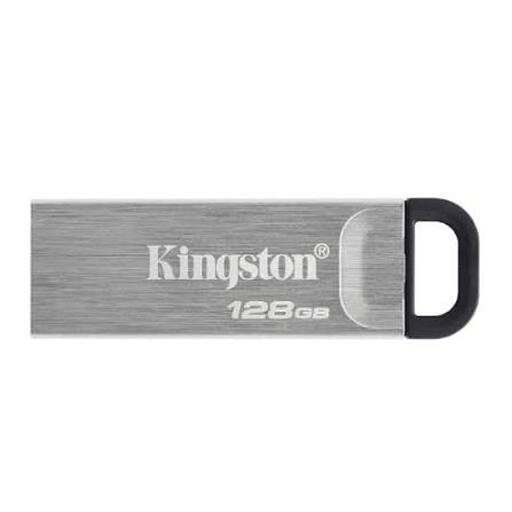
Kingston Technology DataTraveler Kyson 128GB
This is another option for a USB-A workstation when a 128GB drive meets your measured storage needs.
Check your file-protection requirements separately if the recordings contain personal or confidential information.
View on Joybuy
 No image available
DigiEra LUS320 128GB Dual USB-A/USB-C Flash Drive
The two connector types suit recordings that move between a USB-A workstation and a USB-C device, provided 128GB gives your files enough headroom.
Its title specifies USB 3.2 and a swivel design. Check the exact connection and stated write performance before using its advertised read speed to judge copying time.
View on Joybuy
 No image available
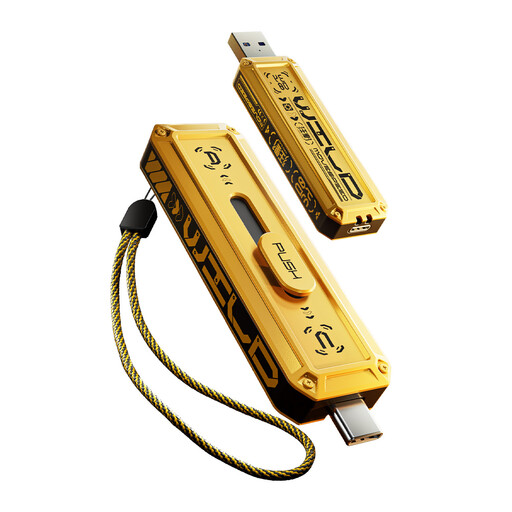
MOVESPEED YSUWD10-512GSY 512GB Dual-Connector Drive, Yellow
Consider this 512GB variant if recordings move between USB-A and USB-C devices and your measured library calls for that capacity.
Check the exact interface specification before relying on its advertised transfer speeds, particularly for the Type-C connection.
View on Joybuy
 No image available
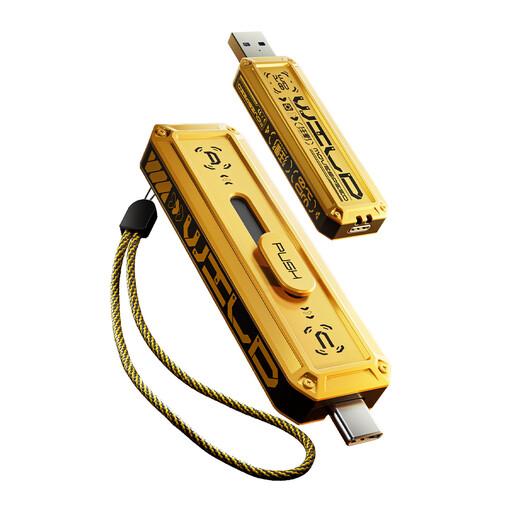
MOVESPEED YSUWD10-256GSY 256GB Dual-Connector Drive, Yellow
This 256GB variant suits a USB-A and USB-C copying routine if its capacity covers your recordings and expected additions.
As with the 512GB variant, confirm the connection specification before using advertised speeds to estimate copying time.
View on Joybuy
Questions about copying recordings
How much capacity do I need for language recordings?
Choose capacity by measuring the folders you intend to copy, then allow room for future lessons and edited versions. Recording hours alone cannot give you a dependable file-size estimate without the format and bitrate; usable space can also be lower than the labelled capacity.
Does USB 3.2 Gen 1 tell me how quickly recordings will copy?
No: it identifies an interface capability, not a guaranteed file-copy speed. The USB Implementers Forum describes USB 3.2 Gen 1 as 5Gbps signalling; check the exact drive variant’s write-speed information and the workstation connection when judging copies onto the drive.
Do language recordings need an encrypted USB drive?
Consider encryption when recordings contain personal or confidential information, especially if the drive may be lost or used away from the workstation. The Information Commissioner’s Office advises protecting personal information on removable media with encryption; if you handle files for a school, employer or client, check their current procedures and plan for password recovery.
Can the flash drive be my only copy?
Do not rely on it as the only copy of recordings you need to keep. The National Cyber Security Centre advises storing a backup separately; make sure you can restore your files from that copy if the workstation or flash drive becomes unavailable.


