People moving notes between different ports
If the studio computer has USB-A and your own device has USB-C, a drive with both connectors lets you transfer notes without an adapter. Kingston Technology lists both connectors on its DataTraveler Duo.


Choose the connector before focusing on a rated speed: a dual USB-A and USB-C drive suits transfers between different ports, while a USB-A drive is sufficient when both devices have USB-A. For sensitive notes, consider hardware encryption, but check how you will unlock the drive and whether the studio permits removable media.
If the studio computer has USB-A and your own device has USB-C, a drive with both connectors lets you transfer notes without an adapter. Kingston Technology lists both connectors on its DataTraveler Duo.
Scans, recordings and design files make transfer time more noticeable than small text notes do. Check the drive’s stated read and write figures alongside the computer’s USB capability: the USB Implementers Forum says a compatible connection operates at its lowest common speed capability.
If the files contain personal or confidential material, think about what would happen if the drive were lost. The National Cyber Security Centre identifies data theft and loss as risks of removable media; an encrypted drive also requires you to manage access to it.
Start with the ports you need to connect, then decide whether the contents call for encryption; capacity, transfer speed and carrying design follow from the files you actually move.
Choose when: The studio computer and your own device use different ports, or you cannot rely on finding the same connector at both ends.
Bear in mind: Both connectors still need accessible ports, and the studio must permit removable media.
Choose when: You have confirmed USB-A ports on both the studio computer and your usual device.
Bear in mind: A USB-A-only drive will not connect directly to a USB-C-only device.
Choose when: Losing the drive could expose personal or confidential study material.
Bear in mind: Check its connector and unlock method, and plan how you will retain access to the files.
| Concern | What to check | Who this matters to |
|---|---|---|
| Port compatibility | Inspect the studio and personal-device ports; choose USB-A, USB-C or both connectors to match. | I need to copy notes directly between devices with different or uncertain ports. Around 36% of consumers would put that direct connection first. |
| Protection of notes | Decide whether the files are sensitive, then check the studio’s removable-media rules and the drive’s unlock requirements. | If I lose a drive containing personal or confidential work, access to those files matters more to me than convenience. Roughly 29% of consumers would make protecting sensitive notes their primary concern. |
| Transfer pace | For larger files, compare stated read and write figures and check the computer’s USB capability. | Moving recordings or image-heavy coursework regularly makes waiting for copies disruptive. About 21% of consumers would prioritise transfer pace. |
| Everyday carrying and space | Size the drive from your folders with headroom, and choose a connector cover or carrying design you can manage. | I mainly carry notes and want enough usable space without misplacing a small drive. Approximately 14% of consumers would put everyday carrying and space first. |
A USB-C-only drive cannot plug directly into a USB-A-only port. Connector shape and USB speed are separate questions.
Check the ports at both ends before choosing a single-connector drive; consider a dual-connector model if they differ.
Samsung says BAR Plus speeds vary with the host and conditions. The USB Implementers Forum says a compatible connection runs at its lowest common speed capability; a rated read figure is not a promised write speed.
Check the studio port and look for write information if copying larger files onto the drive is important.
The National Cyber Security Centre warns that removable media presents data-theft and data-loss risks. Encryption can be relevant when losing the drive would expose personal or confidential material.
Follow the studio’s USB rules, keep a separate backup and check how an encrypted drive is unlocked before relying on it.
Samsung notes that usable capacity can be lower than labelled capacity, including space used for system files and storage control.
Check the size of the notes and media folders you intend to carry, then allow headroom.
Kingston Technology offers USB-A, dual-connector and encrypted drives relevant to different shared-studio needs.
Samsung’s BAR Plus is a USB-A option for devices with a confirmed Type-A port.
SanDisk’s Ultra Luxe USB Type-C line is relevant when the devices you use have USB-C ports.
These drives cover transfers between USB-A and USB-C devices, plus a USB-A encrypted option for sensitive files. Match each drive to the studio’s ports and removable-media rules before choosing.
 No image available
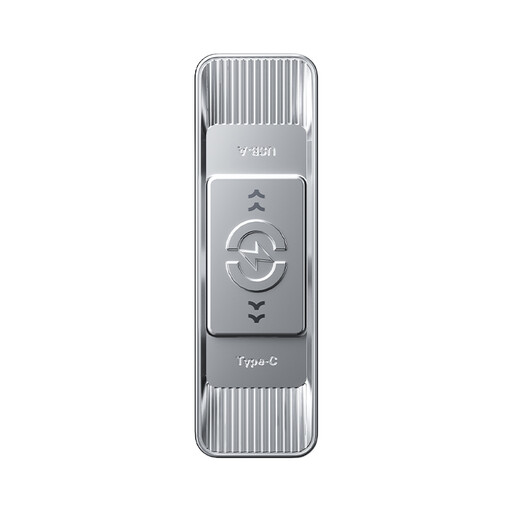
Consider this for moving notes between different port types if its fingerprint access method suits the computers you use. Its name specifies USB 3.2 Gen 1 and Type-C interfaces, a zinc-alloy body and rated speeds of 550 MB/s read and 500 MB/s write; check the applicable connection and access arrangements before relying on those figures or the fingerprint feature.
 No image available
This 512GB option suits moving notes alongside larger course files when you need both USB-A and USB-C connections. Its product name specifies USB 3.2 Gen 1, 3D NAND flash and a zinc-alloy housing, with a rated read figure of 570 MB/s; check write performance and the studio computer’s USB capability if transfer time matters.
 No image available
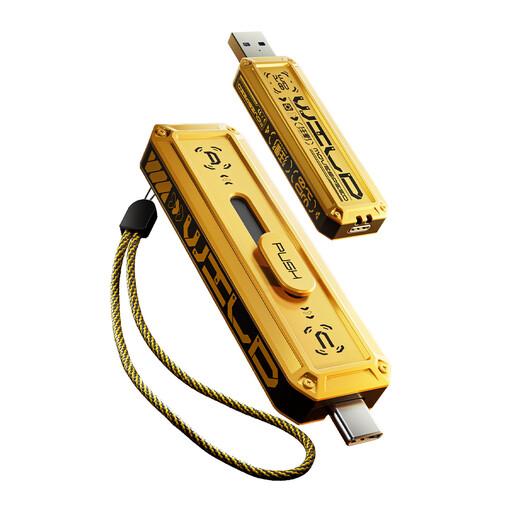
Consider this if 128GB fits your folders and you want both connector types in a swivel design. The product name specifies USB 3.2 and a rated read figure of 500 MB/s; check the computer’s port capability rather than treating that figure as a copying-speed promise.
 No image available
This 256GB dual-connector model is an option when the studio and your own device have different ports. Its product name specifies USB 3.2 Gen 2×1 and a zinc-alloy housing, but its interface details also give Type-C as 5 Gbps; confirm the applicable interface and transfer figures if speed is important to your choice.
 No image available
Consider this for sensitive notes only if 16GB is sufficient and the studio computer has a compatible USB-A port. Its product name identifies AES-256 encryption and keypad access; plan how you will manage the PIN. The listing marks FIPS 140-3 Level 3 as pending, not completed.
Choose the connectors that fit both the studio computer and your own device. USB-A or USB-C alone works for matching ports; a dual-connector drive avoids an adapter when they differ. The USB Implementers Forum says compatible USB products operate at their lowest common speed capability, so connector fit does not promise a particular transfer speed.
Ordinary non-sensitive notes do not call for an encrypted drive solely because the computer is shared. If the files contain personal or confidential material, consider the consequences of loss, then check the drive’s unlock method and keep a separate backup.
Check the studio’s removable-media rules and available ports before connecting it, and keep another copy of files you need. The National Cyber Security Centre identifies data theft and data loss among removable-media risks; do not leave your drive attached when you finish.