Fast project hand-off teams
Editors and producers moving large project folders, proxies, exports or selected rushes between compatible workstations need to consider both the drive’s write speed and the USB connection throughout the transfer path.


Choose a USB flash drive for a portable project copy or a hand-off between workstations, matching its capacity, connector and rated write speed to the files and computers involved. It should not be the studio’s only archive: Department for Education cyber guidance recommends separate copies using different storage forms, including an off-site copy, while the National Cyber Security Centre warns that connected USB backups can be affected by ransomware. Agree the drive’s file system before use and assess access protection if it will carry personal or confidential footage.
Editors and producers moving large project folders, proxies, exports or selected rushes between compatible workstations need to consider both the drive’s write speed and the USB connection throughout the transfer path.
Teams sharing a portable copy across operating systems need to agree its file system before copying files. Apple lists ExFAT as Windows-compatible but recommends APFS for external storage used with Final Cut Pro, Motion and Compressor.
Studios carrying personal or confidential material outside their main storage environment need to assess access protection as well as keeping separate recovery copies. The Information Commissioner’s Office identifies encryption as a possible measure for protecting personal information on removable media.
Start with the project copy’s size and destination workstations, then decide how the drive will fit into the archive and who needs access to its contents.
| Concern | What to check | Who this matters to |
|---|---|---|
| Copying large projects | Compare the project copy with usable capacity; check rated write speed and the workstation, hub and cable capabilities. | If large folders move between editors regularly, I need enough room and do not want each copy to hold up a workstation; around 36% of consumers put transfer time and capacity first. |
| Archive recovery | Plan independent copies, a separate storage location and a way to test restoration of project files and linked media. | When a project may need to be reopened, I need a recoverable copy even if the portable drive is lost or affected while connected; around 29% of consumers make archive resilience their primary concern. |
| Shared-workflow compatibility | Check the connectors on receiving machines and agree whether the drive is for Mac–Windows exchange or a Final Cut Pro external-storage workflow. | If the same files must pass between Mac and Windows workstations, I need the receiving team to access them without reformatting the drive; around 21% of consumers prioritise compatibility. |
| Sensitive footage | Assess the material and loss risk; check the exact drive’s access controls and how authorised users would regain access. | When a portable copy contains confidential client material, I need to control who can open it if it leaves the studio; around 14% of consumers put access protection first. |
A portable drive can be lost or affected while connected. The National Cyber Security Centre describes ransomware incidents involving connected USB backup drives.
Give the drive a defined place in a multi-copy plan, disconnect it when it is not being updated and test whether a complete project can be restored.
Separate storage and restore checks also require space and staff time.
A drive’s advertised maximum does not establish how long a whole project-folder copy will take. Kingston says its DataTraveler Max needs a USB 3.2 Gen 2 host path for optimal performance.
Check rated write speed for the exact model and the capabilities of every port, hub and cable in the intended path.
Apple lists ExFAT as Windows-compatible, while its guidance for Final Cut Pro, Motion and Compressor recommends APFS for external storage. Reformatting erases the existing volume.
Decide whether the drive is for cross-platform exchange or Mac editing storage, and back up its contents before any reformat.
Team possession alone may not address the risk of loss or unauthorised access. The Information Commissioner’s Office identifies encryption as a possible protection for personal information on removable media.
Assess the material carried, then establish access administration and recovery procedures before relying on an encrypted drive.
Its DataTraveler Max and IronKey Keypad 200 lines address different decisions: large-file transfers and controlled access to portable copies.
The Extreme PRO USB 3.2 line is a USB-A option to examine where studio workstations use that connector.
Flash Survivor Stealth is a physically protective option to examine for a separate copy carried between locations.
These flash drives offer different capacities and connector arrangements for portable project copies and workstation hand-offs. Choose one only after checking that the intended files fit and that the studio has a separate recovery plan.
 No image available
For a portable copy that calls for fingerprint access, check how the studio would enrol users and recover access before relying on this drive for confidential footage.
The product name specifies USB-A and Type-C connections, 550MB/s read and 500MB/s write speeds, and a zinc-alloy body. Check the required file-system format for the shared workflow.
 No image available
For a smaller project copy moving between machines with different USB connectors, compare the files with the drive’s usable capacity before choosing it.
The product name specifies USB 3.2, up to 500MB/s read, a swivel design and a metal body. Agree the file system before storing shared files.
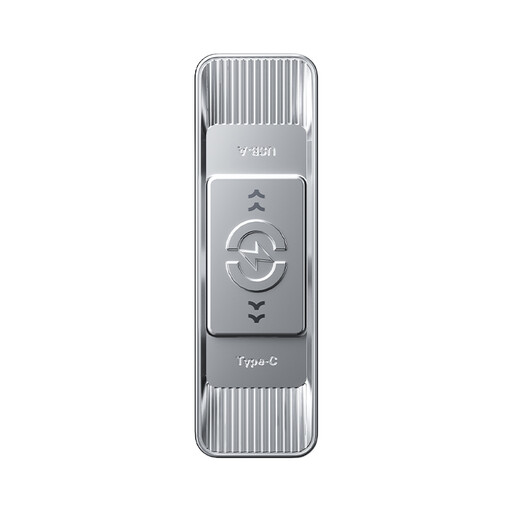 No image available
For a larger portable project copy shared between USB-A and Type-C workstations, confirm that its usable capacity fits the intended folders.
The product name specifies USB 3.2 Gen 1, up to 570MB/s read, 3D NAND flash and a zinc-alloy housing. Agree the shared file system before formatting.
 No image available
For a high-capacity portable project copy, check both how much usable space the files require and which connector each workstation will use.
The product name specifies USB-A and Type-C connections and a zinc-alloy housing. Confirm the speed available through each connector and the intended file-system format before choosing it.
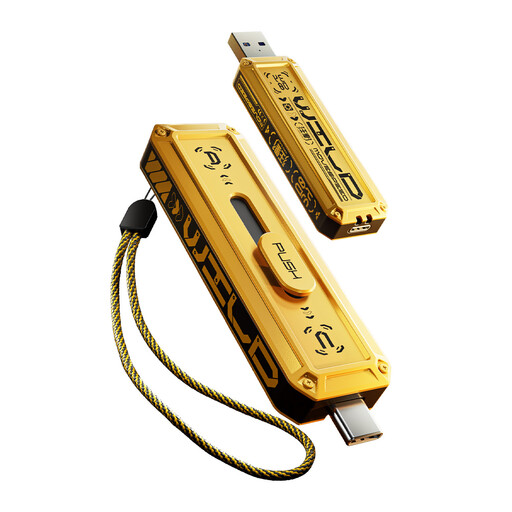 No image available
For a portable copy that fits within 512GB, check the project’s actual size and the ports on the machines receiving it.
The product name specifies USB-A and Type-C connections and a zinc-alloy housing. Confirm the speed available through each connector and agree the file system before use.
It can hold a project copy, but it should not be the only recoverable archive. Department for Education cyber guidance recommends three copies across two storage forms with one off-site; the National Cyber Security Centre also advises protecting backups from incidents affecting connected storage.
ExFAT can suit a drive used for Mac–Windows file exchange, according to Apple. If the drive will instead serve as external storage for Final Cut Pro, Motion or Compressor, Apple recommends APFS; decide its role and back up existing contents before reformatting.
No: the Information Commissioner’s Office says UK GDPR does not specifically require encryption in every case, but security measures must be appropriate to the risk. If portable footage contains personal information, assess the consequences of loss or unauthorised access and whether encryption is an appropriate measure.
The displayed space can be lower because manufacturers express capacity in decimal units while an operating system may use binary calculations; formatting and reserved functions can reduce usable space further. Check the space available after preparing the drive against the size of the complete project copy.