Studios making frequent catalogue copies
Regularly moving a substantial catalogue between USB-C workstations makes capacity headroom and stated write performance particularly relevant.


For frequent large catalogue copies, consider a USB flash drive with enough usable capacity, a stated write speed that suits the workflow and a connector the studio computers can use. If several people handle a drive containing identifiable client material, give access control and a workable recovery process priority over headline speed. Whichever drive you choose, disconnect the completed backup and keep another protected copy.
Regularly moving a substantial catalogue between USB-C workstations makes capacity headroom and stated write performance particularly relevant.
When several staff members handle removable media containing identifiable client images, the studio needs to decide who can access the copy and how authorised access can be recovered.
A mix of USB-A and USB-C computers, cameras or tablets makes the connectors on both the backup and restore devices worth checking before choosing a drive.
Measure the catalogue and check the devices that will create and restore its backup first. Then decide whether copy time or controlled access is the stronger reason to choose a particular drive; neither replaces a separate backup copy.
| Concern | Buying checks | Who this matters to |
|---|---|---|
| Capacity and copy time | Measure the catalogue and allow room for growth or retained versions. Compare the exact variant’s stated write speed, not just its read speed. | I regularly copy a large catalogue and need it to fit without occupying the shared workstation longer than necessary; around 33% of consumers put capacity and copy time first. |
| Access to client material | Establish who needs access and how credentials will be administered and recovered. Check the exact drive’s access features. | When staff share a removable copy of identifiable client images, I need to control who can open it; roughly 27% of consumers make access control their primary concern. |
| Backup resilience | Plan to disconnect and store the drive after copying, maintain another protected copy and test a restore. | If the drive is lost, fails or is affected while connected, I still need a way to recover the catalogue; about 27% of consumers prioritise backup resilience. |
| Device compatibility | Inventory USB-A and USB-C ports on backup and restore devices, including their USB capabilities and any intended adapter. | My studio uses different computers and I need the copy to work where it will be restored; around 13% of consumers put device compatibility first. |
A copy that remains connected can be affected along with the computer. The National Cyber Security Centre advises disconnecting backup storage when it is not in use and keeping disconnected media separately.
Complete the copy, disconnect and store the drive securely, and maintain another protected backup.
Labelled capacity is not all available for files, and the next backup may need room for catalogue growth or a retained version.
Measure the source catalogue, decide what versions to keep and check the usable space of the exact capacity variant.
Creating a backup writes to the drive. Manufacturer maximum speeds can also vary with the workstation and workload.
Compare stated write performance where available, check the host connection and try a representative copy before scheduling time-sensitive backups.
A slower-than-expected copy can keep a shared workstation occupied for longer.
An encrypted drive’s access and recovery options still need people to administer them. Losing the credentials needed for recovery can leave authorised staff unable to open the copy.
Assign responsibility for credentials, document secure recovery and access changes, and test restoration.
Its DataTraveler Max and IronKey Vault Privacy 50 lines address different studio needs: large USB-C transfers and controlled access, respectively.
The Extreme PRO USB 3.2 Solid State Flash Drive line is relevant to studios using USB-A workstations.
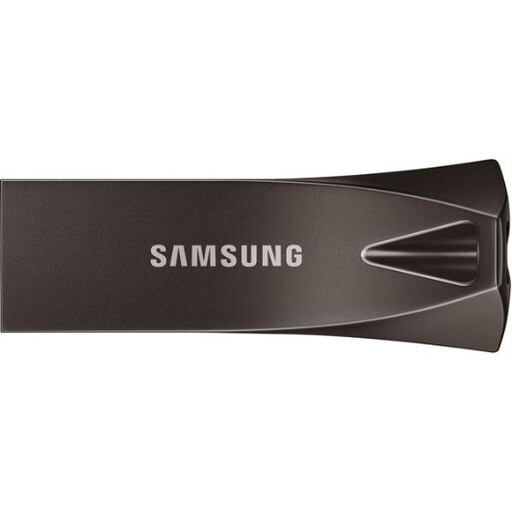
Samsung’s Type-C Flash Drive line is relevant to compact backup and transfer workflows using compatible USB-C devices.
These flash drives offer capacity, connector and access-feature options for a shared studio photo backup. Match any choice to the measured catalogue, the studio’s devices and its access and recovery plan.
 No image available
Consider this variant where shared handling makes access features a priority and the catalogue fits with headroom. Its title lists fingerprint encryption, a USB 3.2 Gen 1 and Type-C dual interface, and maximum ratings of 550MB/s read and 500MB/s write. Check fingerprint enrolment, administrator access and recovery before relying on it for client files; rated speeds are not observed backup speeds.
 No image available
Consider the 1TB variant for a larger catalogue if its usable capacity leaves room for the versions you intend to keep. The title lists USB 3.2 Gen 2×1 and Type-C connectivity. Check the exact connectors and interface specification before relying on its advertised transfer-speed figures, and assess access control separately if staff share sensitive files.
 No image available
This 512GB option is relevant where the backup and restore computers have compatible USB-A ports and the catalogue fits with headroom. The title specifies USB 3.2 Gen 1. Check write performance for the intended backup workflow rather than judging copy time from a read-speed figure.
 No image available
Consider this smaller-capacity variant if the catalogue and retained versions fit and the studio needs both USB-A and Type-C connectors. Its title lists a USB 3.2 dual interface and a 500MB/s read rating, which does not establish backup write speed. Test the intended copy workflow and assess access control separately.
No. It can hold one external copy, but the National Cyber Security Centre advises keeping backup storage secure and disconnected when not in use. Maintain another protected copy so recovery does not depend on one drive.
Choose a capacity that accommodates the measured catalogue, intended retained versions and growth, with room beyond today’s file total. Check usable space on the exact variant because labelled capacity is not all available for files.
Not necessarily: creating a backup depends on write performance, and manufacturer maximum ratings vary with the host and workload. Compare stated write figures where available and try the copy on the intended studio computer.
The choice of security measures depends on the risks to the personal information being handled. The Information Commissioner’s Office identifies encryption as an appropriate measure depending on those risks; assess the catalogue and document who can access and recover its backup rather than assuming any password feature settles the question.
Consider a portable SSD when the catalogue and required headroom do not comfortably fit a suitable flash drive, or when frequent large copies call for more storage capacity. Crucial lists X10 portable SSD variants up to 8TB, but check the exact model’s connection and the studio’s backup workflow; an SSD still needs secure storage and another protected copy.