What to check before buying
Start with the ports and the size of the complete project folder. Then decide whether copying time or protection of sensitive files changes which drive you need.
| Concern |
What to check |
Who this matters to |
| Connector compatibility |
Inspect the studio computer’s ports and your own device’s ports. If you need both USB-A and USB-C, check the exact dual-interface arrangement. |
I need the drive to connect when I reach a shared workstation, without depending on an adapter I might not have; around 33% of consumers put connector compatibility first. |
| Capacity and file handling |
Measure the whole project folder and leave room beyond it. For supported Windows and macOS computers, check whether exFAT suits the workflow, as SanDisk Support advises. |
My portfolio includes working files and exports, so I need space for the complete folder and a format the computers can use; roughly 27% of consumers prioritise capacity and file handling. |
| Large-folder copying time |
Compare model-specific write claims for copying onto the drive, then check the studio port’s USB capability. Treat advertised speeds as maximums, not expected results. |
When I copy large image folders during shared studio access, waiting for the transfer matters most; about 27% of consumers make copying time their primary concern. |
| Protection of sensitive files |
Identify any personal or confidential material, follow the studio’s rules and check how authorised collaborators would access encrypted files. |
If client material travels on the drive, I need an access method that protects it without preventing agreed sharing; around 13% of consumers put protection of sensitive files first. |
Joybuy product choices
These flash drives cover mixed USB-A and USB-C connections and options with listed access-control features. Choose against your measured folder size, the ports you will use and any studio rules for sharing files.
 No image available
DigiEra LUS320 128GB USB-A and USB-C flash drive
The dual-interface design suits transfers between USB-A studio computers and USB-C devices. The title lists USB 3.2 and a maximum 500MB/s read speed; check write performance, file format and whether 128GB leaves enough room for your full folder.
View on Joybuy
 No image available
Kingston Technology IronKey Keypad 200 16GB
Consider its keypad-access design when confidential files need a controlled sharing procedure. The product title describes AES-256 encryption and marks FIPS 140-3 Level 3 as pending, not certified; check that 16GB fits the folder and agree credential and recovery arrangements before shared use.
View on Joybuy
 No image available
MOVESPEED YSUYC-256GSN 256GB, silver
This USB-A and Type-C model combines mixed-device connections with a listed fingerprint-access feature. Its title claims up to 550MB/s read and 500MB/s write; check the format, actual device compatibility and how collaborators would enrol or regain access.
View on Joybuy
 No image available
MOVESPEED YSUWD10-1TSY 1TB, yellow
The listed 1TB capacity and USB-A and Type-C connections may suit a large portfolio moved between different ports. The title claims up to 1,090MB/s read and write; confirm which connection those figures apply to, the studio port’s capability and the file format before choosing it for speed.
View on Joybuy
 No image available
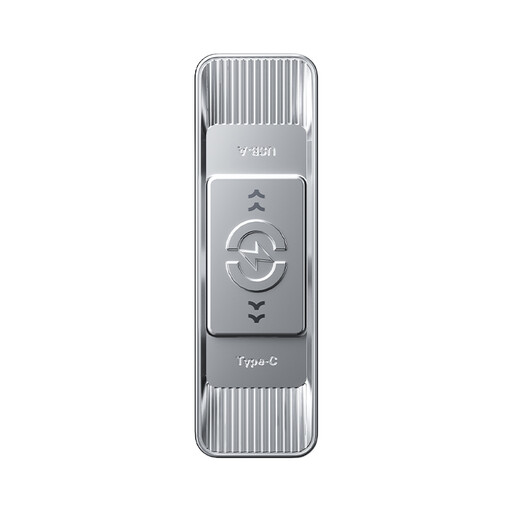
MOVESPEED YSUSP05-512GSR 512GB, silver
This USB-A and Type-C drive is another mixed-port option if its 512GB labelled capacity accommodates the complete folder. The title lists USB 3.2 Gen 1 and a maximum 570MB/s read speed; check write performance and file format for the computers involved.
View on Joybuy
Common questions
Should I choose USB-A, USB-C or a dual-interface drive for a shared studio?
Choose according to the ports on the devices you will actually use. USB-A connects to Type-A studio ports, USB-C connects to compatible Type-C ports, and a dual-interface drive can serve both without a separate adapter; check its exact connector arrangement before buying.
Will a USB 3.2 Gen 2 drive always copy my portfolio faster?
No: the studio computer can limit the connection speed. The USB Implementers Forum says USB operates at the lowest common speed capability, so check the host port and the drive’s write-speed claim if copying files onto it causes delays.
What format should I use between Windows and Mac computers?
For supported Windows and macOS computers, exFAT is the cross-platform option identified by SanDisk Support. Confirm support on the actual studio devices and back up the files before reformatting a drive, since formatting removes its existing contents.
Must I encrypt portfolio images on a USB drive in the UK?
Not automatically. The Information Commissioner’s Office says UK GDPR does not specifically require encryption of all personal information, but security must be appropriate to risk; if the portfolio contains personal information, follow the studio or employer’s procedure and assess encryption alongside other controls.
Can a durable or warrantied flash drive replace a backup?
No. Keep a separate copy of the portfolio before taking a removable drive to a shared studio; a durability feature or warranty does not itself preserve or recover your particular files.


