
24/7 Customer Support

Free returns

Same-day & Next-day Delivery

Quality Guaranteed

Unlock Your Welcome Offers: FREE Delivery | Up to 80% OFF | Free 30-day JoyPlus trial
Download the APP
From university assignments to crucial work presentations and backing up family photos, the humble USB flash drive remains an essential tool for managing our digital lives. Yet, choosing one can feel surprisingly complicated. With terms like USB 3.2, dual connectors and varying capacities, it’s easy to get lost. This guide cuts through the clutter to help you find a reliable portable storage drive that fits your needs and budget.
As the Joybuy Product Recommendation Officer, my role is to help you make informed choices. Here, we’ll break down the key features to consider and highlight a few standout options available today.
Before you buy, consider these three factors. Getting them right will ensure your new memory stick serves you well for years to come.
Storage capacity is the first thing most people look at. It’s measured in gigabytes (GB) and determines how many files you can store.
A drive’s speed determines how quickly you can copy files to and from it. This is dictated by its USB standard.
The connector type determines which devices your flash drive can plug into.
If you need a USB drive for phone and computer, or if you switch between new and old devices, a dual USB flash drive with both USB-A and USB-C connectors offers maximum flexibility. Many modern drives also feature a durable metal USB drive casing for better protection on the go.
Here are a few options that cater to different needs, from everyday use to high-performance demands.
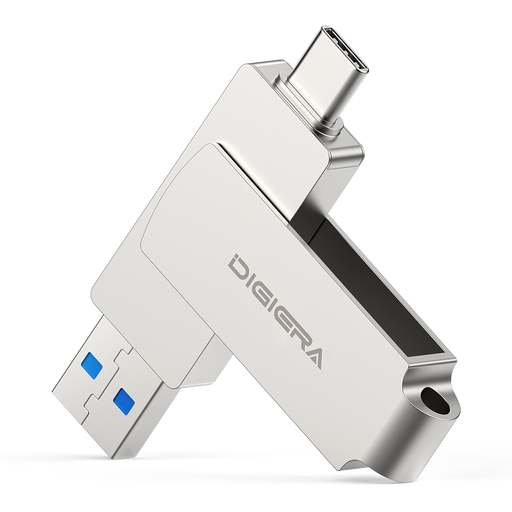
Why It Stands Out: The DigiEra LUS320 strikes an excellent balance between speed, capacity and versatility. Its dual-interface design makes it a practical tool for anyone working across multiple gadgets.
This USB C thumb drive features both USB-A and USB-C connectors, housed in a sturdy aluminium alloy body. The 360° swivel design protects the connectors without a separate cap that could get lost. With USB 3.2 Gen 1 performance, it delivers fast read speeds of up to 500MB/s, making file transfers quick and efficient.
Pros:
Who is it for? Professionals, students and anyone who needs a reliable and fast drive to move files between modern USB-C devices (like tablets and new laptops) and older USB-A computers.
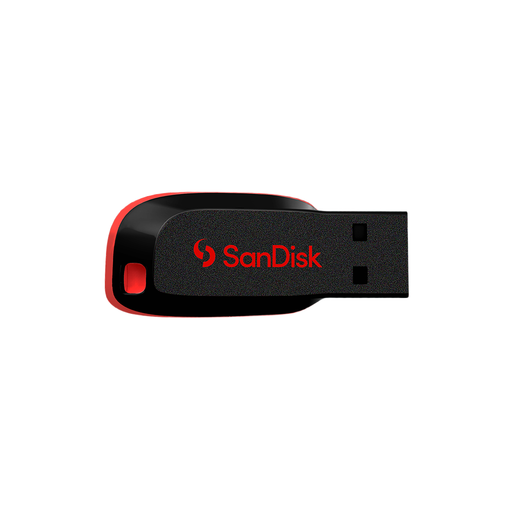
Why It Stands Out: The SanDisk Cruzer Blade is a household name for a reason. It offers dependable, no-fuss storage in an incredibly compact and affordable package.
While it uses the older USB 2.0 standard, its simplicity and reliability make it a go-to choice for everyday file storage and sharing. The 64GB capacity is ample for documents, music and photos. Its tiny, lightweight design means you can easily slip it into a pocket or attach it to a keyring.
Pros:
Who is it for? Users who need a basic, low-cost 64GB memory key for storing and transporting documents, schoolwork or photos. It’s a perfect fit for those who primarily use devices with standard USB-A ports and don’t require high-speed transfers.
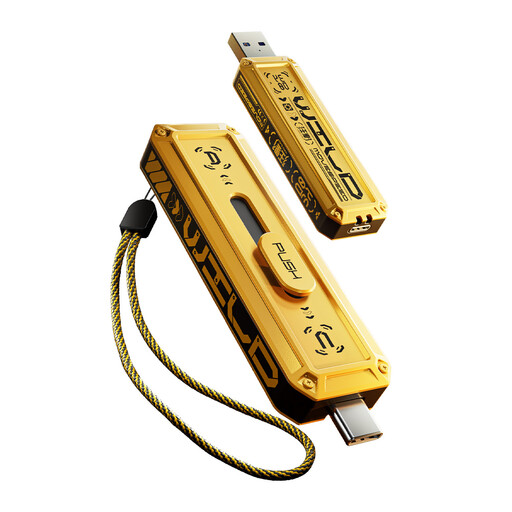
Why It Stands Out: This drive is all about performance. With read speeds up to 1090MB/s, the MOVESPEED drive operates at a level closer to an external solid-state drive (SSD), making it one of the fastest options in a flash drive format.
It’s built for power users. The USB 3.2 Gen 2x1 interface and 3D NAND flash technology allow it to transfer a 1GB file in about a second. Like the DigiEra, it’s a dual USB flash drive with both USB-A and Type-C connectors. The robust zinc alloy housing and push-slide mechanism add to its durability and futuristic aesthetic.
Pros:
Who is it for? Content creators, video editors, IT professionals and anyone who regularly moves very large files and cannot afford to wait. This is the high speed memory stick for those who prioritise performance above all else.
These recommendations cover a range of common needs, but the world of portable storage is vast. If you're looking for different capacities, designs or specific features, explore our full collection of flash drives to find the perfect match for your requirements.
1. What is the difference between USB 3.0, 3.1 and 3.2? These are all generations of the USB 3 standard, each offering progressively faster potential transfer speeds. For the average user, any drive marked with USB 3.x will provide a significant speed boost over USB 2.0. The specific generation (3.0, 3.1 or 3.2) and its associated speed (e.g., 5Gbps, 10Gbps) become more important for professionals transferring very large files.
2. Can I use a USB-C flash drive on a computer with only USB-A ports? Not directly. A dedicated USB C thumb drive will not fit into a traditional USB-A port. This is why a dual USB flash drive with both connectors is such a practical solution, as it guarantees compatibility with both old and new devices without needing an adapter.
3. How many photos can a 64GB USB stick hold? The exact number depends on the photo resolution and file format, but a 64GB memory key can typically store thousands of high-quality photos (e.g., 10,000-15,000 images from a typical smartphone) or several hours of HD video. This makes it a great all-round capacity for personal backups and everyday use.