What matters when choosing?
Check the workstation connection before comparing transfer speeds. Then use your own files to plan capacity and decide how the recordings will be protected and backed up.
| Concern |
What to check |
Who this matters to |
| Connection and transfer time |
Match USB-A or USB-C to the workstation. Check its USB generation and any hub or cable rating before relying on a stated maximum speed. |
I regularly copy batches of recordings and want the drive to connect without an adapter or an avoidable transfer bottleneck; around 40% of consumers put that connection and transfer need first. |
| Archive capacity |
Total the size of a representative recording batch, allow for the batches you will retain and leave working headroom below the labelled capacity. |
My interviews vary in length, so I need space for the files I intend to retain rather than a generic capacity recommendation; roughly 30% of consumers make archive sizing their primary concern. |
| Protection and recovery |
Assess appropriate encryption for personal or confidential recordings and maintain a separate backup that is not continually connected. |
If a drive is lost or the workstation is affected, I need to limit access to the recordings and still recover them; about 30% of consumers prioritise protection and recovery. |
Joybuy products for interview recordings
These drives cover USB-A workstation connections and options for moving recordings between USB-A and USB-C devices. Choose by the ports you use, the space your files require and any access protection you need.
 No image available
Kingston IronKey Keypad 200 16GB
Consider this keypad-equipped drive when access protection matters and 16GB covers your planned recordings.
The product name specifies AES-256 encryption. It describes FIPS 140-3 Level 3 certification as pending, so check its current status if certification is required.
Keep a separate recoverable backup.
View on Joybuy
 No image available
SanDisk Ultra 128GB USB 3.0 Flash Drive
Consider this 128GB drive if its connection and capacity fit your workstation and recording archive.
Check how you will protect any personal recordings and keep a separate backup.
View on Joybuy
 No image available
MOVESPEED YSUYC-256GSN 256GB Dual-Interface Flash Drive, Silver
Its USB-A and Type-C connections may suit transfers between a home workstation and devices with different ports.
The product name specifies USB 3.2 Gen 1 and fingerprint encryption, with stated read and write maxima of 550MB/s and 500MB/s. Check the fingerprint access workflow before relying on it for sensitive recordings.
Keep a separate recoverable backup.
View on Joybuy
 No image available
DigiEra LUS320 128GB USB-A and Type-C Flash Drive
The two connectors may suit recordings moved between USB-A and USB-C devices, provided 128GB fits your retention plan.
The product name describes a USB 3.2 dual interface, a 360° swivel design and a stated read speed of 500MB/s. If recordings need access protection, check the encryption arrangement you will use.
Keep a separate recoverable backup.
View on Joybuy
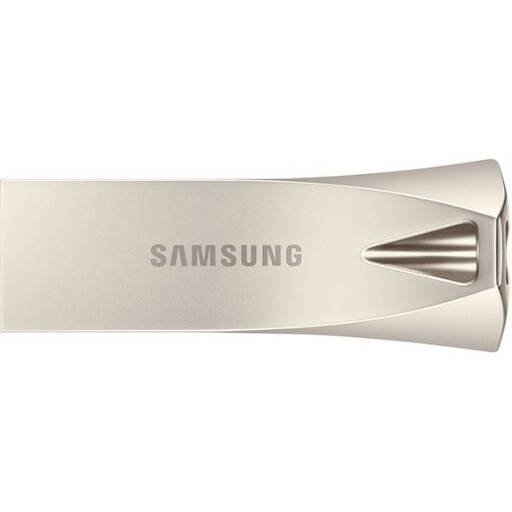 No image available
Samsung MUF-512BE3 512GB USB Type-A Flash Drive, Silver
Consider this USB-A model when your workstation has that port and your recording totals call for its 512GB labelled capacity.
The product name specifies USB 3.2 Gen 1. If copy time or protection of personal recordings is important, check the write-speed and encryption arrangements relevant to your workflow.
Keep a separate recoverable backup.
View on Joybuy
Questions about storing interview recordings
Do interview recordings need to be encrypted in the UK?
The appropriate protection depends on the recording and how it is used; encryption is not a substitute for assessing the wider security setup. Where recordings contain personal information, the Information Commissioner’s Office advises security measures appropriate to the risk and identifies encryption as a way to protect stored information against unauthorised access if a device is lost or stolen. Check any applicable employer or client policy too.
Can a flash drive be my only archive of interview recordings?
Keep another recoverable copy of recordings you need to retain. The National Cyber Security Centre warns that connected USB backups can be affected alongside original files during an incident and advises keeping at least one backup offline or digitally disconnected when it is not in use.
Will a USB 3.2 Gen 2 drive copy recordings at its advertised speed?
Not necessarily: the workstation and connection can limit transfer speed. Kingston says its DataTraveler Max series needs a USB 3.2 Gen 2 host port for optimal performance, with hardware, software and usage also affecting results. Check any hub or cable rather than treating the stated maximum as a guaranteed copy speed.
How do I choose capacity if future interview sizes are uncertain?
Start with the file size of a completed interview or representative batch in your usual recording format, then allow for the batches you intend to retain and for new work or exports. Leave headroom: formatting and drive functions mean usable space is lower than labelled capacity.


