Writers using mixed studio equipment
If you use a shared USB-A computer and a personal USB-C device, check both ports before choosing a drive. Kingston Technology’s DataTraveler microDuo 3C illustrates the dual-connector option.


Choose a USB flash drive by checking the ports you will use and the protection the manuscript needs before comparing transfer-speed claims. A USB-A drive suits equipment with USB-A ports, while a dual USB-A/USB-C drive allows direct connection across both port types; confidential material may call for encryption and a workable recovery plan. Keep the drive as a separate, disconnected backup, not the manuscript’s only recoverable copy.
If you use a shared USB-A computer and a personal USB-C device, check both ports before choosing a drive. Kingston Technology’s DataTraveler microDuo 3C illustrates the dual-connector option.
If a misplaced drive could expose client, personal or unpublished material, consider how access will be controlled and recovered. The Information Commissioner’s Office discusses encryption as protection for stored personal information; Kingston Technology’s IronKey Keypad 200 is a PIN-operated hardware-encryption option.
If you want a portable copy alongside your working manuscript, plan where to store the drive and when to connect it. The National Cyber Security Centre advises against leaving backup media connected when it is not in use.
Start with the devices that must open the manuscript, then decide whether its contents need access protection. Capacity and transfer claims matter only after the drive fits that workflow and you have a way to recover another copy.
| Concern | What to check | Who this matters to |
|---|---|---|
| Confidentiality | Check whether the manuscript contains sensitive material and how drive access and credential recovery work. | If a drive goes missing in the shared studio, I need to limit access to client, personal or unpublished material; around 33% of consumers put confidentiality first. |
| Connector compatibility | Check the ports on every device used to save or restore the file; consider both USB-A and USB-C where needed. | Moving a draft between studio computers and my own device should not depend on finding an adapter. For around 27% of consumers, direct connection is the primary need. |
| Backup recoverability | Plan a separate storage location and check occasionally that a copied file opens or restores. | I need another way to retrieve the manuscript if a drive is lost or the working file is deleted; recoverability comes first for around 27% of consumers. |
| Routine copying | Allow space for draft versions and related files; compare read and write claims for the exact variant. | Frequent manual copies need to fit easily into my routine, particularly if I also carry research or images. Around 13% of consumers prioritise copying convenience. |
A lost, failed or accidentally erased drive could leave you without a recoverable manuscript.
Keep the USB copy separate from the working device, maintain another backup location where practical and test that a copied manuscript opens. This follows the National Cyber Security Centre’s guidance on keeping important data in a separate safe location.
Connected backup media can also be affected by malware, according to the National Cyber Security Centre.
Connect the drive for the backup or restore, eject it properly and store it securely afterwards.
Kingston Technology states that repeated failed administrator PIN attempts can crypto-erase its IronKey Keypad 200. Access control therefore needs careful credential handling.
Understand the model’s lockout and recovery procedures before use, and keep permitted recovery information separately and securely.
A drive cannot connect directly to a device with a different port unless it also has the required connector.
Check each computer and personal device that may need the manuscript. If both USB-A and USB-C ports are in use, consider a dual-connector drive such as the Kingston Technology DataTraveler microDuo 3C.
The BAR Plus range is relevant to conventional USB-A manuscript backups; Samsung UK lists a 128GB MUF-128BE3/APC variant.
Kingston Technology has distinct lines for compact USB-A storage, dual-connector transfers and PIN-operated encrypted storage.
Verbatim’s Store 'n' Go Secure Pro is relevant when comparing password-protected hardware-encryption options for a confidential manuscript.
These drives cover dual-connector copying between USB-A and USB-C devices and a keypad-encrypted option for a confidential manuscript. Check the exact variant’s access and recovery arrangements where protection matters, and keep another backup location regardless of drive choice.
 No image available
Consider this variant for moving a manuscript between USB-A and USB-C devices when you also want to assess fingerprint-controlled access.
The product name specifies 256GB, USB 3.2 Gen 1 and fingerprint encryption. Check enrolment, access recovery and lockout behaviour before relying on its protection for confidential files.
 No image available
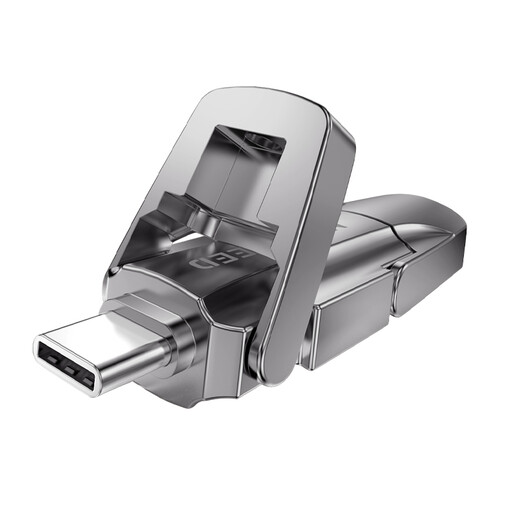
This is a route for a routine removable copy that must connect to both USB-A and USB-C equipment.
The product name specifies 128GB, USB 3.2, a swivel design and a metal body. Check that its file format works with every intended device, and confirm suitable protection before storing confidential material.
 No image available
Consider it for a removable manuscript copy used across USB-A and USB-C devices.
The product name identifies a 256GB variant with a zinc-alloy flip cover. Check the capacity of the exact variant offered, device compatibility and protection arrangements before buying for confidential work.
 No image available
This keypad-encrypted route is worth considering when a lost drive could expose confidential manuscript material and the intended devices can use this variant’s connector.
The product name specifies 16GB and AES-256 encryption. Kingston Technology describes PIN-operated hardware encryption for the Keypad 200 series; check the listed connector and plan PIN recovery carefully, as repeated failed administrator PIN attempts can crypto-erase this model.
 No image available
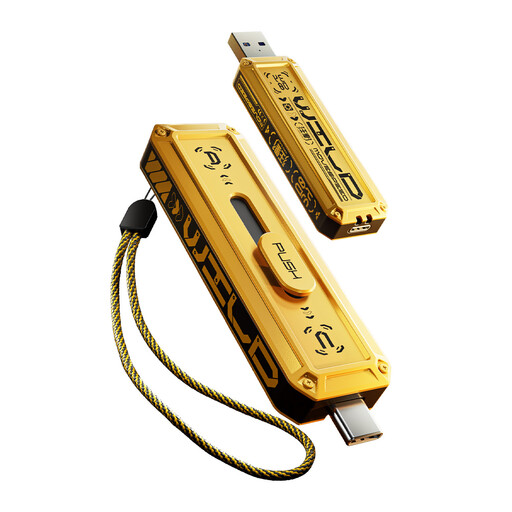
This variant offers a removable-copy option for a manuscript and related files used across USB-A and USB-C devices.
The product name specifies 512GB and a zinc-alloy housing. Confirm the applicable interface and read and write specifications for this variant before comparing transfer speeds; check protection arrangements separately if the manuscript is confidential.
No: use the drive as a separate copy, not the only recoverable one. The National Cyber Security Centre advises keeping important data in a separate safe location and disconnecting removable backup media when it is not in use; maintain another backup location where practical.
Consider encryption if losing the drive could expose personal information, client material or other confidential content. The Information Commissioner’s Office describes encryption as protection for stored personal information; your choice still depends on the manuscript’s contents and how you will manage access and recovery.
BitLocker To Go can encrypt a removable drive if you have a supported Windows edition. Microsoft says manual BitLocker Drive Encryption is available on Windows Pro, Enterprise and Education, rather than Home; check the edition and save the recovery key before relying on it.
Yes, Apple says its cited Disk Utility process for encrypting an external device requires erasing the device first. Copy any existing manuscript files elsewhere and check that the copy opens before formatting the drive.
Choose the connector that matches every device that may need to save or restore the manuscript. If you regularly use both USB-A and USB-C ports, a dual-connector drive such as Kingston Technology’s DataTraveler microDuo 3C allows direct connection to both; the connectors alone do not encrypt the file.