Students using one known school laptop
If you write and submit the journal on the same computer, start by checking its USB port. A straightforward copying routine matters more than connectors you will not use.


Choose a flash drive that fits the devices used for the journal: USB-A suits a known USB-A computer, while a drive with both USB-A and USB-C connectors makes more sense when the file moves between those port types. Keep the drive as one backup copy, not the only copy; check that the copied journal opens, then disconnect the drive and store it safely. The National Cyber Security Centre also advises considering a separate online backup alongside a storage-device backup.
If you write and submit the journal on the same computer, start by checking its USB port. A straightforward copying routine matters more than connectors you will not use.
If you open the journal at both school and home, check the ports on each device before choosing between a single-connector and a dual-connector drive.
If the journal contains personal reflections or other sensitive information, consider how you will protect a portable copy. Follow the school’s data-handling policy where it applies, and keep a separate backup.
Check the devices’ ports first, then the size of the complete project folder. Whatever drive you choose, plan how to keep a separate copy of the journal.
| Concern | What to check | Who this matters to |
|---|---|---|
| Recoverable copies | Plan when to update the USB copy and where to keep another, separate copy. | If the school computer becomes unavailable, I need a copy I can still open rather than another file stored in the same place; around 46% of consumers put recoverability first. |
| Connector fit | Check the actual ports on the school and home devices; consider a dual USB-A/USB-C drive if you need both. | When I move the journal between devices, I need the drive to connect directly to each one; for around 27% of consumers, port compatibility is the primary concern. |
| Space for the whole project | Check the complete folder size, including media and revisions, and leave room for later work. | Photos, scans or recordings could make my project larger than its main document, so I want space for updated copies; around 18% of consumers focus primarily on capacity and copying convenience. |
| Private material | Check the particular model’s protection features and the school’s policy for personal information. | If I misplace a drive containing personal writing, I want to have considered who could access it; protecting private material comes first for around 9% of consumers. |
USB-A, USB-C and dual-connector drives do not all connect directly to the same devices.
Look at the school and home devices you will actually use. If they have different port types, consider a drive with both connectors rather than assuming an adapter will be available.
A portable drive can be lost or damaged. The National Cyber Security Centre also warns that connected storage can be affected by malware on an infected computer.
After copying, open the journal from the drive to check it, then disconnect the drive. Keep another copy separately where practical.
Losing the sole usable copy could mean spending time recreating work before submission.
Photos, scans, recordings and older versions may take up space alongside the main journal file.
Check the size of the complete project folder and allow room for revisions before choosing a capacity.
A protection feature does not prevent the loss, damage or deletion of the journal copy.
Check what protection the particular drive offers, keep a separate backup and follow the school’s policy if the files contain personal information.
The Ultra USB 3.0 range is a USB-A option for a computer with a known Type-A port.
DataTraveler Exodia M is a USB-A option for a known school or home computer.
JumpDrive Dual Drive D400 is intended for transfers between compatible USB-A and USB-C devices.
DUO Plus offers USB-C with an integrated Type-A adapter; Samsung also has a separate Type-C model.
These drives cover USB-A, USB-C and dual-connector options for a school-journal backup. Choose by the ports you will use, then check the complete folder size and any protection features you need.
 No image available
For moving a journal between devices with compatible USB-A and USB-C ports. The product title lists USB 3.2 Gen 1 and fingerprint encryption; check how its protection feature works before relying on it for private material.
Compare the 256GB capacity with your complete project folder and keep another copy elsewhere.
 No image available
For a journal kept on a computer with a confirmed USB-A port when keypad access is of interest. Its product title describes AES-256 encryption and lists FIPS 140-3 Level 3 as pending, not completed certification.
Check whether the whole project folder fits within 16GB and retain a separate backup.
 No image available
For transferring a journal between compatible USB-A and USB-C devices. The product title specifies USB 3.2 and a 360° swivel design.
Check that 128GB leaves room for the project and revisions. Its stated read speed is not a promise of your file-copy speed.
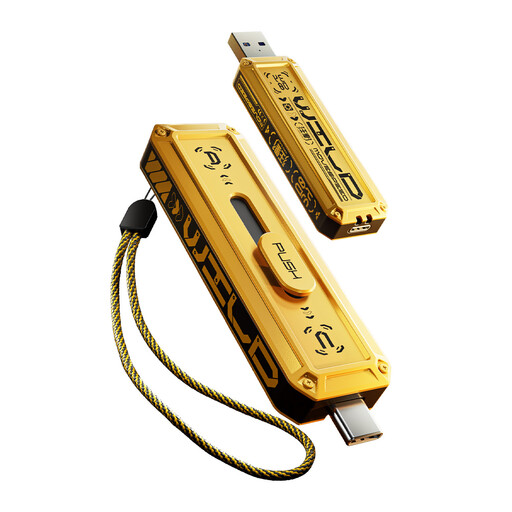 No image available
For moving the journal between compatible USB-A and USB-C devices. The product title lists USB 3.2 Gen 2×1 and a zinc-alloy housing.
Check the folder size before choosing 512GB. The title’s maximum transfer-speed claim does not establish the speed of your own backup.
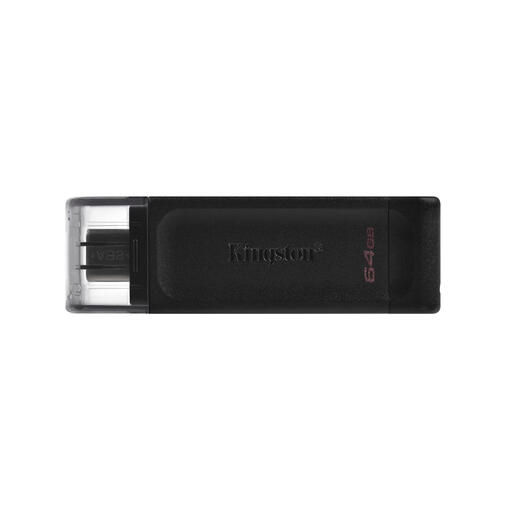 No image available
For backing up the journal directly from a device with a compatible USB-C port; it is not a direct fit for a USB-A-only school computer. The product title specifies USB 3.2 Gen 1.
Check the complete folder size against 64GB and keep a separate copy of the work.
Choose capacity after checking the size of the complete project folder, not just the main document. Include photos, scans, recordings and older versions, and leave room for revisions; some labelled drive capacity is unavailable after formatting and system use.
Disconnect it once you have copied the journal and checked that the files open from the drive. The National Cyber Security Centre warns that storage connected to an infected computer can also be affected by malware.
No: use it as one copy and keep another copy separately where practical. The National Cyber Security Centre advises considering both an online backup and a storage-device backup rather than relying on a single copy.
No. A maximum read figure does not guarantee write or real-world copying speed. Lexar notes that write speeds can be lower than its stated read figures, while Samsung says actual speed can vary with the host device and usage conditions.