Occasional talk attendee
If you mainly want to hear the speaker but may ask a question, a wired headset with a microphone lets you do both without changing equipment. Check its connector against the computer you will use.


Choose a wired USB headset with a microphone if you may ask questions or join part of the history talk remotely; if you will only listen, headphones may suffice. Match the connector to the computer you will use. For shared classroom equipment, adjustable fit and replaceable cushions matter, while listener-side noise cancelling is worth considering when room noise makes speech difficult to follow.
If you mainly want to hear the speaker but may ask a question, a wired headset with a microphone lets you do both without changing equipment. Check its connector against the computer you will use.
For a headset used by several attendees, adjustable fit, sturdy construction and replaceable cushions deserve attention alongside the microphone. TTS Group describes these features on its classroom headset product page.
If room noise makes speech hard to follow, assess listener-side noise control separately from microphone features. If you change computers, check each connector and whether the headset supports audio input and output on the device you will use.
Start with the computer’s connector and whether you need to speak, then consider fit and upkeep if the headset will be shared.
| Concern | What to check | Who this matters to |
|---|---|---|
| Speech and microphone | Check for a microphone you can position for questions and, if useful, a readily accessible mute control. | When I may ask a question or join remotely, I need to hear the talk and contribute without changing equipment. Around 42% of consumers put spoken participation first. |
| Device compatibility | Match USB-A or USB-C to the talk computer; check whether an adapter is included if you need both. | If I move between computers, a mismatched connector could prevent me joining the session. Roughly 33% of consumers put device compatibility first. |
| Shared-use fit and upkeep | Look for an adjustable headband and confirm whether replacement cushions are available. | For equipment passed between attendees, I want a fit that can be adjusted and cushions that can be changed. About 25% of consumers make shared-use practicality their primary concern. |
USB-A and USB-C connectors differ. Logitech’s H340 and H390 use USB-A, while HP lists USB-C and a tethered USB-A adapter for the Poly Blackwire 5220.
Inspect the computer you will use for the talk, and check that any adapter you need is included or available separately.
A noise-reducing microphone addresses the sound sent to other people; active noise cancelling addresses sound reaching the listener. Paying for the latter will not, by itself, solve a microphone problem.
Decide whether you struggle to hear the speaker, to be heard when contributing, or both. Check the corresponding features separately.
A headset used by several people needs to accommodate different fits and repeated use. TTS Group lists an adjustable headband and replaceable cushions for its USB Computer Headset.
Check adjustment and cushion replacement before choosing a headset for shared classroom use.
The World Health Organization notes that listening risk increases with louder sound and longer exposure; it advises setting device volume to no more than 60% of maximum.
Keep the volume moderate, take listening breaks and consider whether a better fit or a quieter position in the room would help.
The H340 and H390 are personal USB-A headset options for computer listening and speaking.
The TTS USB Computer Headset is presented for classroom listening and speaking.
The Blackwire range includes corded communication headsets with different connection and noise-control features.
These choices cover wired USB headsets for listening and speaking, alongside an in-ear USB-C option for someone who prefers earbuds. Check the talk computer’s connection before choosing.
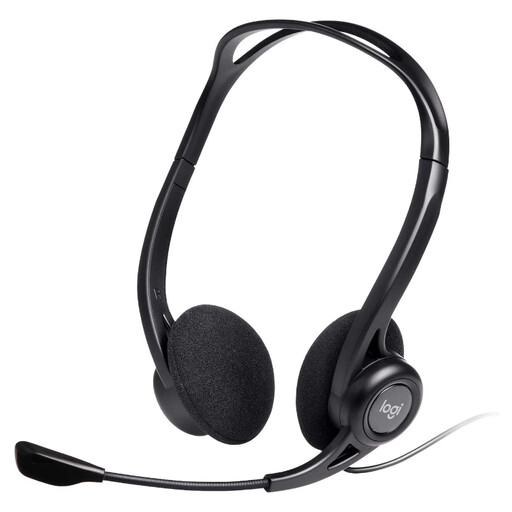 No image available
A headset option if you want to listen to the talk and have a microphone ready for questions.
The product name specifies an inline remote and a noise-cancelling microphone. Confirm the USB connector fits the computer you will use.
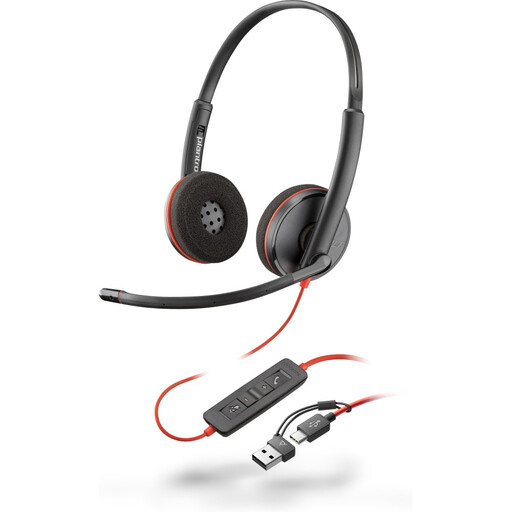 No image available
Consider this wired headset if you need a microphone and may use computers with different USB connectors.
The named configuration includes a USB-C connection and USB-A adapter. Check that the talk computer accepts headset audio and microphone input through the connection you plan to use.
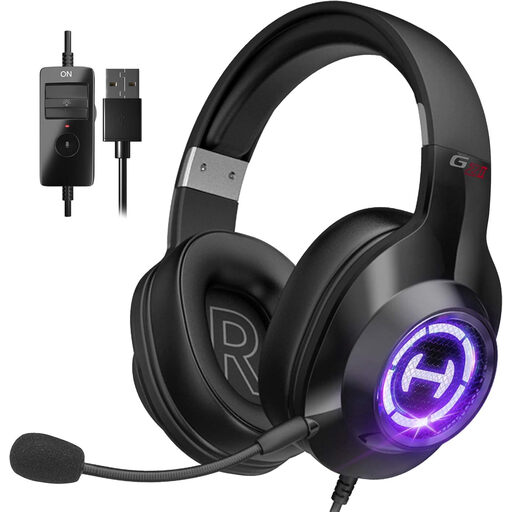 No image available
This is a headset to assess if you want USB listening and a microphone for spoken contributions, but its gaming features need not drive a classroom purchase.
The product name lists a noise-cancelling microphone, 50 mm drivers, 7.1 surround sound and RGB lighting, and names PC, Mac and PS4. Confirm the connection and session compatibility with the actual talk computer.
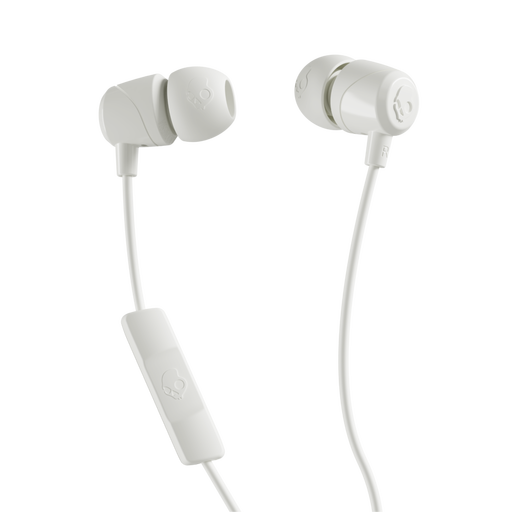 No image available
Consider these in-ear earbuds if you prefer that fit to a headband headset and need a microphone for occasional contributions.
The named variant has a USB-C connection and microphone. Confirm that your talk device supports both audio output and microphone input over USB-C.
Choose a headset with a microphone if you may ask questions, contribute remotely or record a spoken response. If you will only listen, headphones may be sufficient.
Check the port on the computer you will actually use. A USB-A headset needs a USB-A port or suitable adapter; if you move between USB-C and USB-A computers, check whether the model includes the adapter you need.
No: microphone noise reduction concerns the sound you send to others, not the noise you hear. If room noise disrupts your listening, look separately at fit, passive isolation or a model that explicitly offers listener-side active noise cancelling.
No single USB headset should be assumed to meet every attendee’s needs. The Department for Education advises schools and colleges to identify their communities’ digital accessibility needs; ask the organiser about appropriate listening arrangements, particularly if an attendee uses a hearing aid or cochlear implant.
Keep the volume moderate and take breaks rather than turning it up to overcome classroom noise. The World Health Organization advises setting device volume to no more than 60% of maximum and notes that both volume and listening duration affect risk.