Noisy-home trainees
If household conversation, typing or intermittent activity interrupts training, check both how the microphone handles nearby sound and how the earcups affect what you hear.


Choose a USB headset around the problem most likely to interrupt your training: being heard over household noise, listening comfortably for a long session, or connecting to the devices and meeting app you use. Listening-side isolation and microphone noise handling are separate features; check the exact connector and variant before choosing either a simple plug-in headset or a more specialised model.
If household conversation, typing or intermittent activity interrupts training, check both how the microphone handles nearby sound and how the earcups affect what you hear.
For extended live sessions, fit, padded contact points and accessible mute or volume controls may matter more than portability.
If you join from a computer but may also use a tablet or phone, check each device connection. If physical Microsoft Teams controls matter, check the certification of the exact headset variant.
Start with the disruption that matters most during training, then check whether the headset connects to your computer and supports the controls you need.
| Concern | What to check | Who this matters to |
|---|---|---|
| Voice and distraction | Check microphone noise handling separately from active noise cancellation (ANC) or passive isolation for listening. | If nearby conversation interrupts listening and speaking, I need to follow the trainer while others can hear me clearly. Around 33% of consumers put voice clarity and distraction control first. |
| Long-session comfort | Consider headband adjustment, ear cushions and whether mono or stereo wear suits the session. | When training runs for hours, I want a fit I can wear without the headset itself becoming a distraction. For around 25% of consumers, comfort is the primary concern. |
| Connection and controls | Match USB-A or USB-C to the computer; confirm any adapter and the exact variant if Teams controls matter. | If I switch devices or rely on a headset button to mute in Teams, the connection and controls need to suit my setup. Compatibility and call controls come first for around 25% of consumers. |
| Simple setup | Check the computer port and whether the cable reaches your usual desk position. | For occasional training in a relatively quiet room, I may only need a straightforward wired connection. Around 17% of consumers prioritise that simpler setup. |
ANC or passive earcup isolation affects what you hear; microphone noise handling affects what other participants hear. One does not establish the other.
Check both features separately and, if possible, make a test call from the room you will use.
USB-A, USB-C and adapter configurations can differ within a headset range. A mismatched connection may require an additional compatible adapter.
Check your computer ports against the exact model and confirm what comes with that variant.
Microsoft describes physical call controls on certified Teams devices, but certification can depend on the headset version.
If those controls matter, confirm the exact Teams-certified variant and its compatibility with your installed app and operating system.
An enclosing stereo headset may make it harder to notice someone trying to get your attention at home.
If awareness matters during training, consider whether a mono design or less isolation better suits your room.
Logitech offers both simpler wired USB headsets and the more feature-led Zone Wired 2 range.
Poly Blackwire wired headsets are relevant when call controls and connection options influence the choice.
Jabra Evolve2 40 SE offers a wired office-headset route with a choice of connection and meeting-platform variants.
These wired USB choices cover straightforward computer training calls and some different connection needs. Check each model individually if listening-side isolation or certified meeting controls are important to you.
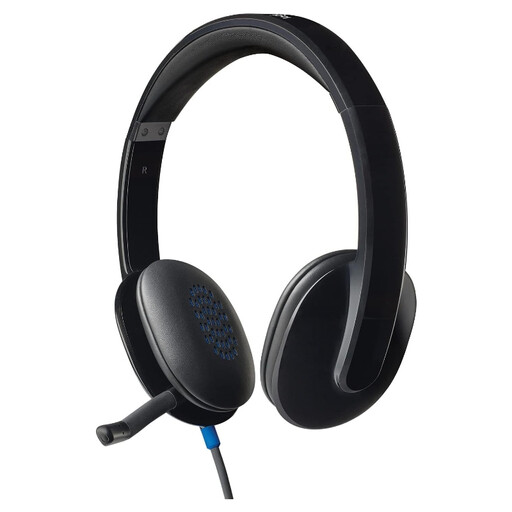 No image available
Consider this for computer-based training when a wired headset and accessible call adjustments suit your setup. Confirm the connector and exact Teams-control requirements before choosing it.
 No image available
Consider this when your training computer uses USB-C or you need the stated USB-C/A adapter for a USB-A connection. It is a stereo headset; check fit and any required meeting-platform certification for this exact model.
 No image available
Consider this for desk-based training when an inline remote and an adjustable microphone matter. The product name specifies a noise-cancelling microphone; check listening-side isolation separately if household sound disrupts what you hear.
 No image available
Consider this gaming-focused headset for training only if its call setup suits your computer and meeting app. Its product name specifies a noise-cancelling microphone, 50 mm drivers and 7.1 surround sound; check the controls you need for calls separately.
Not necessarily for basic audio, but choose a certified variant if supported physical Teams controls are important. Microsoft says buttons on certified devices can handle functions including volume and mute; check the exact headset variant against your installed Teams app and operating system.
Consider ANC if changing household sound chiefly disrupts what you hear, or passive isolation if an earcup fit that physically reduces outside sound suits you. Logitech describes adaptive hybrid ANC on Zone Wired 2, while Jabra describes passive isolation on Evolve2 40 SE. Neither feature establishes how well the microphone handles background sound for other participants.
Position it according to the headset maker’s fitting instructions. Jabra advises placing the Evolve2 40 SE microphone close to your mouth; check its position before joining the session.